94 EZ-USB Development Kit User Guide, Doc. # 001-66390 Rev. *D
EZ-USB Development Kit Firmware Examples
2. 0xA3 command-Download data to RAM memory
This command is used to download data to either the EZ-USB internal (0x0000-0x3FFFF) RAM
or the external RAM memory.
a. Test using CyControlCenter
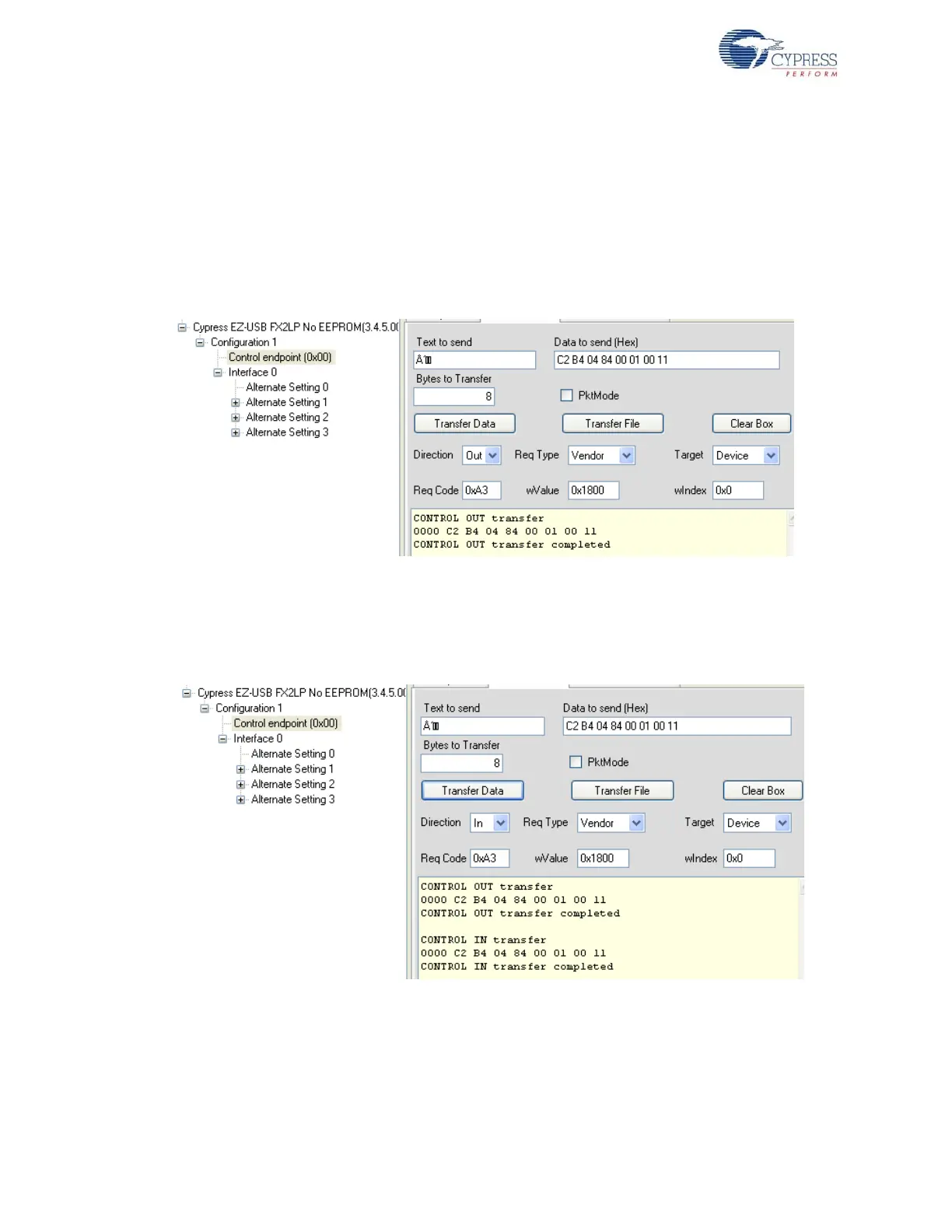
To write the contents to RAM memory, select Direction = OUT, Req Type = vendor, Target =
Device, Bytes to Transfer = 8 bytes (data to read), and Req Code = 0xA3, and enter data to send
as C2 B4 04 84 00 01 00 11 in the Data to send box. Click on the Transfer Data button and
observe the RAM memory getting programmed. Figure 8-14 summarizes the entire operation.
Figure 8-14. A3 Vendor Command Read Operation using CyControlCenter
To read the contents from RAM memory, select Direction = IN, Req Type = vendor, Target =
Device, Bytes to Transfer = 8 bytes (data to read), and Req Code = 0xA3. Click on the Transfer
Data button and observe that the RAM memory written previously matches with the read data.
Figure 8-15 summarizes the entire operation.
Figure 8-15. A3 Vendor Command Read Operation using CyControlCenter
3. 0xA6 command-Get Chip Revision
To retrieve the current revision of the EZ-USB(FX1/FX2LP) or MOBL-USB(FX2LP18) device, this
command is used. Figure 8-16 of CyControlCenter summarizes the entire operation.



 To Next Page