34D-Link DSL-2740M User Manual
Section 3 - Conguration
Add Wireless Device with WPS (Wi-Fi Protected Setup) Wizard
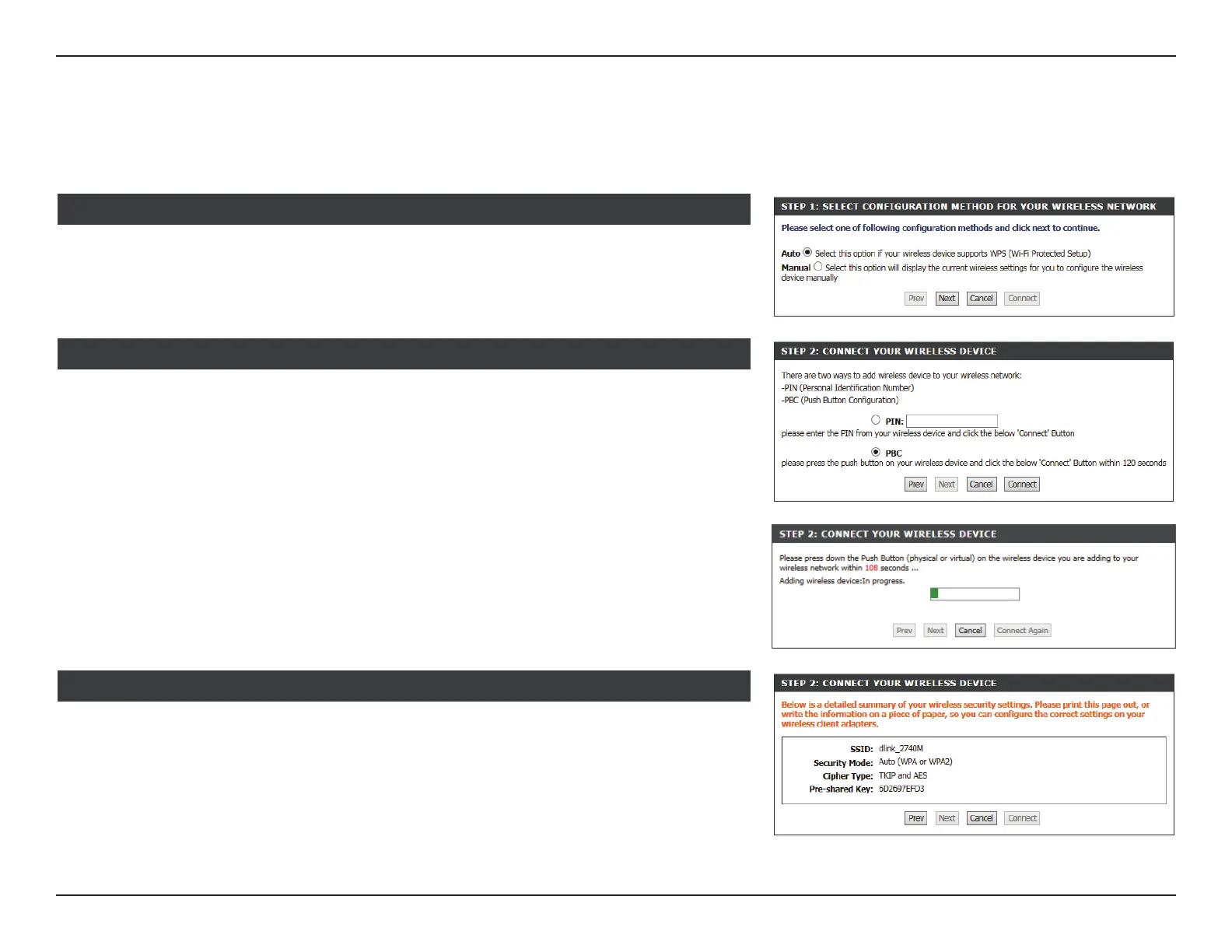
Select your WPS conguration method.
STEP 1: SELECT CONFIGURATION METHOD
This section will guide you through the Add Wireless Device with WPS (Wi-Fi Protected
Setup) Wizard.
If you selected Auto, select your WPS Connection type, PIN or PBC.
Select your WPS conguration method and press the Connect button.
STEP 2: CONNECT YOUR WIRELESS DEVICE
If you selected Manual, your currently congured wireless settings are displayed.
Your currently congured wireless network settings are displayed here.
STEP 2: CONNECT YOUR WIRELESS DEVICE



 To Next Page