50D-Link DSL-2790U Wireless N300 ADSL2+ Modem Router User Manual
Section 4 - Conguration
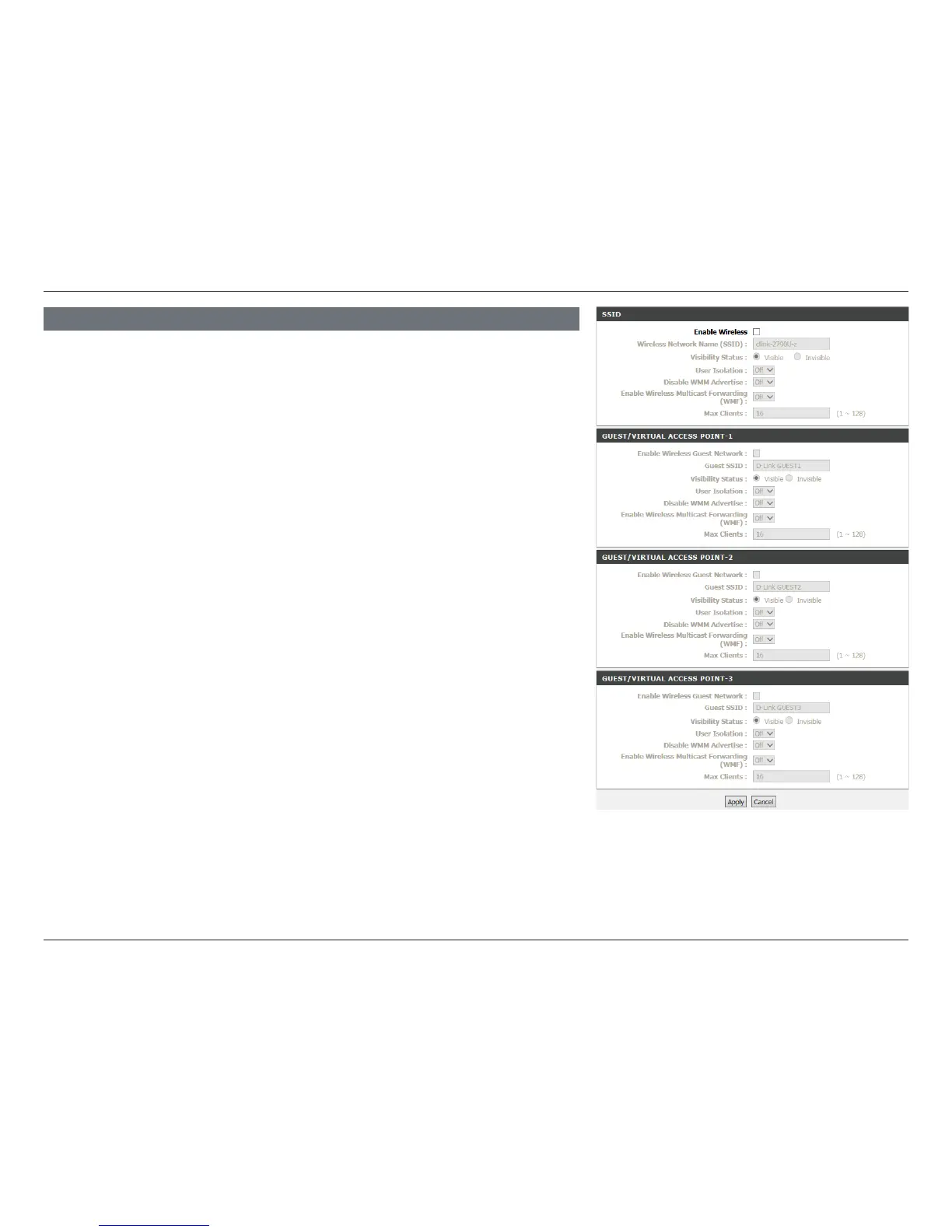
Enable
Wireless:
Check this box to enable the router’s wireless functionality. The Wireless
On/Off button on the back of the DSL-2790U performs the same function.
Wireless
Network
Name (SSID):
Create a name for your wireless network using up to 32 characters.
The SSID is case-sensitive. Choose something for easy identification by
wireless clients.
Visibility
Status:
Visible networks conveniently advertise their existence to devices
looking for Wi-Fi networks to join. Invisible, or hidden, networks do not.
To join an invisible network users must manually input its SSID.
Note: Making a network Invisible is not a form of security alone.
User
Isolation:
Off is the default and recommended setting. Turning on user isolation will
prevent wireless clients from communicating with each other. This may be
desired if the DSL-2790U will be used in a public setting.
Disable
WMM
Advertise:
WMM (Wi-Fi Multimedia) is a QoS (Quality of Service) system for
improving the quality of video and voice applications on your wireless
network.
Enable
Wireless
Multicast
Forwarding
(WMF):
Enable or Disable Wi-Fi Wireless Multicast Forwarding (WMF). The
transmission quality of video service such as IPTV may be improved with
this option enabled.
Global
Max Clients:
16 is the default and recommended setting. Specify the maximum
number of wireless clients allowed to connect.
SSID
Click Apply when you are done.















 To Next Page