24D-Link G530 User Manual
Section 3 - Conguration
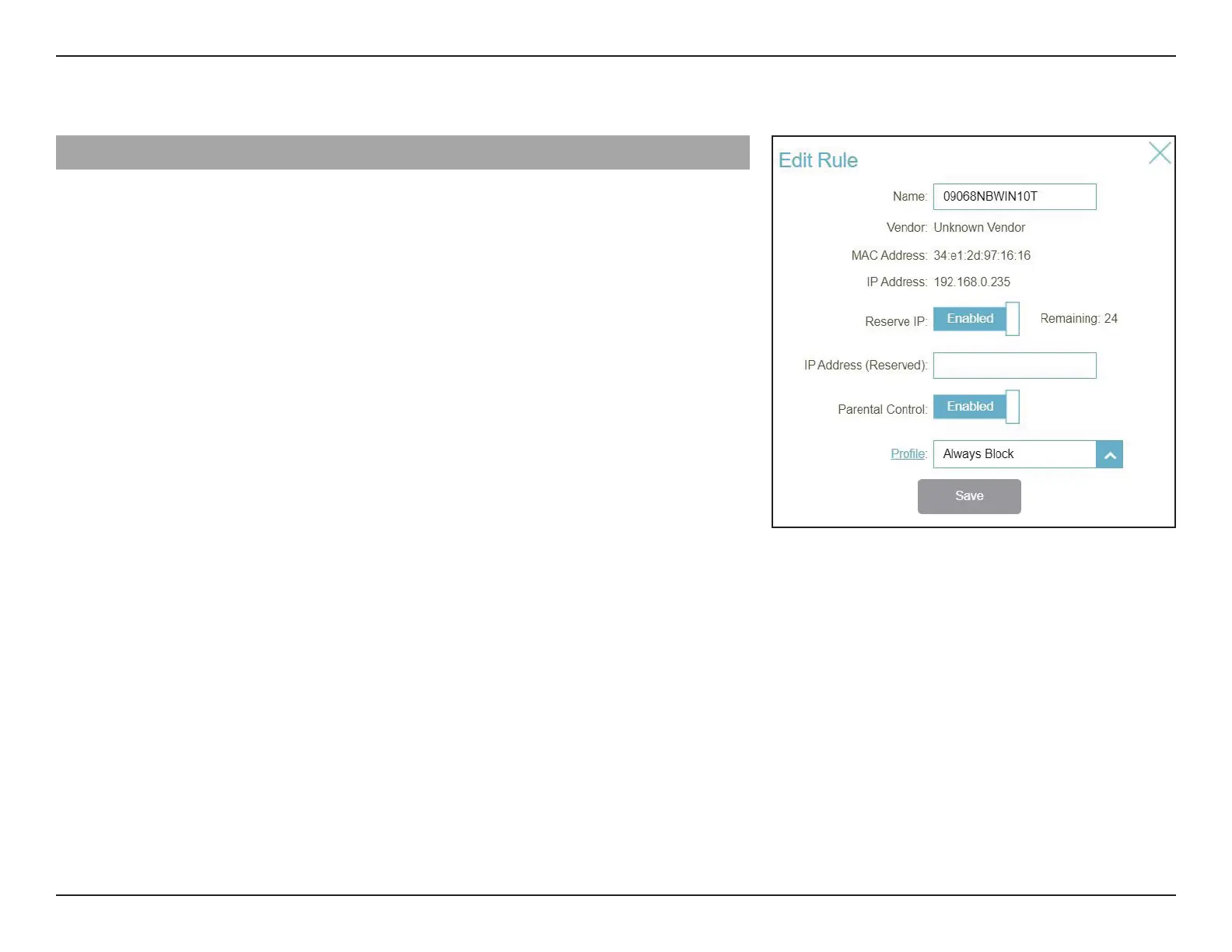
Edit Rule
Name Enter a custom name for this client.
Vendor Displays the vendor of the client.
MAC Address Displays the MAC address of the client.
IP Address Displays the current IP address of the client.
Reserve IP Click Enable to reserve an IP address for the client.
IP Address (Reserved) Specify an IP address for the router's DHCP server to assign.
Parental Control Enable Parental Control and select a prole to control the
client's Internet access. Make sure that this device is also on
the device list of the selected prole.
Prole Use the drop-down menu to select a prole to be used for
Parental Control. The prole can be set to Always Block to
have this client blocked from accessing the Internet, or you
can create your own proles to specify the time periods
that the client can access the network. You can also block
access to unwanted websites. Refer to Features > Parental
Control on page 61 for more information.
Click Save when you are done.



 To Next Page