31D-Link G530 User Manual
Section 3 - Conguration
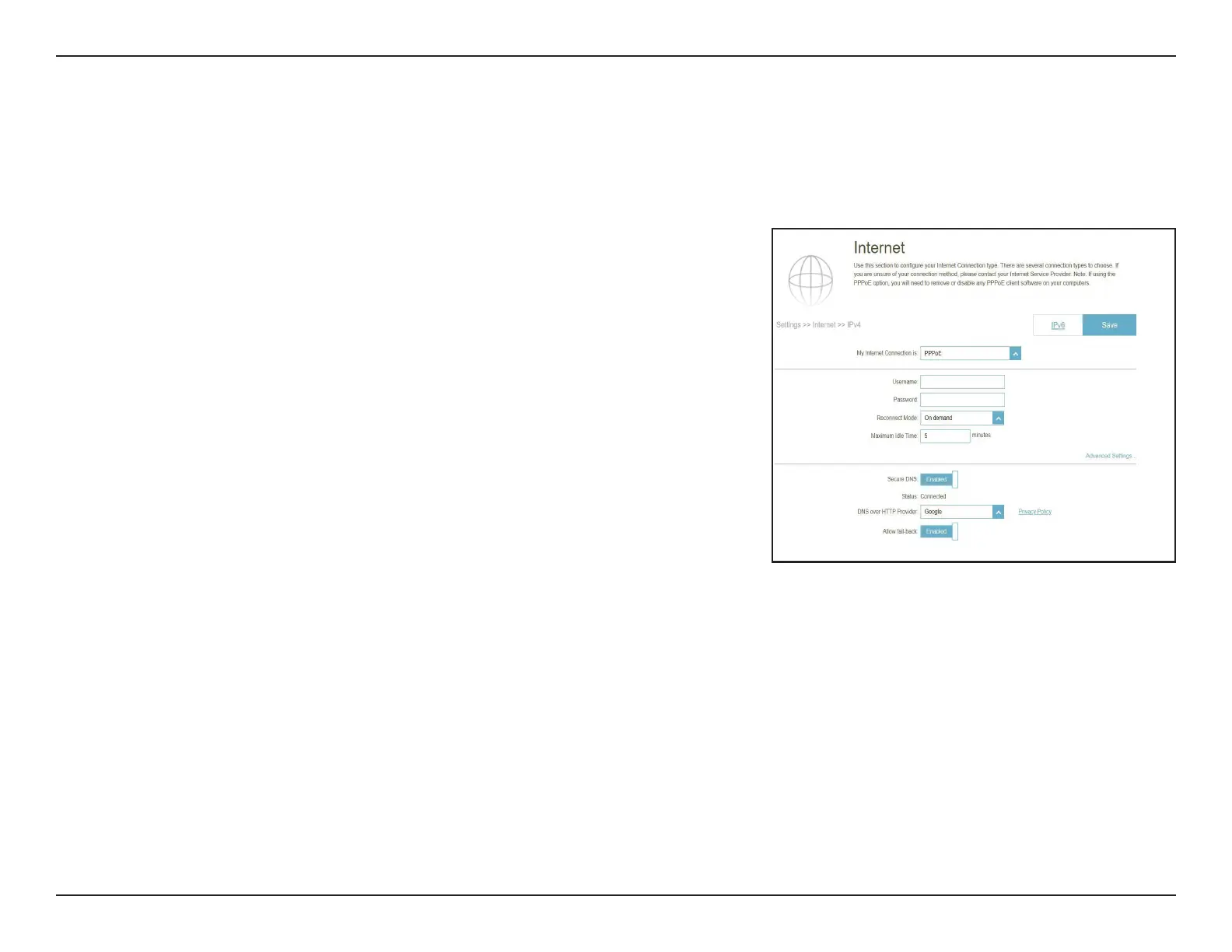
IPv4 - PPPoE
Select Point-to-Point Protocol over Ethernet (PPPoE) if your ISP requires you to enter a PPPoE username and password in
order to connect to the Internet. Click Save at any time to save the changes you have made on this page.
Username: Enter the username provided by your ISP.
Password: Enter the password provided by your ISP.
Reconnect Mode: Select either Always on, On Demand, or Manual.
Maximum Idle Time: Congurable when On Demand is selected. Enter a maximum
idle time during which the Internet connection is maintained
during inactivity. The default is 5 minutes. To disable this
feature, select Always on or Manual as the reconnect mode.
Secure DNS:
DNS over HTTP
Provider:
Allow Fall-back:
Enable the secure DNS to use public DNS with encryption
via DNS-over-HTTPS (DoH).
Select the public DNS service provider: Google or Cloudare.
Use your primary or secondary DNS server as an alternative
if the congured provider is not working.



 To Next Page