90D-Link G530 User Manual
Section 3 - Conguration
D-Link FALCON
With the D-Link FALCON app on your smart devices, you can get the G530 up and running quickly. Just plug in the router,
open the app and build your home network by following the easy instructions on the screen. The new D-Link FALCON app is
especially designed to ease your management work with the following features:
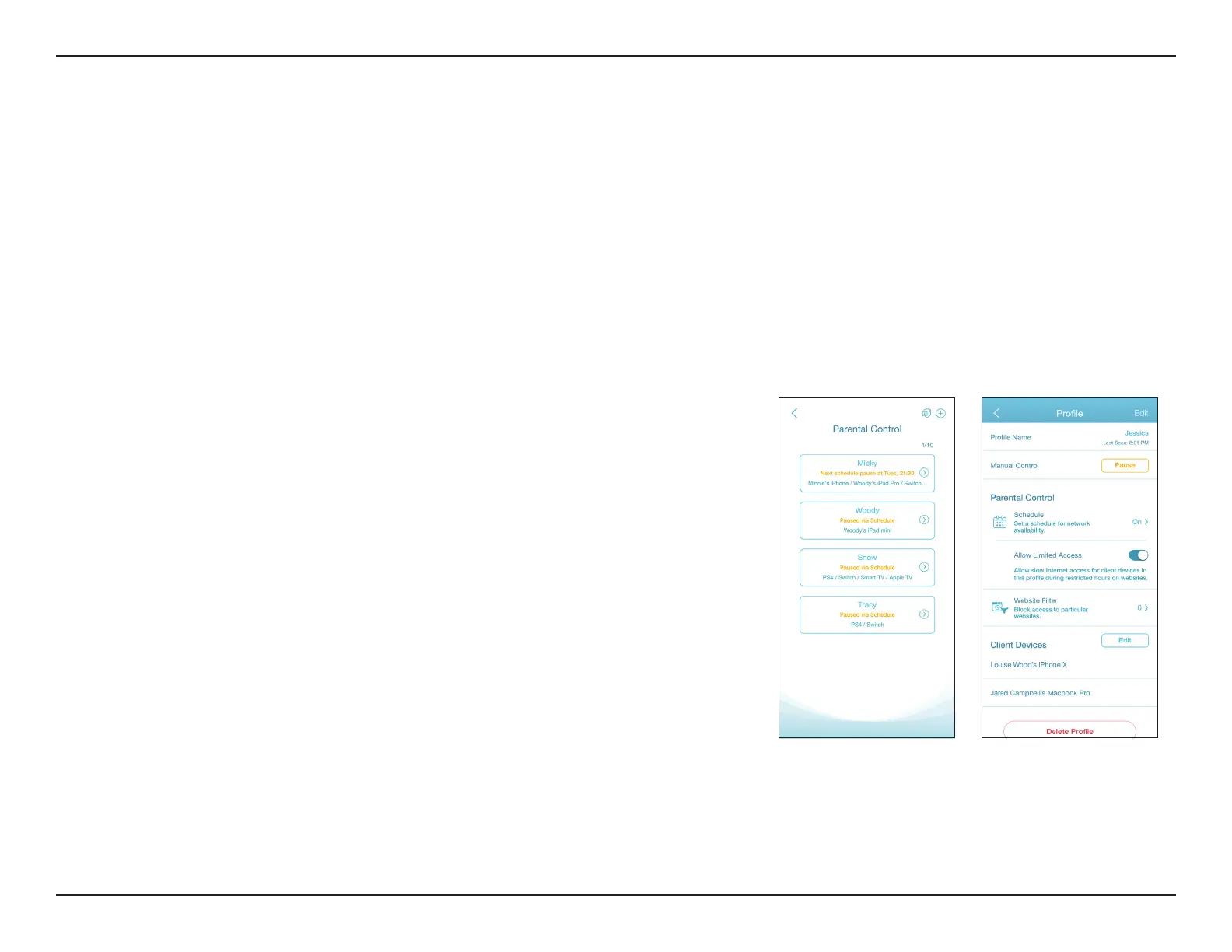
AI Parental Control: The Parental Control provides the highest exibility of Internet accessibility control and website
ltering. It allows administrators to control the availability of Internet access and speed for individual devices during
designated time periods.
AI Parental Control:
To enable this function, navigate to the Home screen, and tap Parental Control.
Then use the following procedure to add a new prole:
1. Tap Start.
2. Name this prole. Then tap Next to continue.
3. Select client devices to which the prole will be applied.
4. Tap Done to proceed.
5. The prole summary will be displayed. On this page you can tap Pause to immediately
pause Internet to the devices specied in the prole.
You can set schedules to restrict Internet access.
Use Block Bedtime Internet Access to block Internet access during the specied days and
time periods. Use Allow Scheduled Internet Access to allow Internet access only during the
specied days and hours. Users cannot access the Internet except during the hours that you
specify. Note that bedtime restriction takes precedence over the allowed schedules here.



 To Next Page