76D-Link G530 User Manual
Section 3 - Conguration
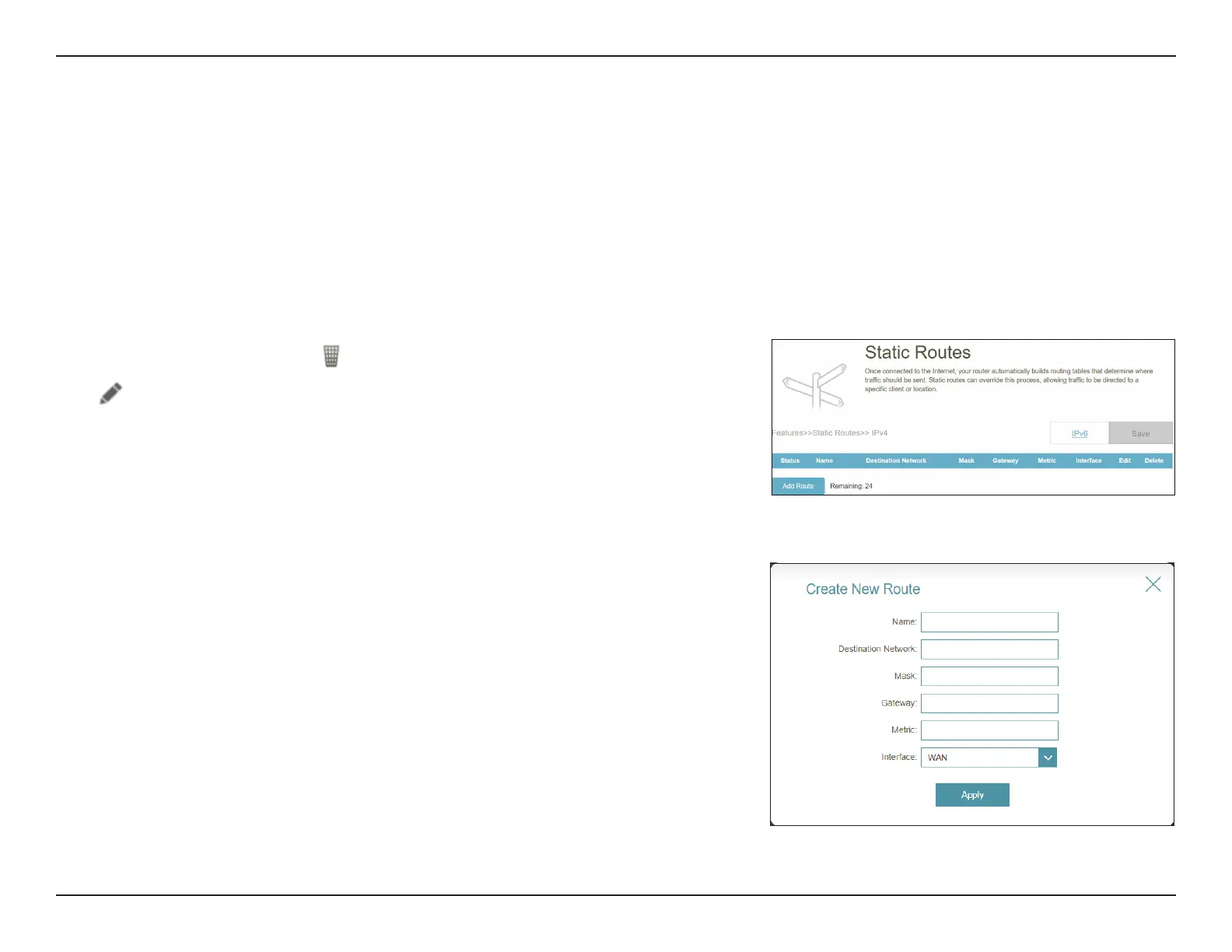
Static Routes - IPv4
Go to Features > Static Routes to dene custom routes and control that external data trac from a specied IP address to
be forwarded to a specied client in the LAN behind the router.
To congure the Static Route IPv6 settings, click the IPv6 tab. Refer to Static Routes - IPv6 on page 77
Click Save at any time to save the changes you have made on this page.
Edit or Add Route, the following options will appear:
Name: Enter a name for the route.
Destination Network: Enter the destination IP address of this route.
Mask: Enter the subnet mask of the route.
Gateway: Enter your next hop gateway to be taken if this route is in use.
Metric: Enter a route metric value between 1 and 16. This value
indicates the cost of using this route and with 1 as the lowest
cost.
Interface: Select an interface that the IP packet must use to transit out
of the router when this route is in use.
Click Apply when you are done.
If you wish to remove a rule, click
in the Delete column. If you wish to edit a rule,
click
in the Edit column. If you wish to create a new rule, click the Add Rule button.



 To Next Page