86D-Link G530 User Manual
Section 3 - Conguration
System Admin - System
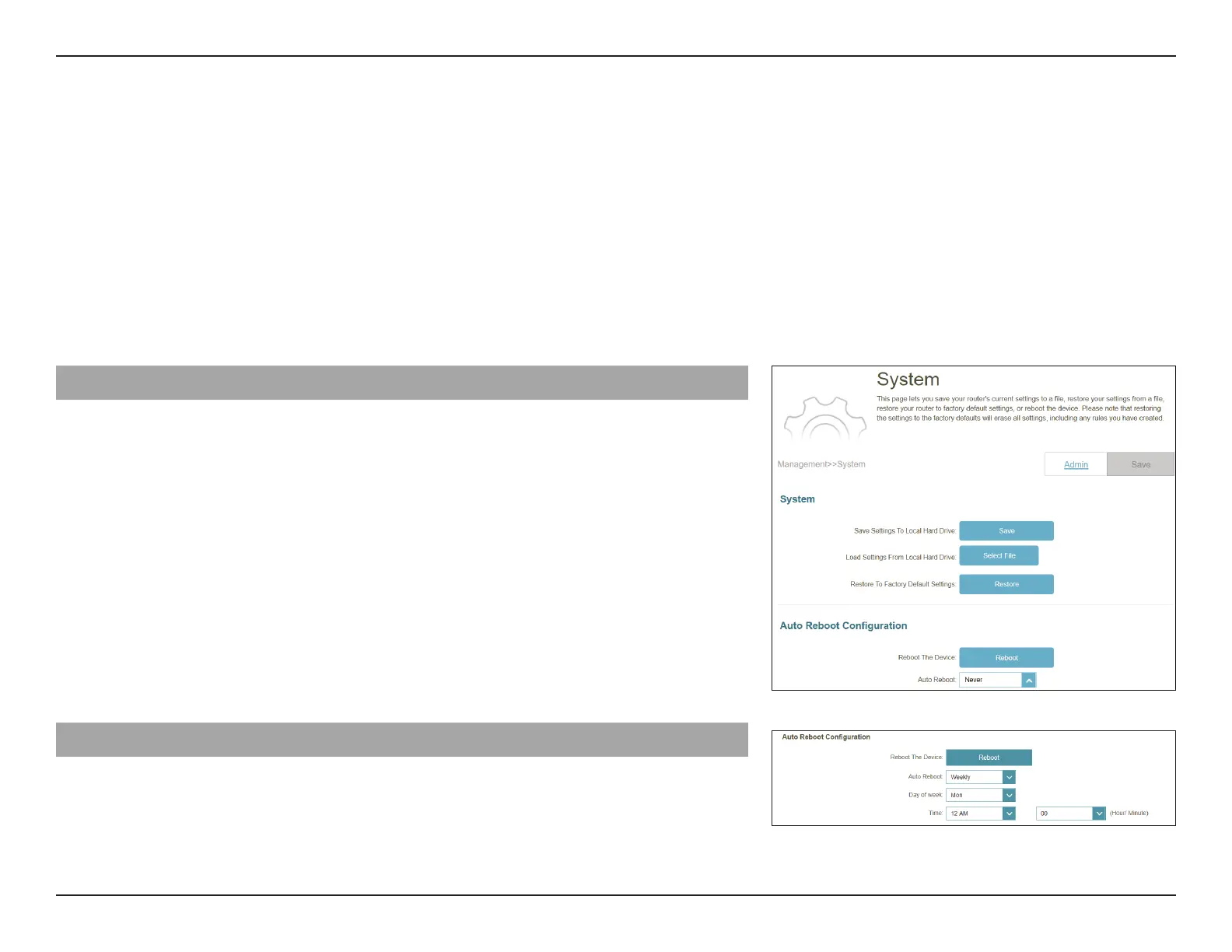
Go to Management > System Admin, then click System. This page allows you to save the router’s current conguration,
load a previously saved conguration, reset the router to its factory default settings, or reboot the router.
To congure the Admin settings, click the Admin tab. Refer to System Admin - Admin on page 85
Click Save at any time to save the changes you have made on this page.
System
Save Settings to Local
Hard Drive:
Click Save to download a backup le (bin type) of your current
conguration settings to your local hard drive. This backup
can later be used to restore your settings.
Load Settings from
Local Hard Drive:
Click Select File to load a previously saved router conguration
le. This will overwrite the router’s current conguration.
Restore to Factory
Default Settings:
This option will restore the router back to the default
congurations stored in the rmware. Any settings that have
not been saved will be lost, including any rules that you have
created. If you want to back up the current router conguration
settings before restoring to factory defaults, use the Save
Settings to Local Hard Drive function above.
Auto Reboot Conguration
Reboot the Device: Click Reboot to reboot the router immediately.
Auto Reboot: You may set the router to automatically reboot at a set time.
The options are Never, Daily, or Weekly. You may set the day,
and hour and minute of the day for an automatic reboot.



 To Next Page