80D-Link G530 User Manual
Section 3 - Conguration
Quick VPN
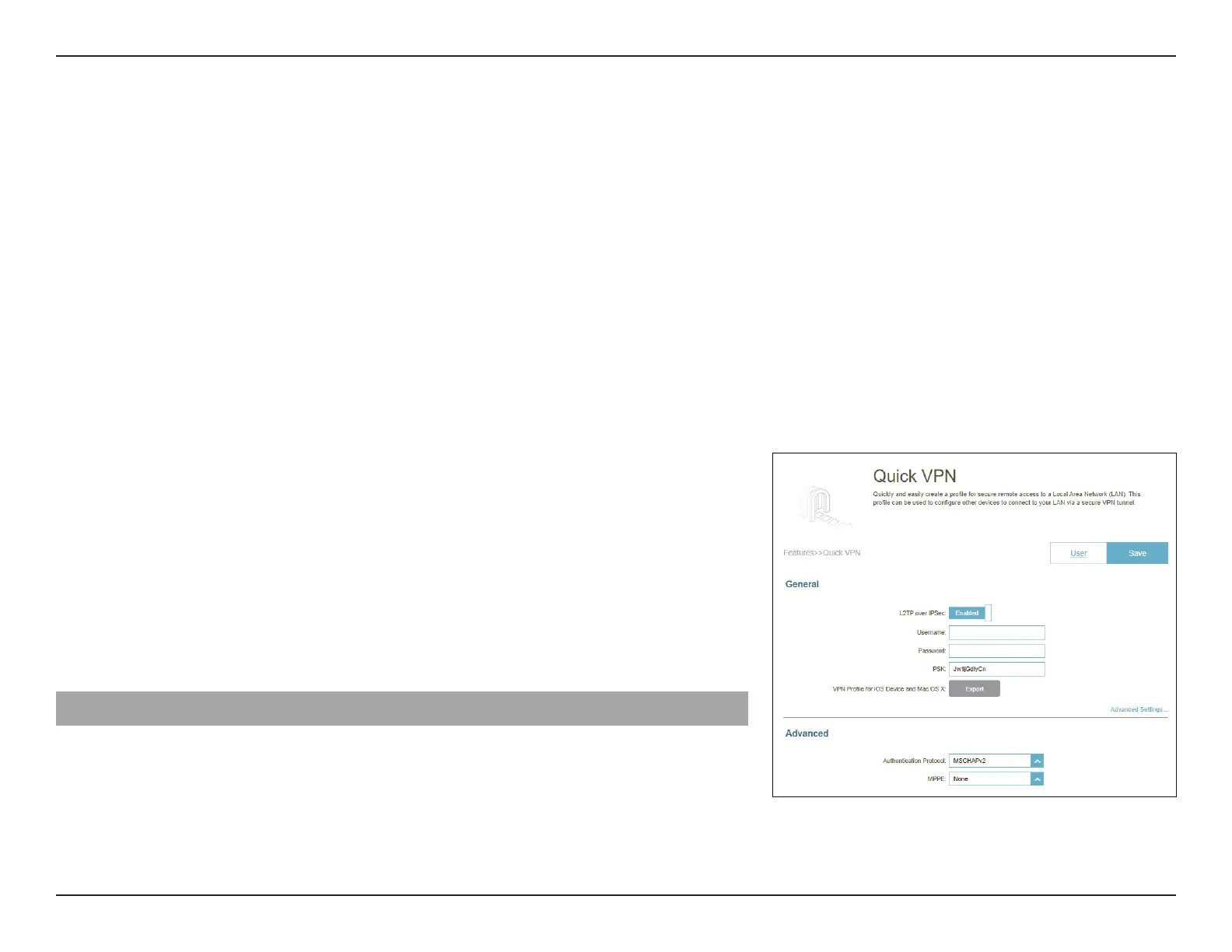
Go to Features > Quick VPN. This page will help you congure the Quick VPN feature of your router. For more information
about Quick VPN, refer to Quick VPN on page 92. Before proceeding, ensure that your Internet connection is working
properly. We recommend conguring Dynamic DNS before proceeding with Quick VPN setup. If your router is assigned with
an IP address from your ISP using DHCP, it may frequently change, requiring clients credentials to be set up again. A DDNS
address can avoid this hassle.
To congure the User settings and grant users with Virtual Private Network (VPN) permission, go to Management > User.
Refer to User on page 87.
Click Save at any time to save the changes you have made on this page.
L2TP over IPSec: Enable or disable the Quick VPN server.
Username: Enter a username.
Password: Enter a password containing both numbers and letters with 8
to 32 characters in length and with a combination of numbers
and letters.
PSK: Enter a Pre-shared Key between 6 and 64 characters.
VPN Prole for iOS
Device and MAC OS X:
Click Export to save the VPN prole settings le for iOS devices
and Mac OS X.
Advanced Settings...
Authentication
Protocol:
Choose an authentication protocol type: MSCHAPv2, PAP, or
CHAP. MSCHAPv2 is set as default.
MPPE: Select the encryption cipher strength for Microsoft Point-to-
Point (MPPE) Encryption: None, RC4-40, or RC4-128. None
is set as default.



 To Next Page