ENGLISH
41
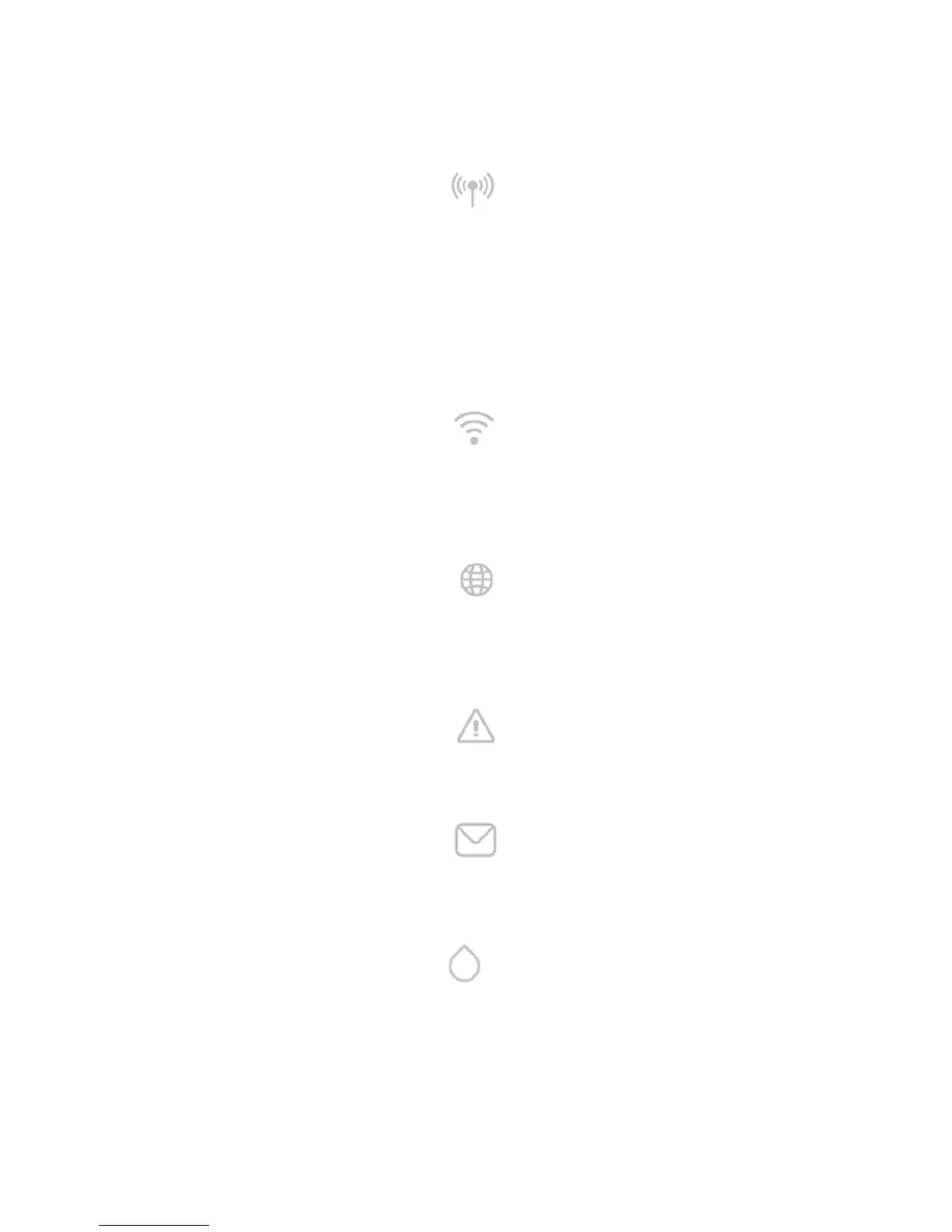
Wireless Status Led:
If lit with fixed light indicates when the DConnect Box communicates with the DAB devices connected via
Wireless (e.g. E.syline).
If blinking, it indicates that it is being associated with the DAB devices connected via Wireless (e.g. E.syline).
If off, it indicates that there is no association with the DAB devices connected via Wireless (e.g. E.syline).
Wi-Fi Status:
If lit, it indicates that the DConnect Box is connected via WiFi to an Access Point.
If blinking, it indicates that the DConnect Box is in Access Point mode, for example in the initial configuration
phase or after having held down the 2 buttons of the DConnect Box for at least 10s.
If it is off, it indicates that it is not connected to any Access Point or that the WiFi is disabled.
Globe Led Connection to DAB Service Centre:
If lit, the DConnect Box is correctly connected to the DAB Service Centre.
If off, the DConnect Box is unable to reach the DAB Service Centre. Check that there is regular Internet
access
Warning/General Error Led:
If lit there is an error in the system.
If lit only temporarily, after pressing a button or a combination of buttons, it indicates the performance of a
critical operation.
Message to Read Led:
If lit, there is a message to be viewed through the APP of from the DAB Service Centre.
3.1.3 DConnect Drop Led:
Lights up gradually whenever data are sent to the DAB Service Centre.
3.1.4 Status LED of the connected products:
In the immediate vicinity of the specific ports to which DAB products are connected and also near the I/O
port, there is a status led that may be:
1. ON:
GREEN: Status OK.
RED: Communication error.


 To Next Page