ENGLISH
51
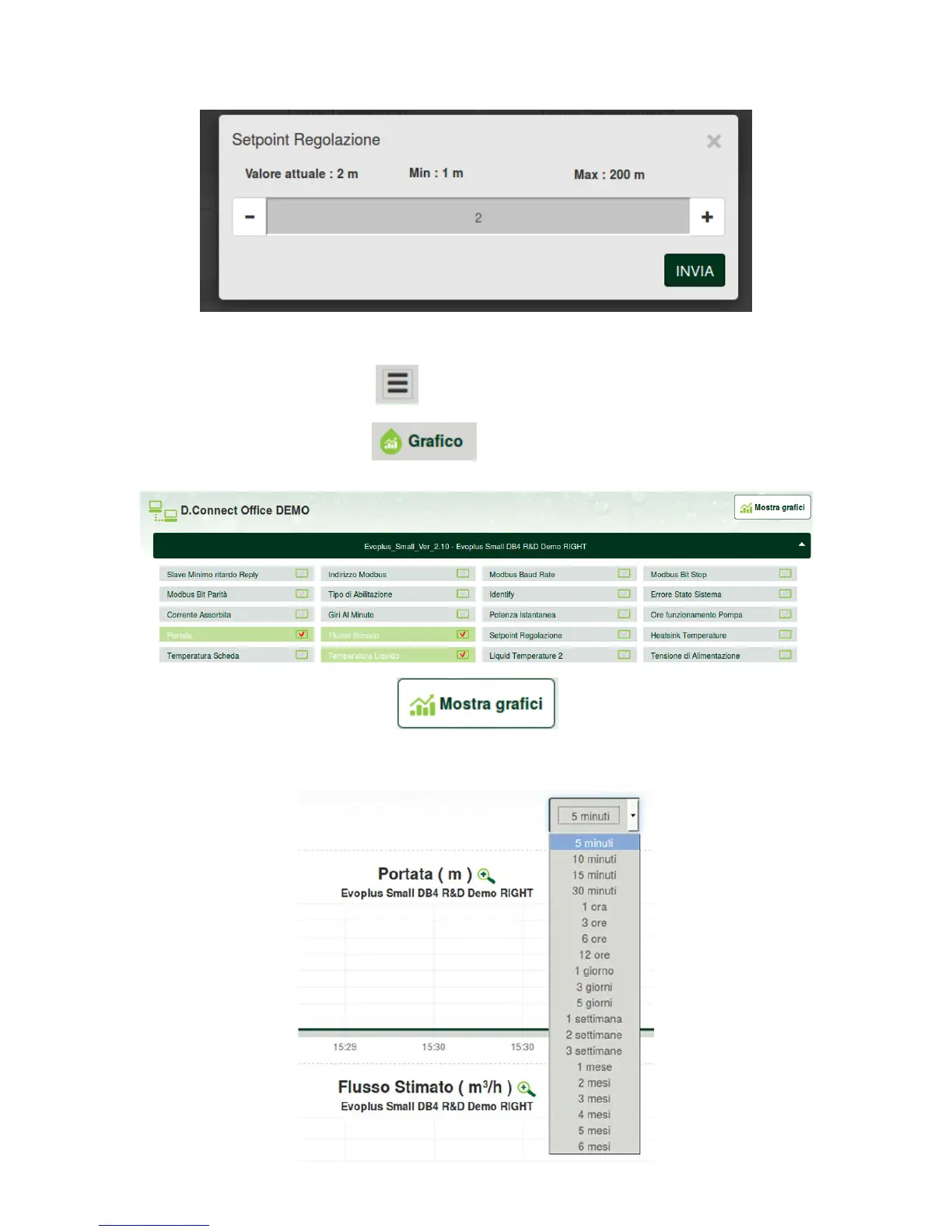
3. Click on the parameter to be edited and change its value by clicking.
10.2 Viewing a graph of the installation:
It is possible to view the behaviour of the parameters of each product previously added to an installation:
1. Click on the Options Menu:
2. Click:
3. For each Component of the installation, select the parameters that you want to view:
4. Click on Show Graphs.
The updated graphs of the desired parameters will appear. You can change the time scale by clicking on the
drop-down time menu and choosing the most suitable value.


 To Next Page