ENGLISH
50
10. Remote monitoring and control of a component:
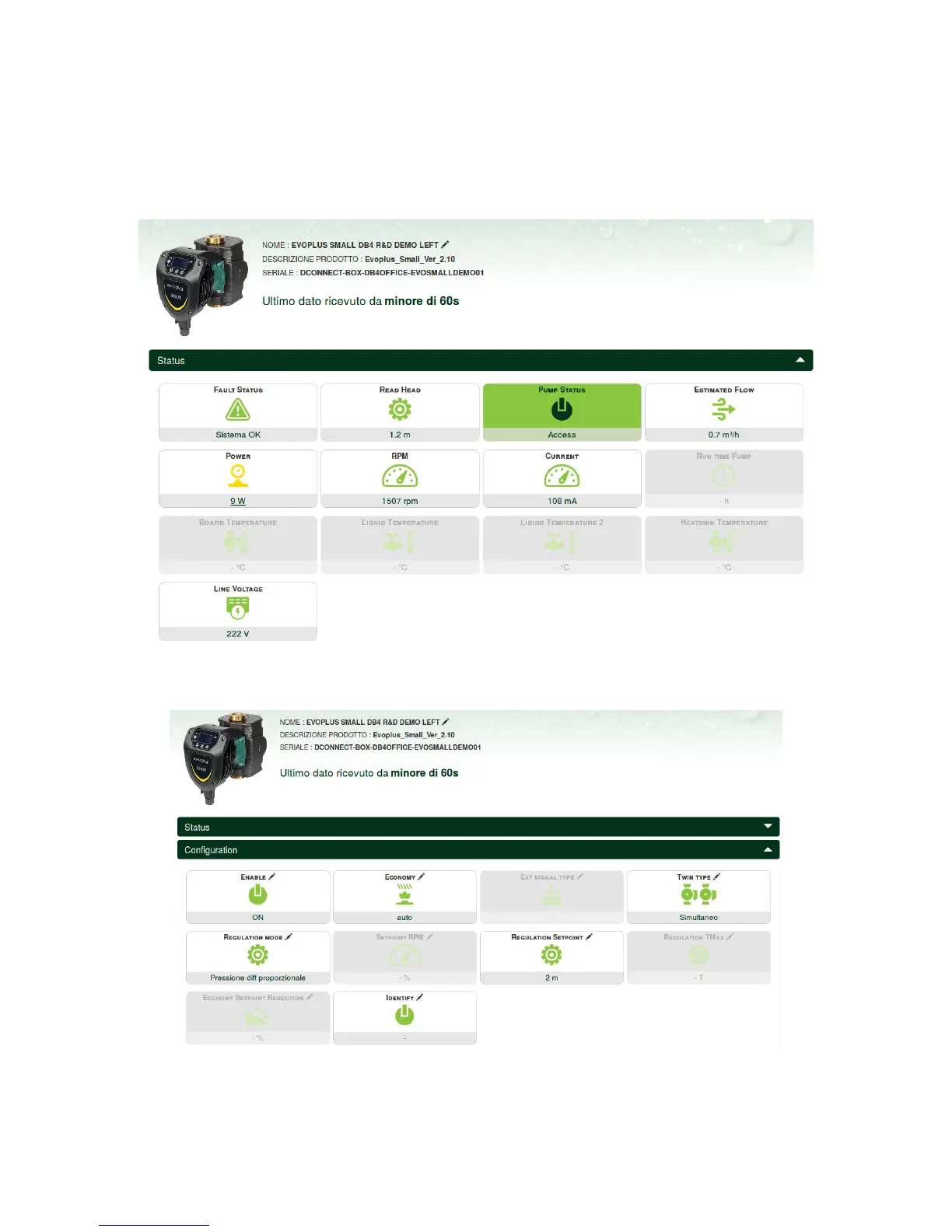
To monitor the operating status of an installation component already entered:
1. Click on the desired Installation.
2. Click on the desired component.
3. Click on the STATUS menu bar to view the main parameters of the component.
10.1 Remote editing of the parameters of the selected product:
1. Click on the Configuration menu bar.
2. Click on the parameter to be edited and change its value by clicking:
+ to increase the value,
- to decrease the value.


 To Next Page