ENGLISH
49
9.1 Updating the DConnect BOX
Before connecting a new product to the DConnect Box, check whether there are any new updates available.
It is important and recommended to keep your DConnect Box always up to date.
Updates are downloaded from the Internet, the device checks for a new update every time it is started and
at least once a day.
The DConnect Box automatically checks for updates every time you reboot, and at least on a daily basis. If
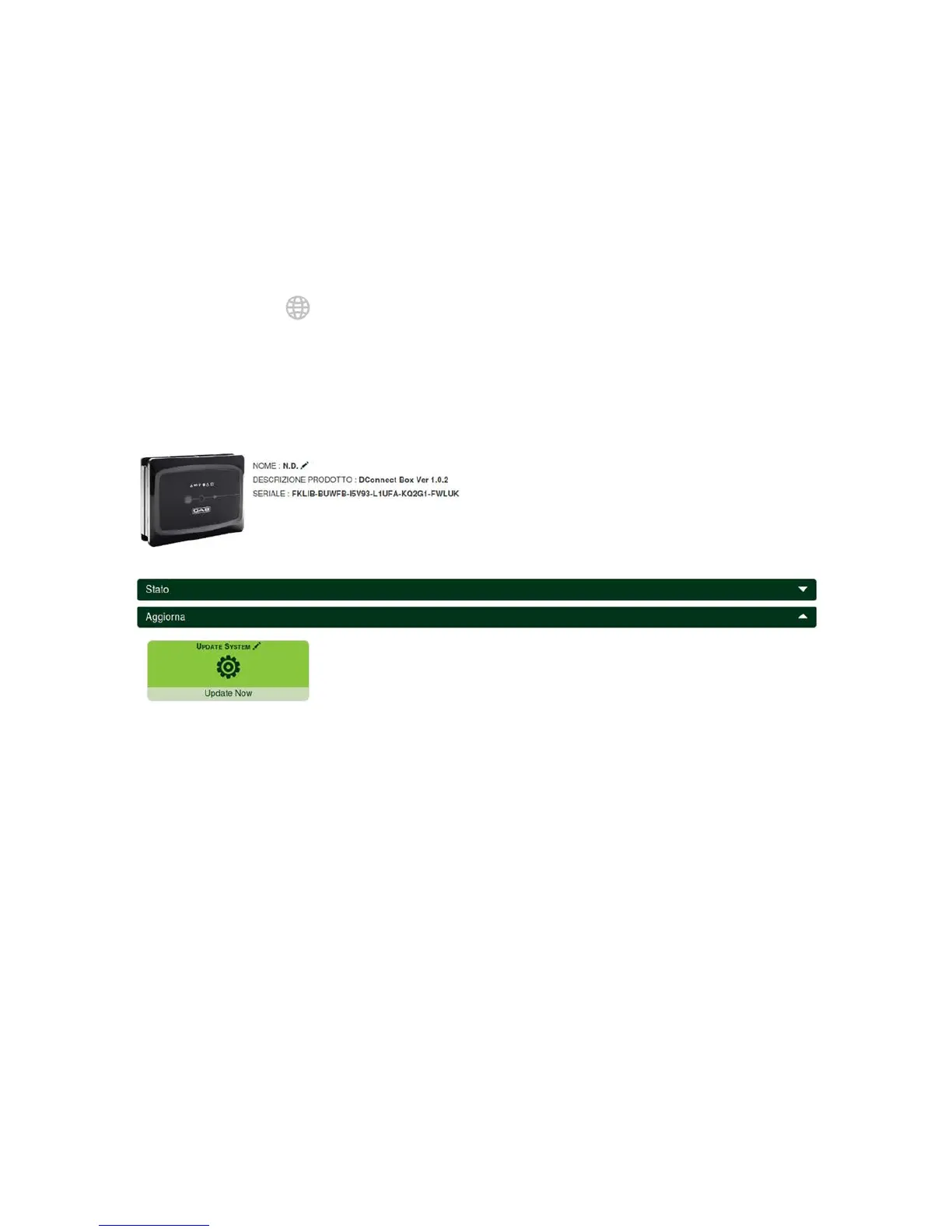
a compatible update is found, it will first be downloaded and then reported in the "Update" section of the
menu of the DConnect Box in the DAB Service Centre. See photo.
To allow the update just click and confirm "Update Now”.
Updating the DConnect box will take 3-4 minutes and you may hear some beeps.
Then, when the globe led stops blinking, the DConnect will have finished the update and will be ready
for use.
Once the update of the DConnect Box is complete, connect and update the pumps if
necessary and repeat the configuration procedure to insert them in an installation.


 To Next Page