9
HOW TO TURN UNITS ON OR
OFF INDIVIDUALLY
Turning On specific connected air con-
ditioners
[Operating Procedure]
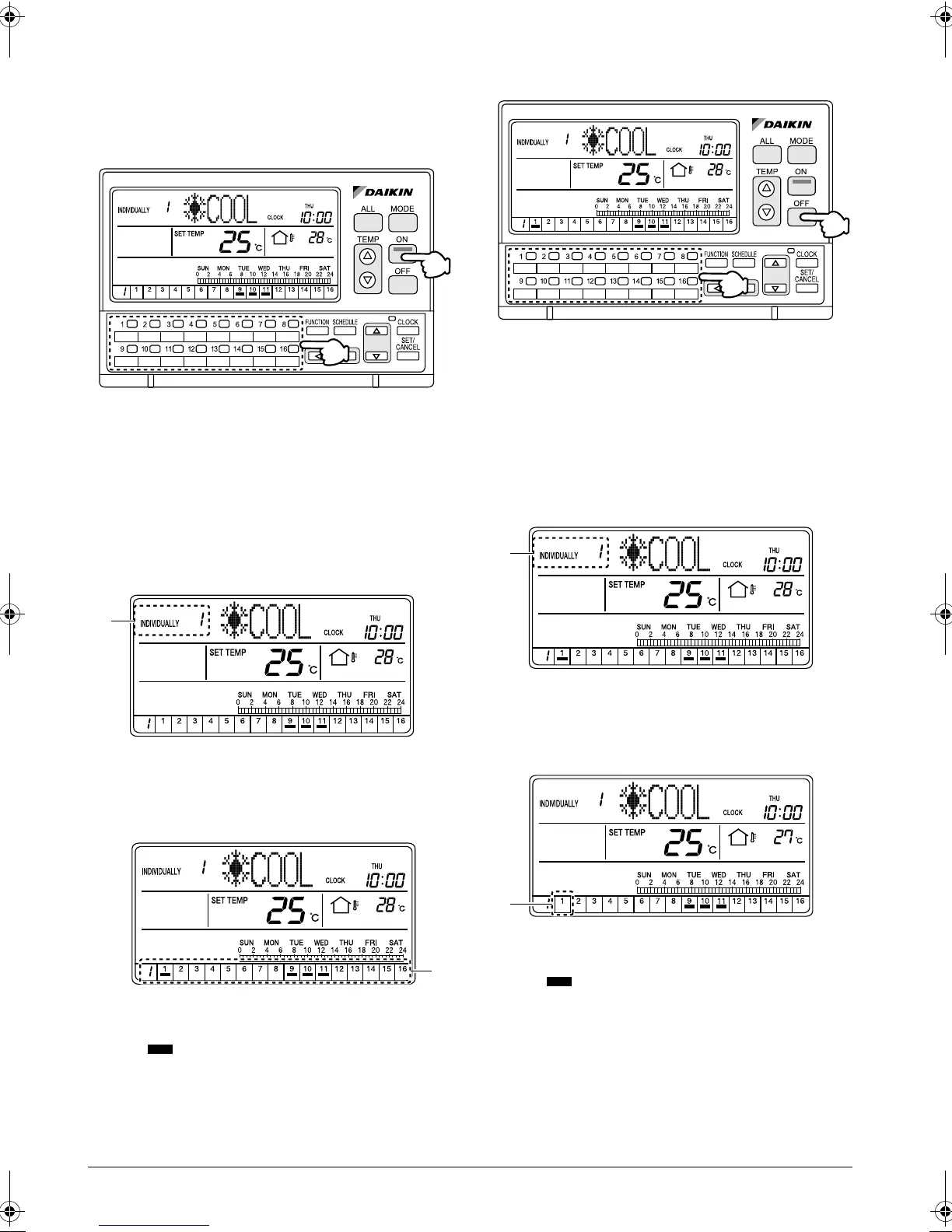
1. Select an air conditioner (group) using one of the
individual group selection buttons (1) (1 - 16) to
display the INDIVIDUALLY screen.
2. Press the ON button (2) to turn on the selected air
conditioner (group).
[Screen Display]
A. When one of the individual group selection buttons
(1) (1 - 16) is pressed, the INDIVIDUALLY screen
appears and the selected air conditioner No. is
shown at the upper left corner of the screen.
B. Press the ON button (2) to turn on the selected air
conditioner (group).
The indication lights under the No. of the
selected air conditioner.
Turning Off specific connected air con-
ditioners
[Operating Procedure]
1. Select an air conditioner (group) using one of the
individual group selection buttons (1) (1 - 16) to
display the INDIVIDUALLY screen.
2. Press the OFF button (2) to turn off the selected air
conditioner (group).
[Screen Display]
C. When one of the individual group selection buttons
(1) (1 - 16) is pressed, the INDIVIDUALLY screen
appears and the selected air conditioner No. is
shown at the upper left corner of the screen.
D. Press the OFF button (2) to turn off the selected air
conditioner (group).
The indication under the selected air condi-
tioner No. in the operation monitor section disap-
pears.
(2)
(1)
A
B
(2)
(1)
C
D
01_EN_3P124623-10N.fm Page 9 Monday, January 28, 2008 4:58 PM



 To Next Page