36
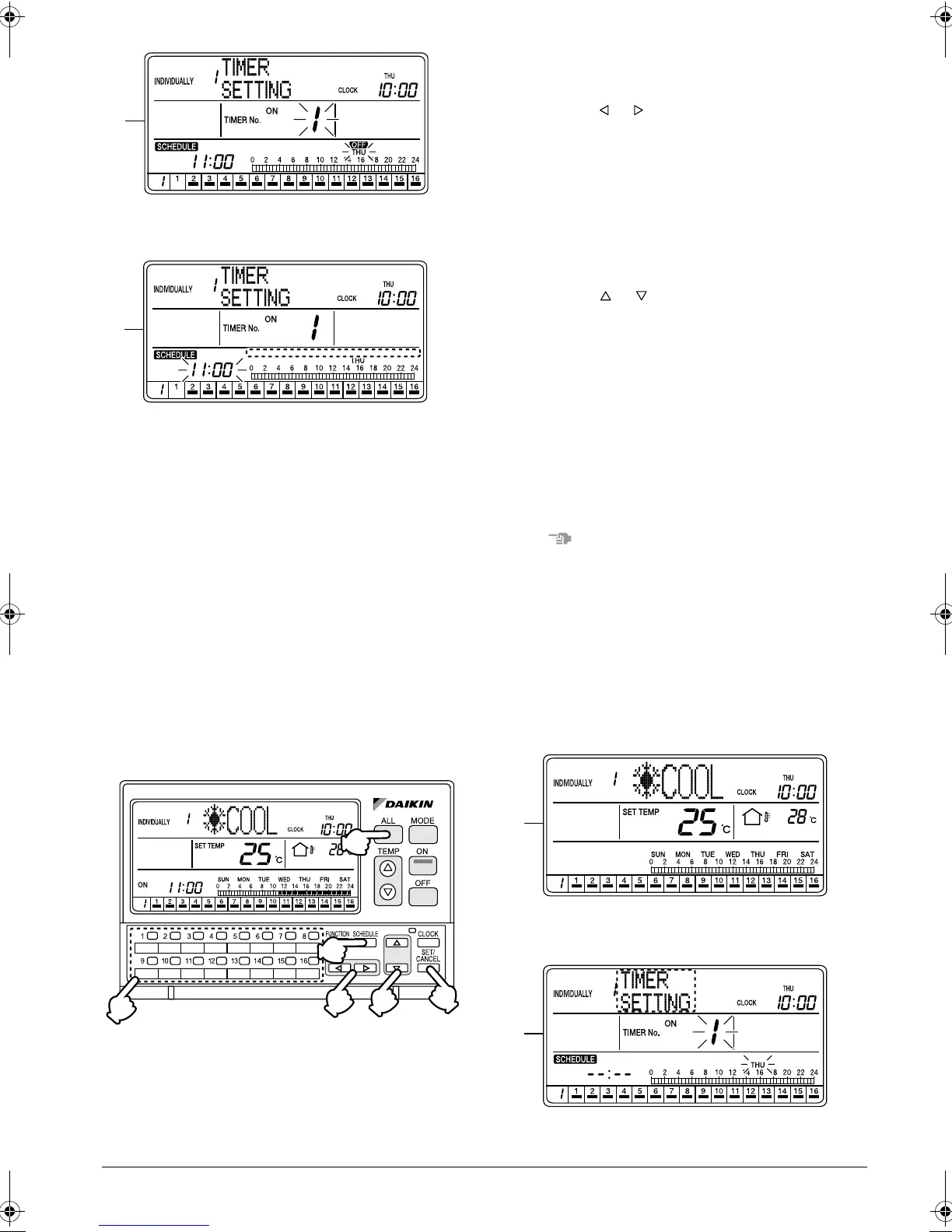
E. Hold the SET/CANCEL button (5) pressed for
more than 4 seconds.
F. The “OFF DAY” SETTING is cancelled and the
“OFF” mark turns Off. The set time indication
blinks, and a new setting can be entered.
The set time indication for the schedule bar graph
lights.
If no button is operated for 1 minute or the SCHED-
ULE button (1) is pressed once, the display returns
to the ALL screen when the setting was made in
the ALL screen, or to the INDIVIDUALLY screen
when the setting was made in the INDIVIDUALLY
screen.
SCHEDULE SETTING: COPY
PREV DAY’S SETTING
Copying the schedule setting of the
day before
[Operating Procedure]
1. While the ALL or INDIVIDUALLY screen is dis-
played, press the SCHEDULE button (1) once.
2. The Schedule setting screen appears.
3. Using the ALL button (2) or one of the individual
group selection buttons (3) (1 - 16), select the air
conditioner (group) to be set.
4. Press the or button (4) to select the day of the
week to which the setting of the day before is to be
copied.
* If “Thursday” is selected, for example, the sched-
ule setting for “Wednesday” will be copied to that
day.
5. Press the SET/CANCEL button (5) once to apply
the settings.
6. The display changes to the Time setting screen.
Using the or button (6), select “COPY PREV
DAY’S SETTING”.
7. Press the SET/CANCEL button (5) once to apply
the setting.
The schedule setting for the day before the
selected day of the week has been copied.
8. If no button is operated for 1 minute or the SCHED-
ULE button (1) is pressed, the display returns to
the ALL screen when the setting was made in the
ALL screen, or to the INDIVIDUALLY screen when
the setting was made in the INDIVIDUALLY
screen.
NOTE
1. Operate buttons while the backlights are lit.
2. In each of steps 2 through 6, if no button is operated
for 1 minute, the display returns to the ALL screen
when the setting was made in the ALL screen, or to
the INDIVIDUALLY screen when the setting was
made in the INDIVIDUALLY screen.
In the above-mentioned case, the setting being
entered will not be applied.
[Screen Display]
A. While the ALL or INDIVIDUALLY screen is dis-
played, press the SCHEDULE button (1) once.
E
F
(1)
(2)
(5)
(3)
(6)
(4)
A
B
01_EN_3P124623-10N.fm Page 36 Monday, January 28, 2008 4:58 PM



 To Next Page