10
HOW TO CHANGE THE OPERA-
TION MODE
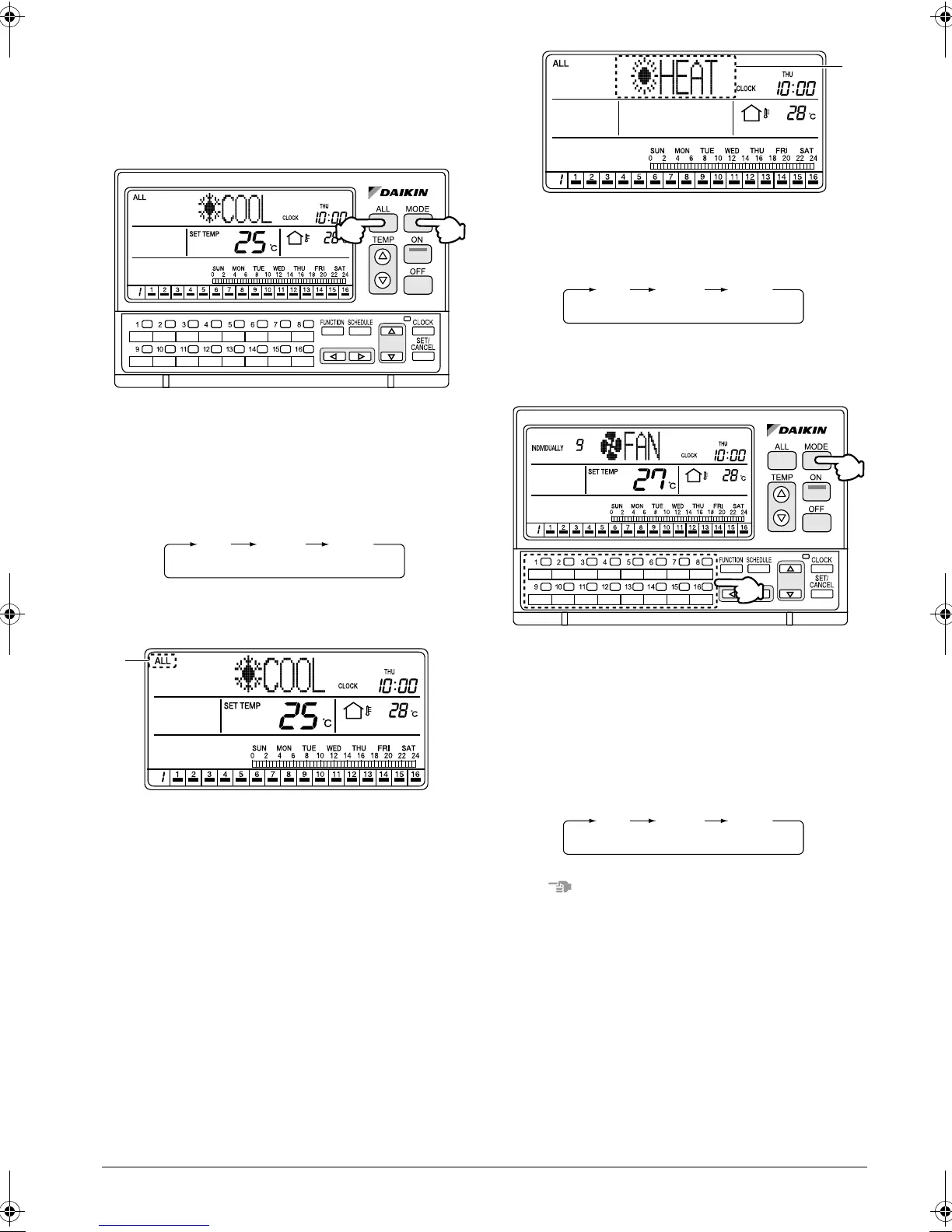
Changing the operation mode of all
connected air conditioners
[Operating Procedure]
1. Press the ALL button (1) to display the ALL screen.
2. Each time the MODE button (2) is pressed, the
operation mode changes in the following
sequence.
[Screen Display]
A. When the ALL button (1) is pressed, the ALL
screen appears and “ALL” is indicated at the upper
left of the screen.
If no button is operated for 20 seconds, the display
changes to the INDIVIDUALLY screen.
B. Each time the MODE button (2) is pressed, the
operation mode of all connected air conditioners
(groups) changes in the following sequence.
Changing the operation mode of spe-
cific connected air conditioners
[Operating Procedure]
1. Select an air conditioner (group) using one of the
individual group selection buttons (1) (1 - 16) to
display the INDIVIDUALLY screen.
2. Each time the MODE button (2) is pressed, the
operation mode changes in the following
sequence.
NOTE
The operation mode cannot be changed to VENTILA-
TION by selecting Total Heat Exchanger with one of the
individual group selection buttons (1) (1 - 16) and by
pressing the MODE button (2).
In this case, the “NO FUNCTION” indication blinks for
2 seconds in the operation mode display section (dot
matrix).
(2)
(1)
FAN
COOL HEAT
A
B
FAN
COOL HEAT
(2)
(1)
FAN
COOL HEAT
01_EN_3P124623-10N.fm Page 10 Monday, January 28, 2008 4:58 PM



 To Next Page