8
HOW TO TURN ALL UNITS ON
OR OFF SIMULTANEOUSLY
Turning on all connected units
[Operating Procedure]
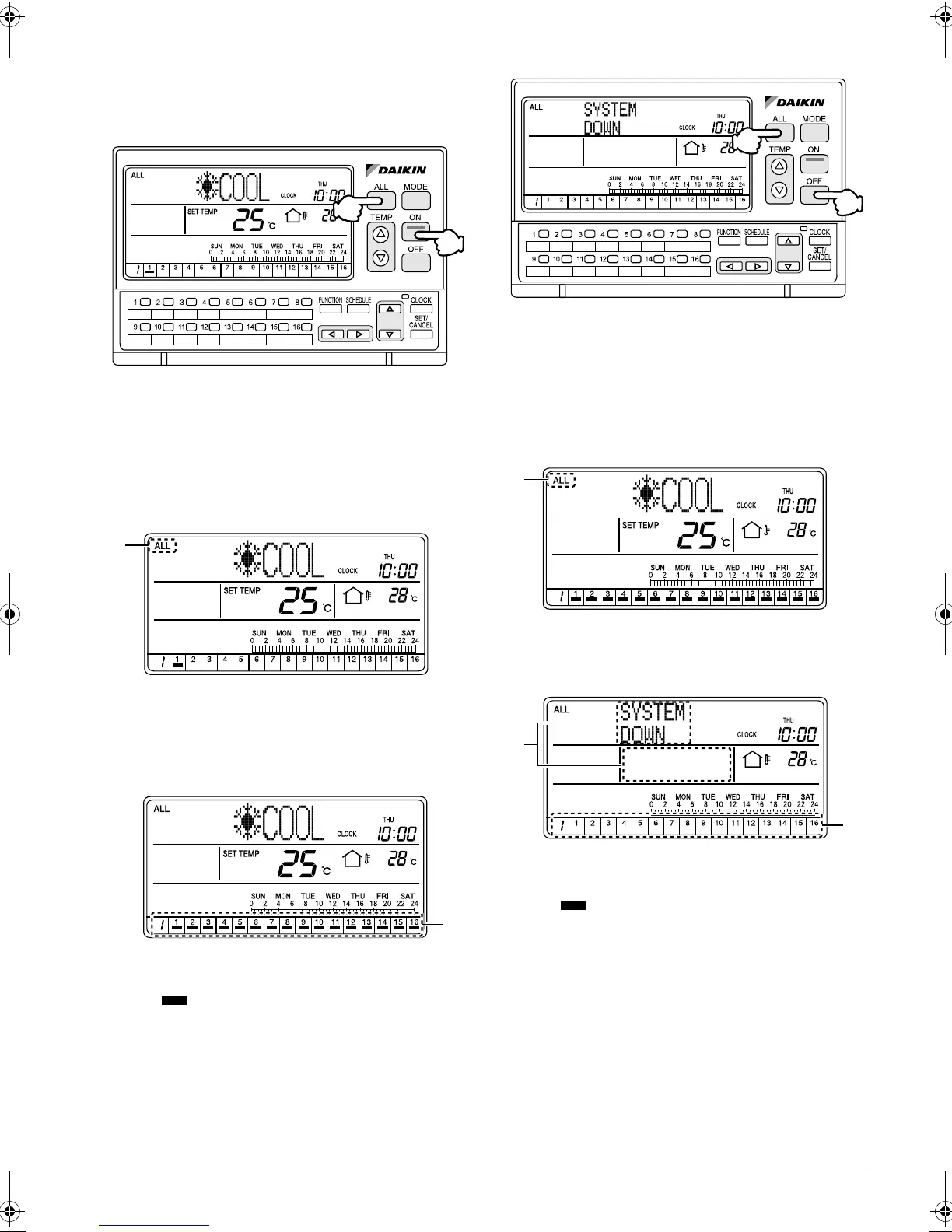
1. Press the ALL button (1) to display the ALL screen.
2. Press the ON button (2) to turn on all connected air
conditioners (groups).
[Screen Display]
A. When the ALL button (1) is pressed, the ALL
screen appears and “ALL” is indicated at the upper
left corner of the screen.
If no button is operated for 20 seconds, the display
changes to the INDIVIDUALLY screen.
B. When the ON button (2) is pressed, all connected
air conditioners (groups) start operation.
The indications appear in the operation moni-
tor section.
Stopping all connected units
[Operating Procedure]
1. Press the ALL button (1) to display the ALL screen.
2. Press the OFF button (2) to stop all connected air
conditioners (groups).
[Screen Display]
C. When the ALL button (1) is pressed, the ALL
screen appears and “ALL” is indicated at the upper
left corner of the screen.
D. Press the OFF button (2) to stop all connected air
conditioners (groups).
The indications in the operation monitor sec-
tion disappear.
E. “SYSTEM DOWN” is indicated in the operation
mode display section (dot matrix), and the set tem-
perature indication disappears.
(1)
(2)
A
B
(1)
(2)
C
D
E
01_EN_3P124623-10N.fm Page 8 Monday, January 28, 2008 4:58 PM



 To Next Page