12
D. If you do not want to set the temperature in all con-
nected air conditioners (groups), set the set tem-
perature to “--”.
The “--” indication appears after pressing the
button to raise the set temperature to the highest
temperature setting and pressing the button one
more time.
The “--” indication also appears after pressing the
button to set the lowest temperature setting and
pressing the button one more time.
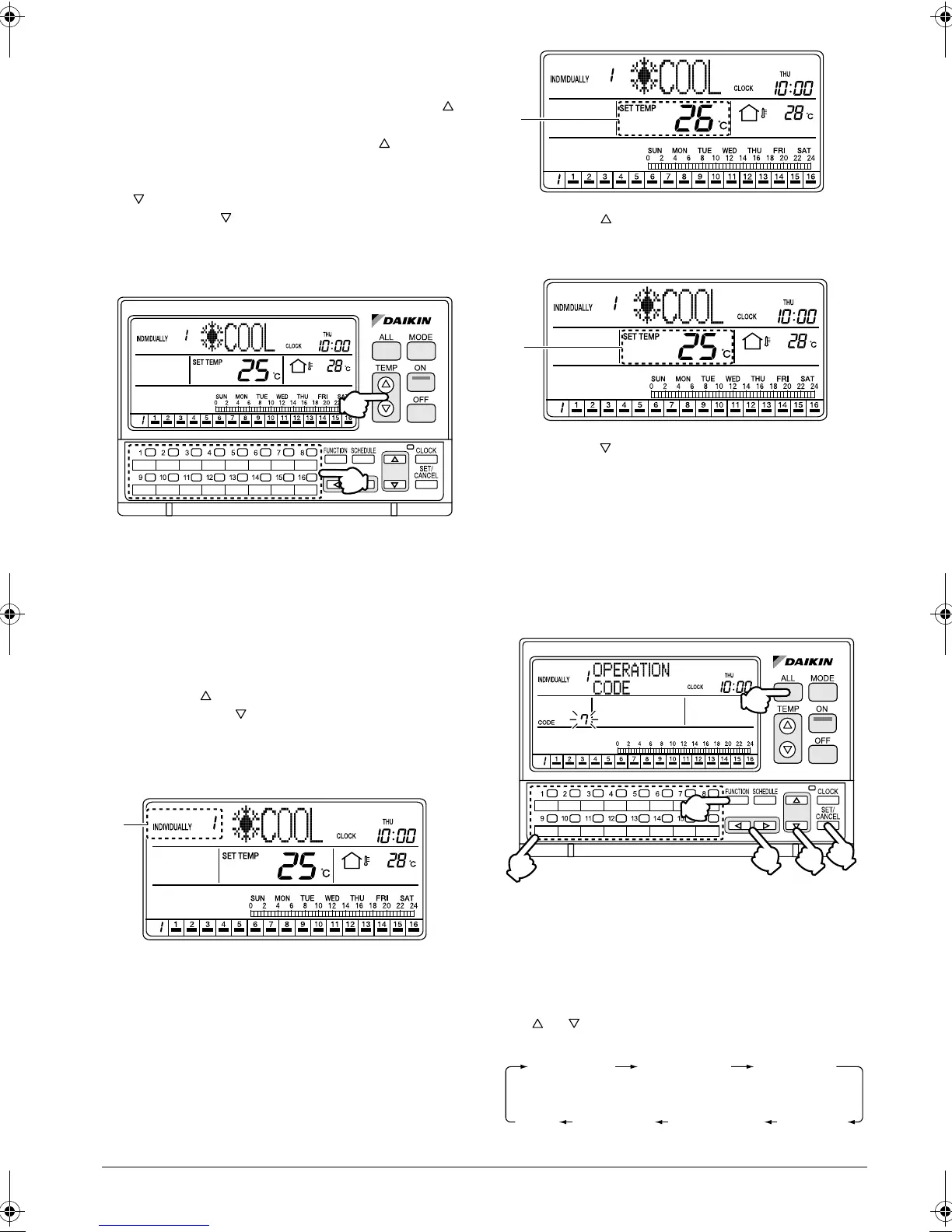
Adjusting the set temperature in spe-
cific connected air conditioners
[Operating Procedure]
1. Select an air conditioner (group) to be set by using
one of the individual group selection buttons (1)
(1 - 16).
2. Each time one of the TEMP buttons (2) is pressed,
the set temperature in the selected air conditioner
(group) changes.
Press the button to raise the set temperature by
1°C. Press the button to lower the set tempera-
ture by 1°C.
[Screen Display]
E. This section displays the No. of the air conditioner
selected with one of the individual group selection
buttons (1) (1 - 16).
F. Press the TEMP button (2) to raise the set tem-
perature in the selected air conditioner (group) by
1°C.
G. Press the TEMP button (2) to lower the set tem-
perature in the selected air conditioner (group) by
1°C.
FUNCTIONS
OPERATION CODE
Setting Prohibit Remote Control, Cen-
tral Control Priority, etc.
[Operating Procedure]
1. While the ALL or INDIVIDUALLY screen is dis-
played, press the FUNCTION button (1) once.
2. The Function Menu appears.
The Function Menu changes as follows when the
or button (2) is pressed.
(2)
(1)
E
F
G
(1)
(5)
(3)
(2)
(4)
(6)
OPERATION
CODE
RESET
FILTER SIGN
OUTDOOR
TEMP
DISPLAY
DAYLIGHT
SAVING
SET DAYLIGHT
SAVING TIME
CONTRAST
KEY
LOCK
01_EN_3P124623-10N.fm Page 12 Monday, January 28, 2008 4:58 PM



 To Next Page