19
[Operating Procedure]
1. While the ALL or INDIVIDUALLY screen is dis-
played, press the FUNCTION button (1) once.
2. The Function Menu appears.
The Function Menu changes as follows when the
or button (2) is pressed.
3. In the Daylight Saving setting screen, enable or
disable the Daylight Saving function by using the
or button (3).
* The Daylight Saving function is enabled by
default.
4. Press the SET/CANCEL button (4) to complete the
Daylight Saving setting procedure.
5. If no button is operated for 1 minute or the FUNC-
TION button (1) is pressed, the display returns to
the ALL screen when the setting was made in the
ALL screen, or to the INDIVIDUALLY screen when
the setting was made in the INDIVIDUALLY
screen.
NOTE
1. In each of steps 2 through 4, if no button is operated
for 1 minute, the display returns to the ALL screen
when the setting was made in the ALL screen, or to
the INDIVIDUALLY screen when the setting was
made in the INDIVIDUALLY screen.
In the above-mentioned case, the setting being
entered will not be applied.
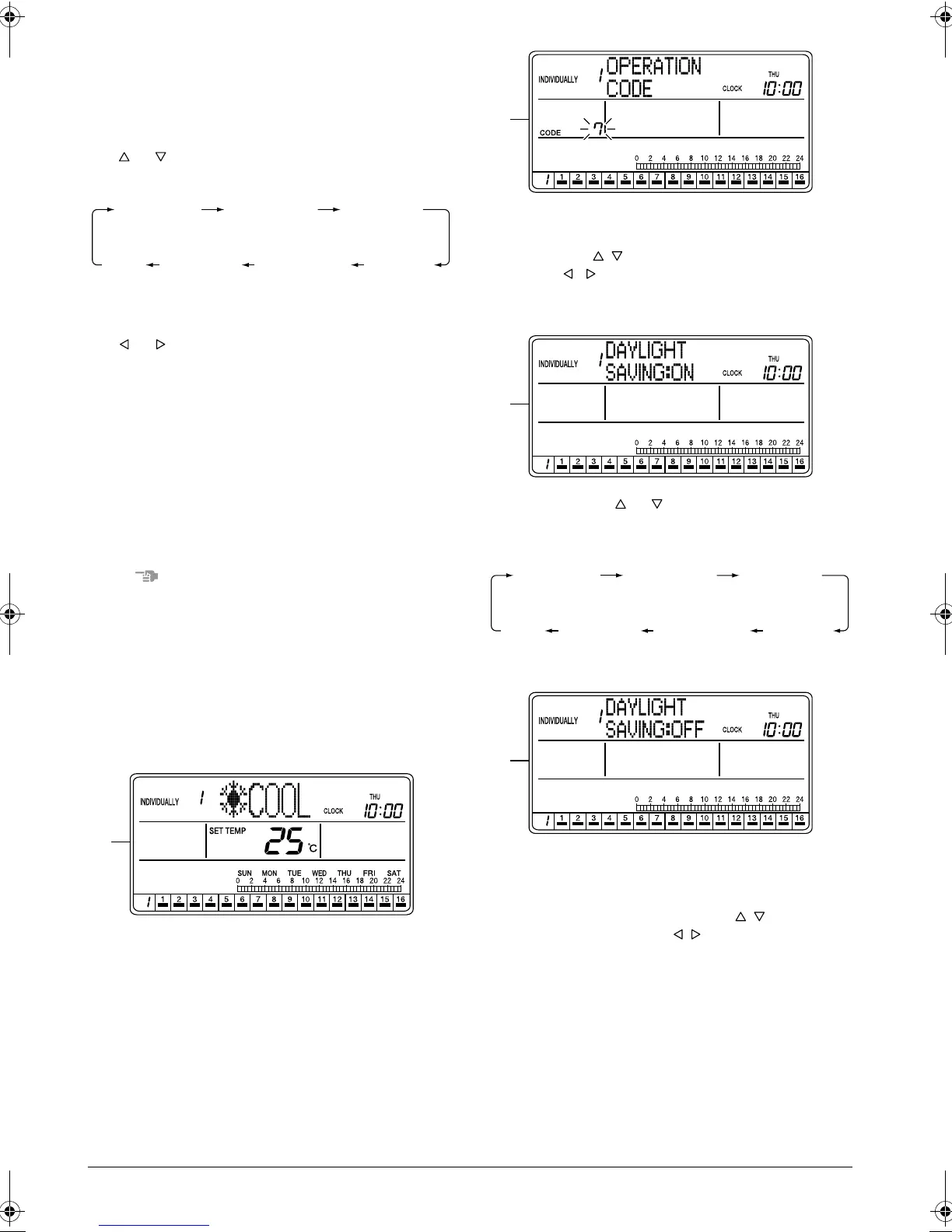
[Screen Display]
A. To set the Daylight Saving function, press the
FUNCTION button (1) once while the ALL or INDI-
VIDUALLY screen is displayed.
B. The Function Menu appears.
If no button is pressed for 2 seconds, a guidance
message, “ BUTTONS: CHANGE FUNC-
TION, BUTTONS: CHANGE OPERATION
CODE, SET/CANCEL BUTTON: SET,” appears in
the operation mode display section (dot matrix).
C. Each time the or button (2) is pressed, the
Function Menu changes in the following sequence:
Display the Daylight Saving setting screen.
D. The Daylight Saving setting screen appears.
If no button is pressed for 2 seconds while the dis-
play shows screen C on page 19 to screen E on
page 20, a guidance message, “ BUTTONS:
CHANGE FUNCTION, BUTTONS: DISPLAY
ON/OFF, SET/CANCEL BUTTON: SET,” appears.
OPERATION
CODE
RESET
FILTER SIGN
OUTDOOR
TEMP
DISPLAY
DAYLIGHT
SAVING
SET DAYLIGHT
SAVING TIME
CONTRAST
KEY
LOCK
A
B
C
OPERATION
CODE
RESET
FILTER SIGN
OUTDOOR
TEMP
DISPLAY
DAYLIGHT
SAVING
SET DAYLIGHT
SAVING TIME
CONTRAST
KEY
LOCK
D
01_EN_3P124623-10N.fm Page 19 Monday, January 28, 2008 4:58 PM



 To Next Page