DF4910HD-DN | DDF4910HDV-DN-IM/-SM
www.dallmeier.com 49
9.2 Streaming
9.2.1 Video Server
The (static) video server provides for a continuous transmission (streaming) of the pro-
duced video data into the network, even without an application’s active data request.
Note that the format of the RTP payload to be transported must correspond with the en-
coding standard.
For information about encoder settings, see section “Encoder Settings” on page 64.
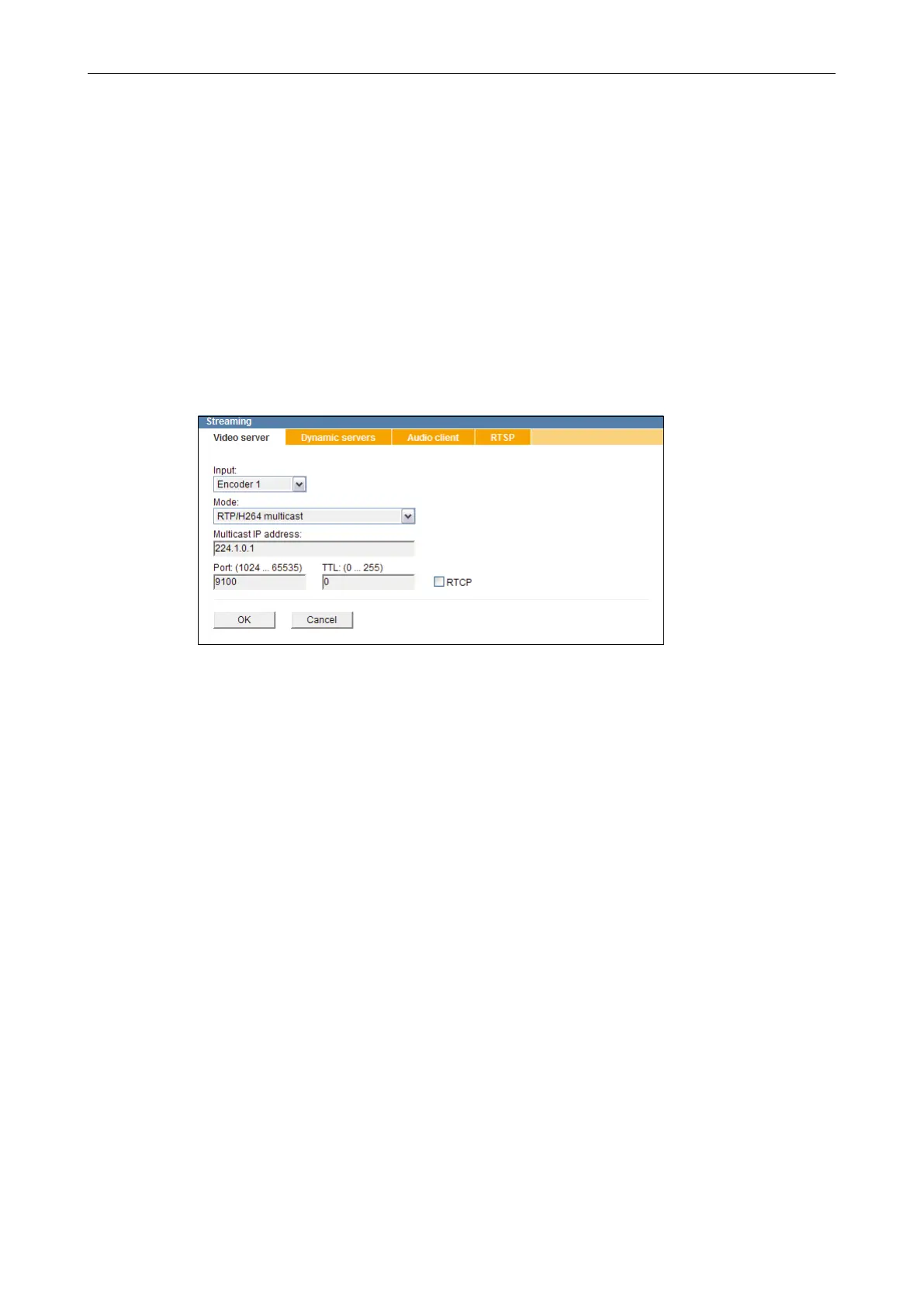
Open the Streaming dialogue via Network > Streaming ....
Fig. 9-2
Note the explanations below.
Select the encoder from the drop-down list Input.
Select the transfer protocol, format and method from the drop-down list Mode.
Depending on the selected transfer method, enter the Multicast IP address or the
Destination IP address.
Enter the port number of the service which is supposed to receive the data packets into
the Port (1024 … 65535) eld.
Enter the TTL value for IP packets into the TTL (0 …255) eld.
Conrm with OK.
9.2.1.1 Transfer Protocol and Format
The transfer protocol denes the communication rules for the data exchange via the
network.
The (static) video server exclusively transports the IP packets via UDP (User Datagram
Protocol)
Note that
• UDP allows for a smooth and fast data transmission with relatively low delays.
• packet losses (lack of images) may occur during the transmission.



 To Next Page