DF4910HD-DN | DDF4910HDV-DN-IM/-SM
www.dallmeier.com 46
9 Network
9.1 Basic Settings
The network settings of the device can be congured manually or automatically assigned
by a DHCP (Dynamic Host Conguration Protocol) server.
In order to avoid network conicts, you should clarify if intended network settings are
permitted. In particular, the allocation of an already used IP address may result in mal-
functions.
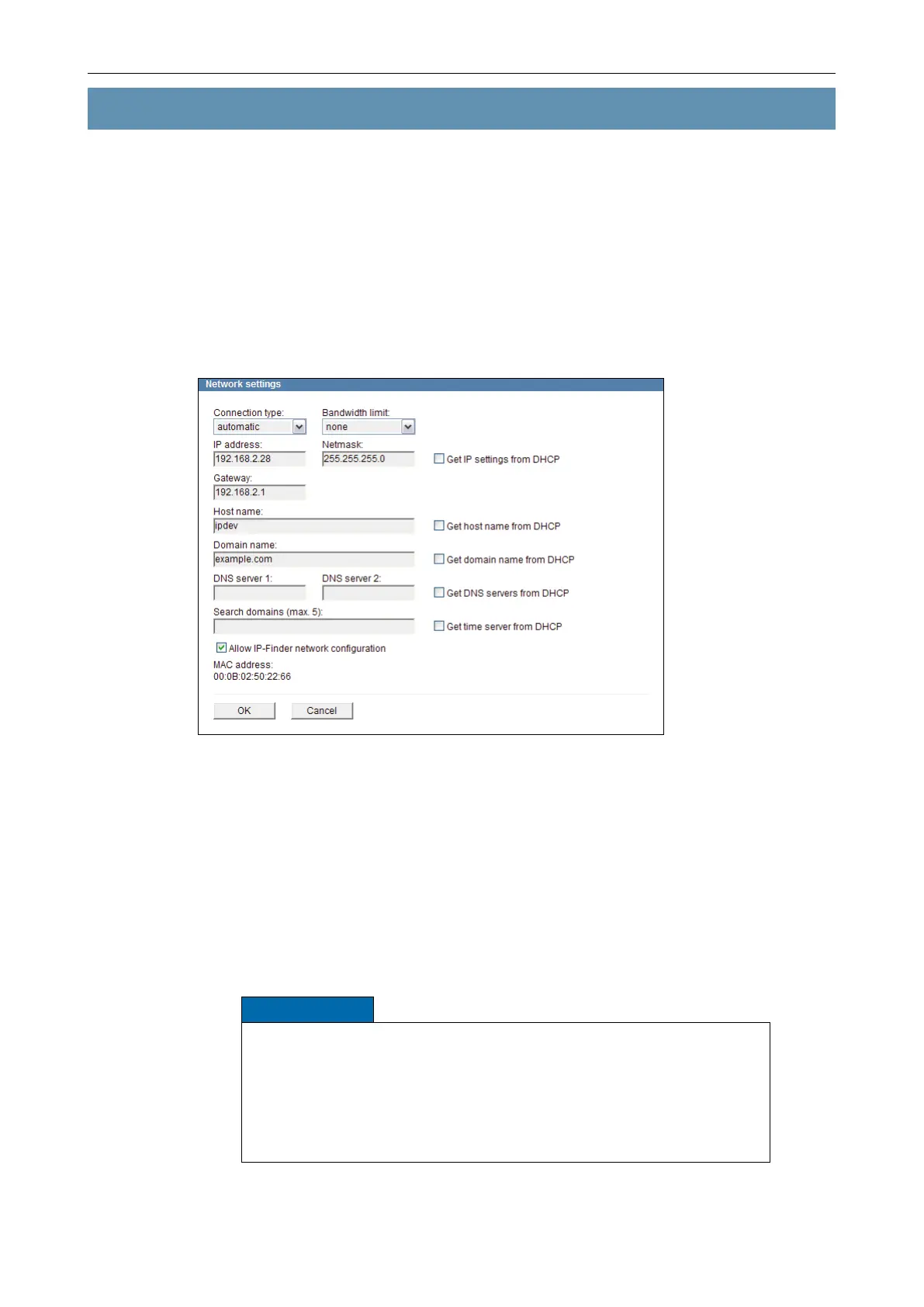
Open the Network settings dialogue via Network > Basic settings ....
Fig. 9-1 Network settings and MAC address
Default Factory Settings
Connection type: automatic
Bandwidth limit: none
Get IP settings from DHCP: deactivated
IP address: 192.168.2.28
Netmask: 255.255.255.0
Gateway: 192.168.2.1
Allow IP-Finder network conguration: activated
NOTICE
Incorrect settings may result in the device being no longer available via
the network.
Contact your network administrator for more information and assis-
tance.
For troubleshooting purposes, write down the MAC address and all
new settings before changing the conguration.



 To Next Page