DF4910HD-DN | DDF4910HDV-DN-IM/-SM
www.dallmeier.com 70
The item name in the conguration menu and the dialogue title is automatically updated
with the entered event handler name after the settings have been saved.
To edit an already set event handler, click the related item in the conguration menu.
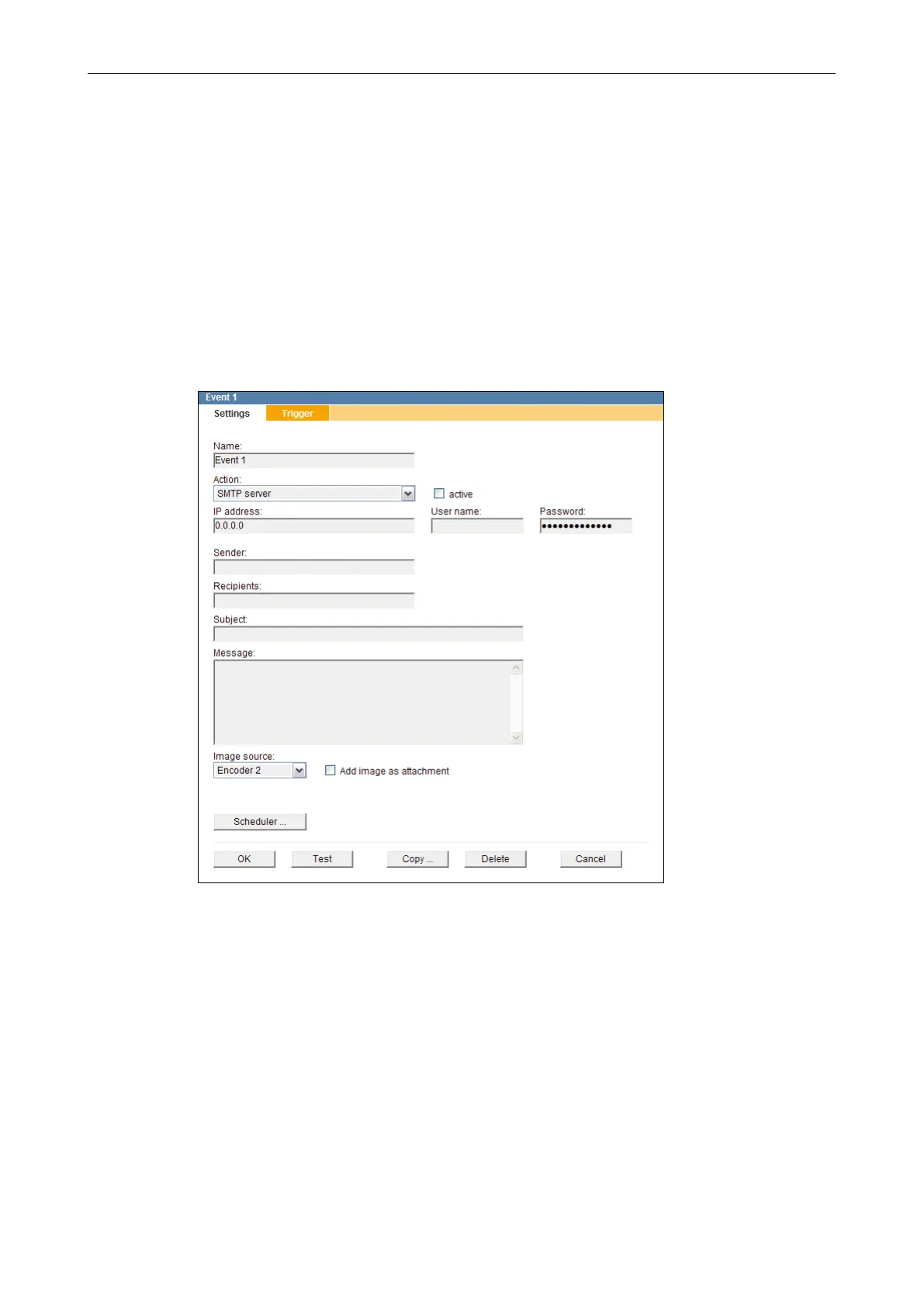
11.1 SMTP Server
When using this action type, the alarm/event messages are sent as e-mails via SMTP
(Simple Mail Transfer Protocol) to the specied alarm host (SMTP server) which may then
forward them to several e-mail recipients.
Depending on the used SMTP server and its conguration, any name can be used for the
sender or a SMTP authentication is required.
Fig. 11-2
If necessary, enter the User name and the Password for the SMTP authentication.
Enter the Sender.
Enter the e-mail addresses of the Recipients (separated by semicolons) to which the
SMTP server is supposed to forward the event-triggered e-mails.
Enter the Subject and the Message of the e-mail.



 To Next Page