26
Operational Reference Linea SWIR GigE Series Camera
CamExpert Panes
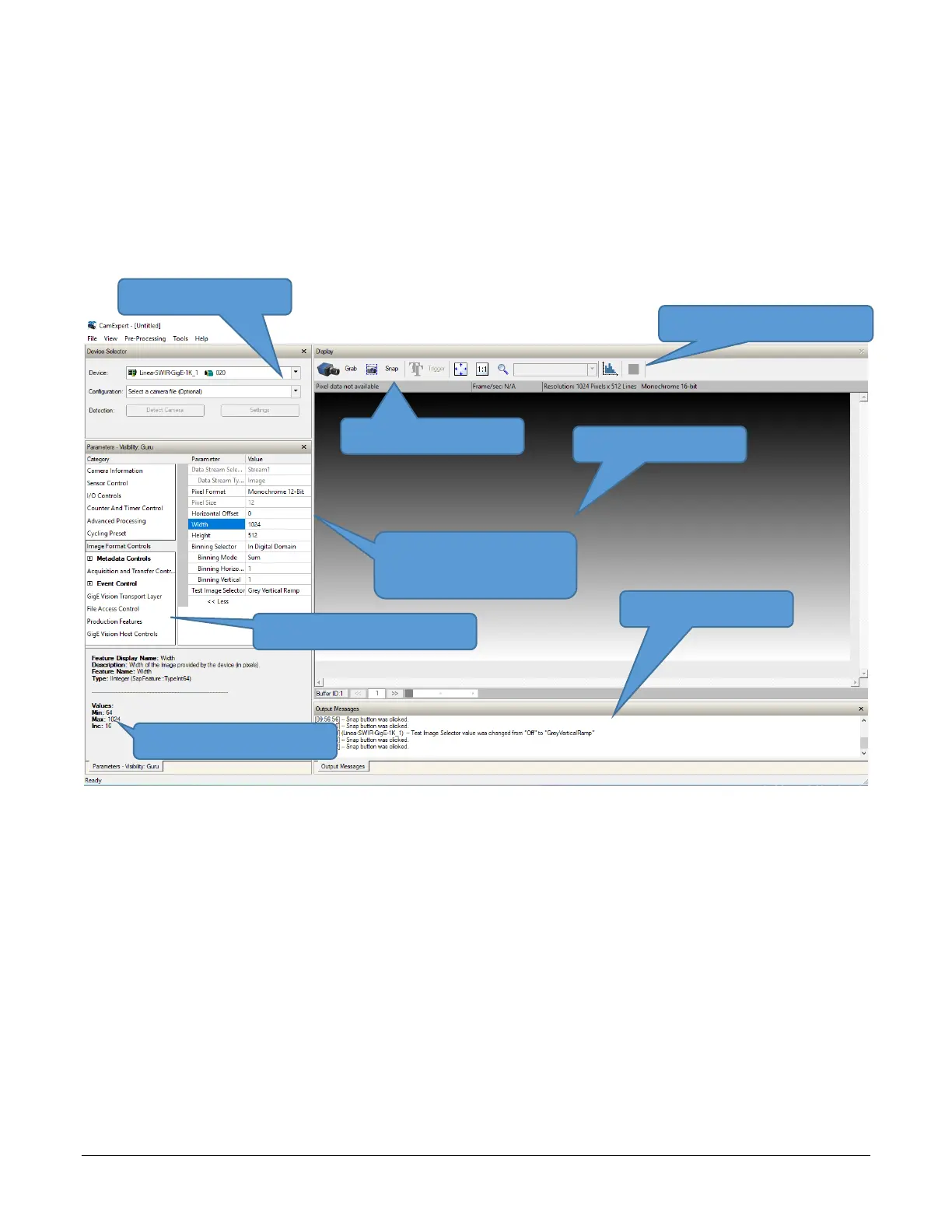
Various features of CamExpert are described in the figure below. GigE Vision device Categories and
Parameter features are displayed as per the device’s XML description file. The number of
parameters shown is dependent on the View mode selected (Beginner, Expert, Guru – see
description below).
Figure 13: CamExpert Panes
• Device Selector Pane: View and select from any installed GigE Vision or Sapera acquisition
device. After a device is selected, CamExpert will only present parameters applicable to that
device. Optionally select a camera file included with the Sapera installation or saved by the
user.
• Parameters Pane: Allows viewing or changing all acquisition parameters supported by the
acquisition device. CamExpert displays parameters only if those parameters are supported by
the installed device. This avoids confusion by eliminating parameter choices when they do not
apply to the hardware in use.
• Display Pane: Provides a live or single frame acquisition display. Frame buffer parameters are
shown in an information bar above the image window.
• Control Buttons: The Display Pane includes CamExpert control buttons.
• Output Pane: Displays messages from CamExpert or the GigE Vision driver.
CamExpert Control Buttons
Device Selection Menu
Acquisition Information
• Black are Active
• Grey are Information Only
Message Window
Parameter Category Selection
Feature Values Quick Guide



 To Next Page
 Loading...






