6.3 Remote-mounted LCP
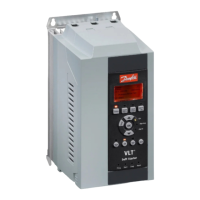
A remote-mounted LCP can be installed with the VLT
®
Soft
Starter MCD 500. The control panel LCP 501 can be
mounted up to 3 m (9.8 ft) away from the soft starter, for
control and monitoring.
The soft starter can be controlled and programmed from
either the remote LCP or the LCP on the soft starter. Both
displays show the same information.
The remote LCP also allows parameter settings to be
copied between soft starters.
6.3.1 Synchronizing the LCP and the Soft
Starter
The DB9 cable can be connected/disconnected from the
LCP while the soft starter runs.
The rst time an LCP is plugged into a soft starter, the soft
starter copies its parameter settings to the LCP.
New display detected
If the LCP has previously been used with a VLT
®
Soft
Starter MCD 500, select whether to copy the parameters
from the LCP to the soft starter, or from the soft starter to
the LCP.
To select the required option:
1.
Press the [
▲
] and [
▼
] keys.
A dotted line surrounds the selected option.
2. Press [OK] to proceed with the Copy Parameters
selection.
2a Display to starter.
2b Starter to display.
Copy parameters
Display to starter
Starter to display
NOTICE
If the parameter software version in the LCP is dierent
from the software version of the soft starter, only Starter
to Display is available.
NOTICE
While the LCP synchronizes, only the [
▲
], [
▼
], [OK], and
[O] keys are enabled.
NOTICE
The LCP can be removed or replaced while the soft
starter runs. It is not necessary to remove mains or
control voltage.
6.4 Welcome Screen
When control power is applied, the soft starter shows the
welcome screen.
Ready S1
Welcome
1.05/2.0/1.13
MCD5-0053-T5-G1-
CV2
Third display line: Software versions for remote LCP, control software,
model software.
Fourth display line: Product model number.
NOTICE
The LCP version is only shown if a remote LCP 501 is
connected when control power is applied. If no remote
LCP is present, only the control software and model
software versions are shown.
6.5 Local Control Keys
If parameter 3-1 Local/Remote is set to LCL/RMT Anytime or
LCL/RMT When OFF, the [Hand On] and [Auto On] keys are
always active. If the soft starter is in auto-on mode,
pressing [Hand On] enters hand-on mode and starts the
motor.
If parameter 3-1 Local/Remote is set to Remote Control Only,
the [O] key is disabled. Stop the motor by remote control
or via the serial communication network.
6.6
Displays
The LCP shows a wide range of performance information
about the soft starter. Press [Status] to access the status
display screens, then press [
▲
] and [
▼
] to select the
information to be shown. To return to the status screens
from within a menu, press [Back] repeatedly, or press
[Status]. Available status information:
•
Temperature monitoring.
•
Programmable screen (see parameters 8-2 to 8-5).
•
Current.
•
Frequency.
Operation Operating Guide
MG17K602 Danfoss A/S © 05/2016 All rights reserved. 53
6
6









 To Next Page