Control panel User Guide
20
Display, indicators and
keys
1
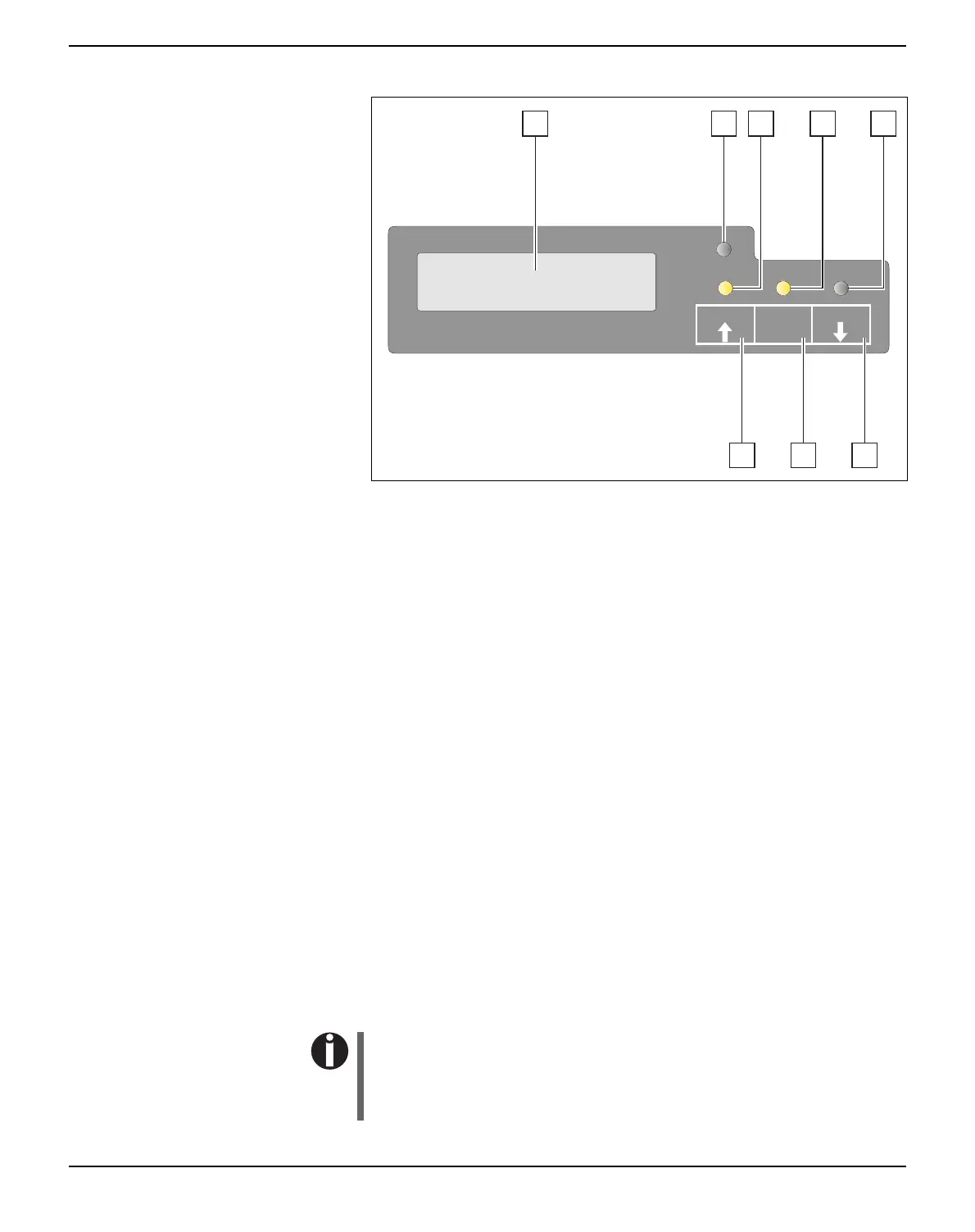
LCD display: Displays the internal printer status, operating
instructions and error messages.
2
Paper LED: Indicates whether paper is loaded; on = paper is
inserted, off = no paper inserted; blinking = indicates that data has
been sent to the printer.
3
USER1 LED: Blinks if the printer is receiving data via the first
interface, lights if a job is printed (see below).
4
Ready LED: Indicates Offline or Online status; on = online,
off = offline; blinking = indicates that an error has occured, the
cause of the error is indicated in the display.
5
USER2 LED: Blinks if the printer is receiving data via the second
interface, lights if a job is printed (see below).
6
USER2 key: Activated by application only; the functionality of the
key depends on the emulation and the application used (see also
USER2 LED).
7
STOP/EJECT key: Sets the printer to Online/Offline mode (see
also Ready LED); ejects inserted paper (see also Paper LED).
8
USER1 key: Activated by application only; the functionality of the
key depends on the emulation and the application used (see also
USER1 LED).
Please be aware that some emulations and applications may use
the LEDs and keys in an entirely different way defined by the
emulation and/or host software and outside the definitions con-
tained in this document.
SETUP
ONLINE
NO PAPER
PAPER
1 2 3 4 5
STOP
/EJECT
USER1
USER2
678



 To Next Page