User Guide Changing the ribbon cassette
37
Inserting the ribbon
cassette
Take the new ribbon cassette from the packaging and remove the trans-
portation lock which fixes the ribbon guide to the cassette.
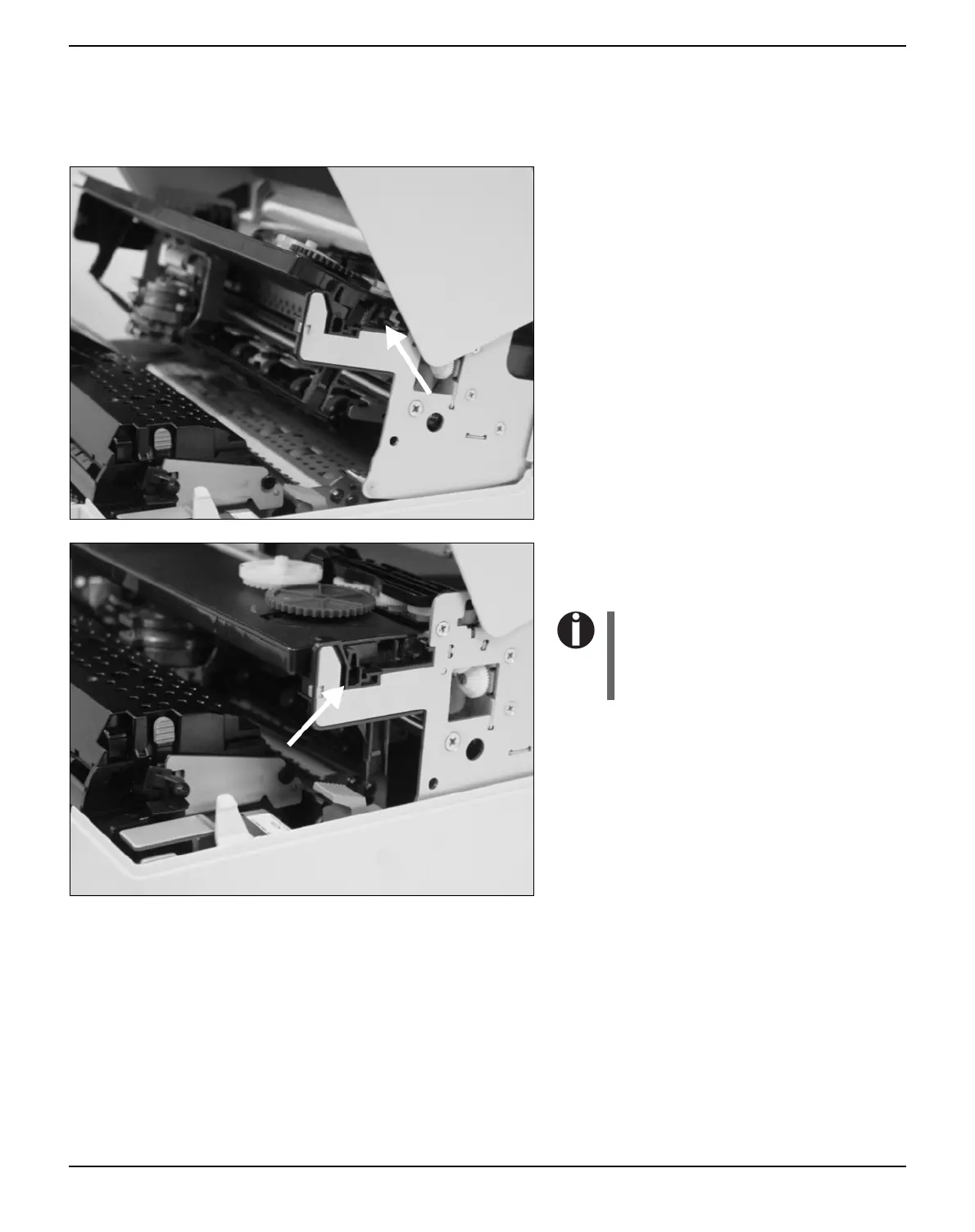
First insert the new ribbon cassette by hoo-
king it into the rear slots of its mountings.
Push the front of the cassette into its moun-
ting so that it clicks into position.
Please do not press the center of
the ribbon cassette as this will
deform the ribbon cassette and
will cause operation problems.



 To Next Page