User Guide Control panel
25
Key functions during operation
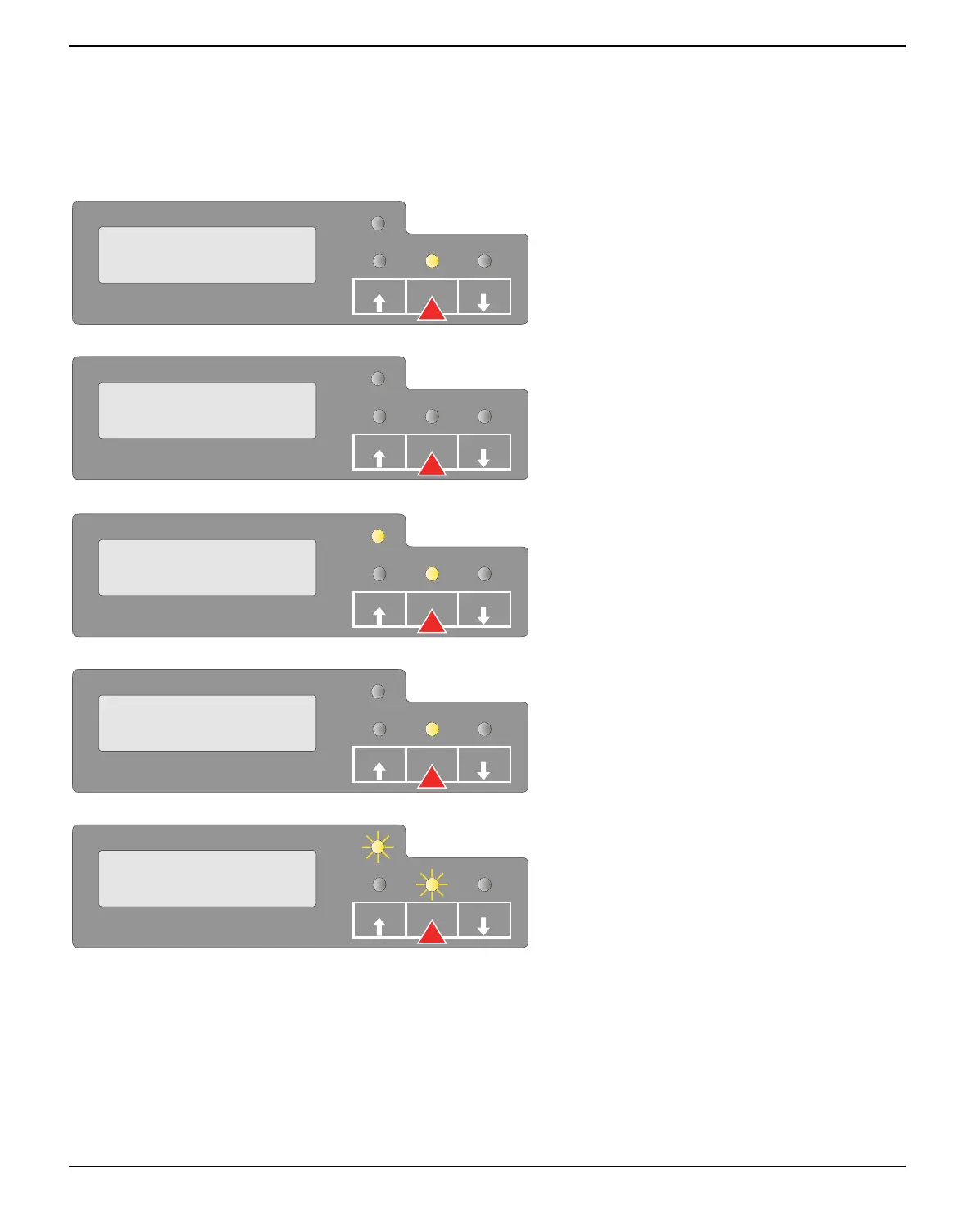
STOP/EJECT key
With the Ready indicator lit, the printer is rea-
dy to recieve data from the host. You can
switch the printer from online to offline by
pressing the STOP/EJECT key.
When the Ready indicator is not lit, the printer
is Offline and will not receive data. Press the
STOP/EJECT key to switch the printer On-
line. Alternatively if paper is still in the printer
when in the Off-lLine condition, the paper
will be ejected.
If paper is loaded when the printer is online
(Ready and Paper indicator lit), by pressing the
STOP/EJECT key, the document will be
ejected, the LCD displays REMOVE
PAPER. The printer remains online.
When the printer is online and the Paper indi-
cator is off and there is data in the printer buf-
fer, the LCD displays DATA/NO PAPER.
You can switch the printer from online to off-
line by pressing the STOP/EJECT key.
When the Ready and Paper indicators blink,
an error has occured. Annotate the displayed
message in the LCD display. By pressing the
STOP/EJECT key, paper will be ejected if
loaded.
If the error message doesn’t disappear after
pressing STOP/EJECT key, power the prin-
ter off and on again. If the error consists, con-
tact your customer support.
SETUP
ONLINE
NO PAPER
PAPER
STOP
/EJECT
USER1
USER2
SETUP
STOP
NO PAPER
PAPER
STOP
/EJECT
USER1
USER2
SETUP
ONLINE
PAPER
PAPER
STOP
/EJECT
USER1
USER2
SETUP
DATA
NO PAPER
PAPER
STOP
/EJECT
USER1
USER2
SETUP
XXXXX
XXXXX
PAPER
STOP
/EJECT
USER1
USER2



 To Next Page