Print media User Guide
34
After the passbook is printed, it should be au-
tomatically ejected from the printer and re-
leased for removal. If the passbook has not
successfully ejected from the printer, press the
STOP key to to take the printer to STOP
(Offline) mode: press the STOP key again to
eject the passbook.
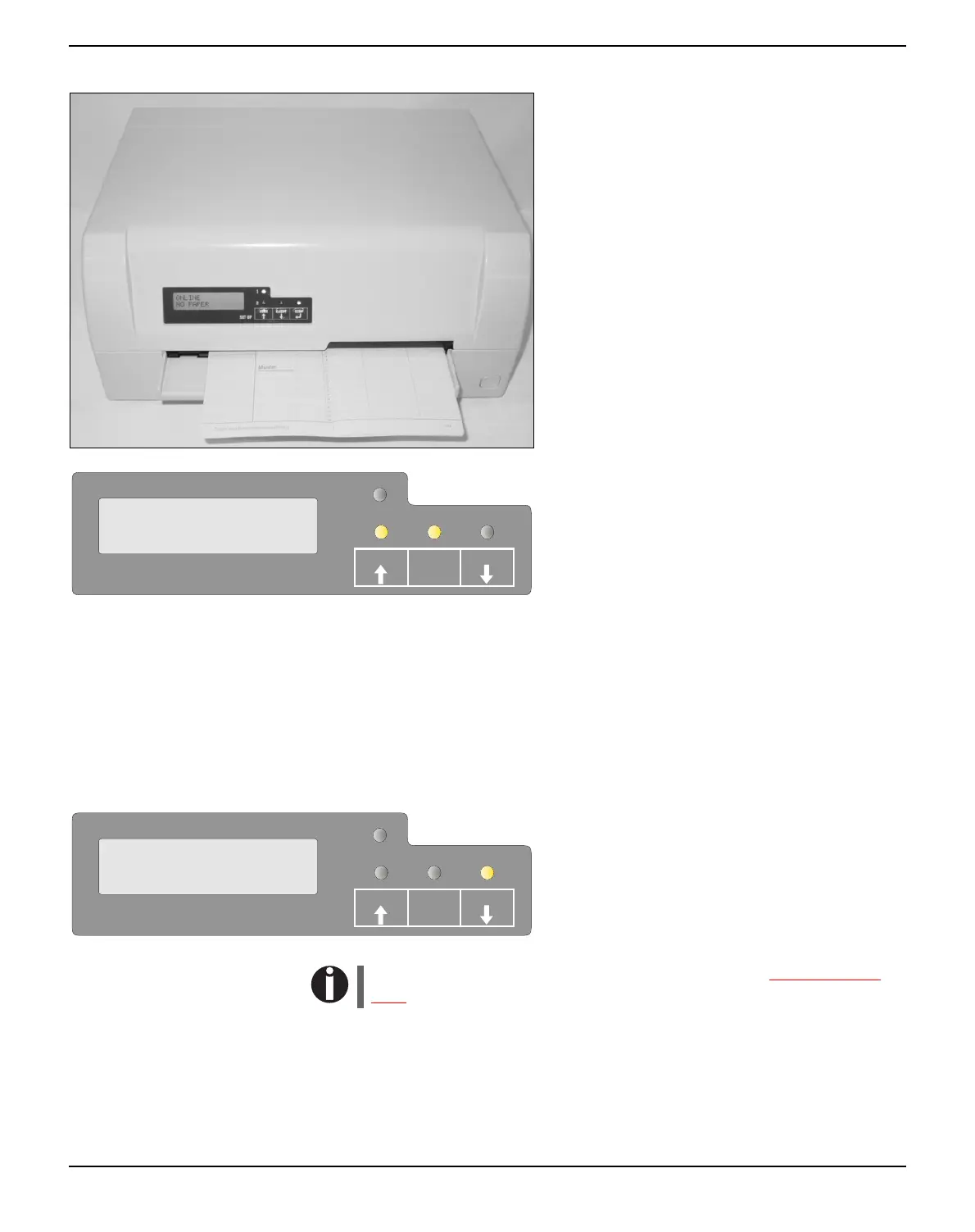
The message ONLINE NO PAPER ap-
pears on the LCD again.
Removing media Paper can be ejected from STOP/Offline mode by pressing the
STOP/EJECT key.
If the printer is Online, you must first first press the STOP/EJECT
key to take the printer to STOP/Off line mode. Then press STOP/
EJECT key again. The LCD displays the message:
You can now remove the media from the
paper tray.
If a paper jam occurs please refer to the section
Clearing paper
jams, page 76.
SETUP
PAPER
ONLINE
NO PAPER
STOP
/EJECT
USER1
USER2
SETUP
PAPER
REMOVE
PAPER
STOP
/EJECT
USER1
USER2



 To Next Page