User Guide Changing the ribbon cassette
35
Changing the ribbon cassette
Make sure that the printer is switched off before replacing the ribbon
cassette.
The print head may be hot if the printer has been printing for a
long time. Wait until it cools to a temperature safe for handling.
Removing the ribbon cassette
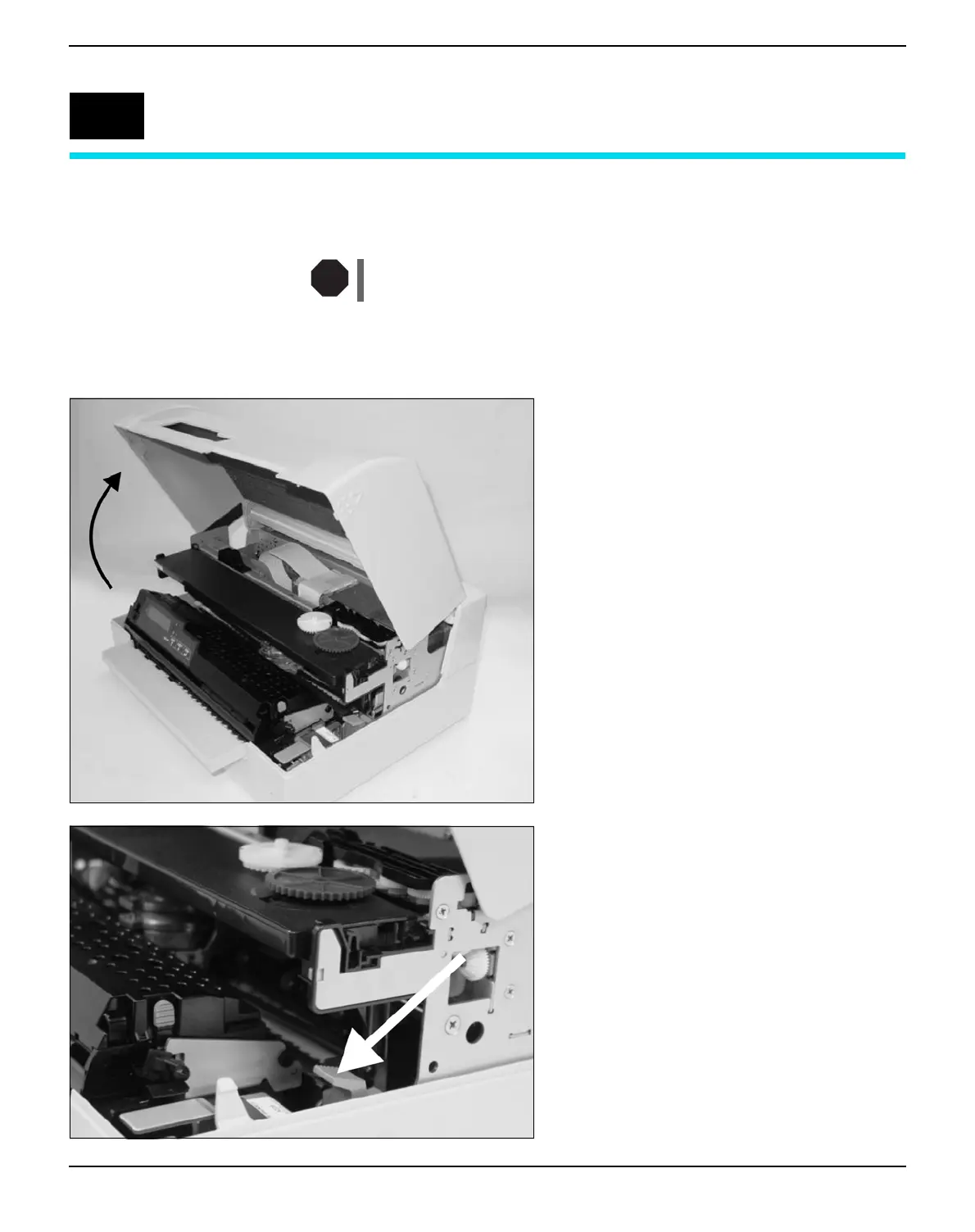
Open the top cover by grasping it at the right
and left-hand sides and swing upward until it
clicks into position.
Press the green release lever in the printing
mechanism. This will swing the printing me-
chanism backwards.
6
STOP



 To Next Page