Control panel User Guide
22
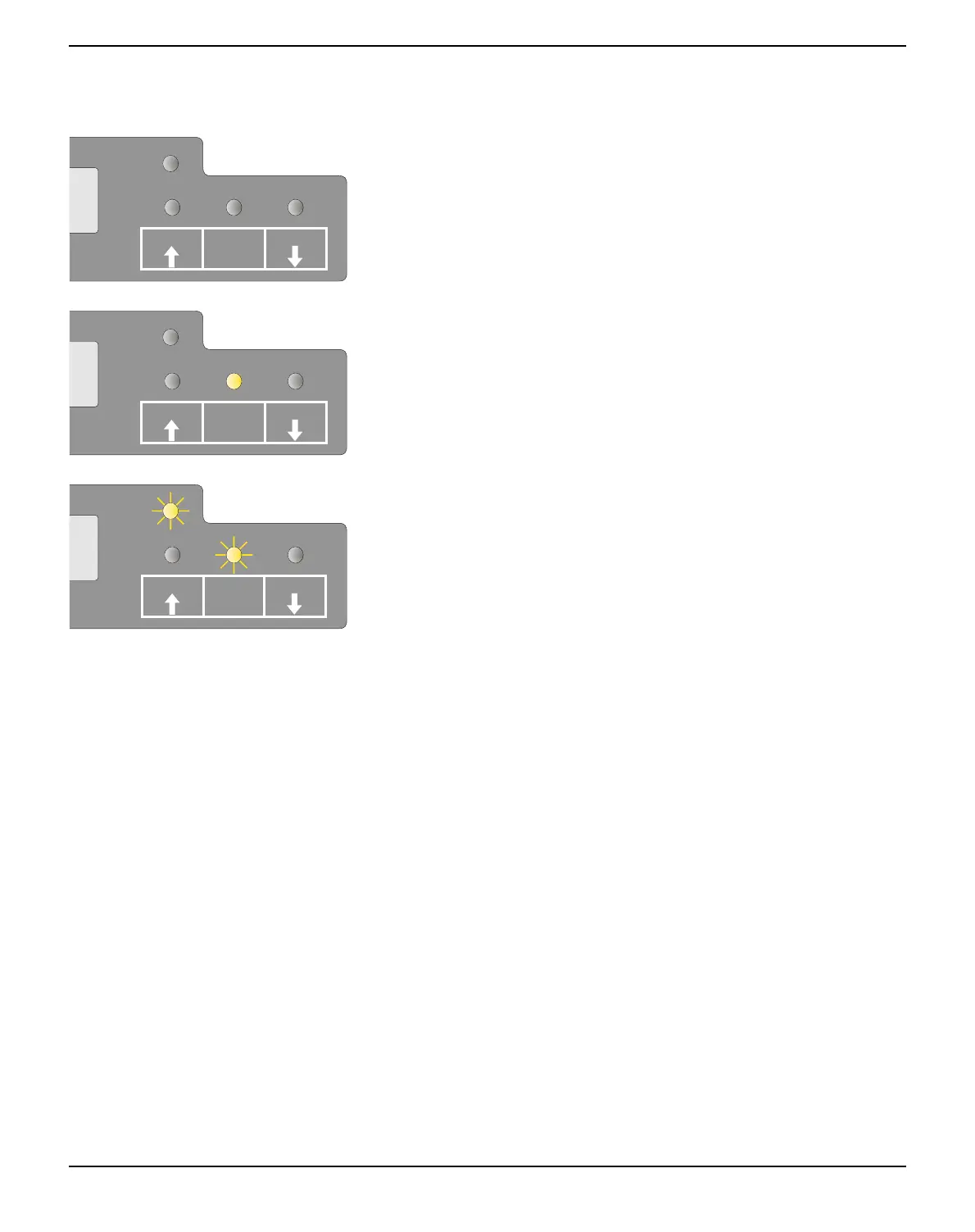
Ready indicator (STOP LED)
Ready indicator (STOP LED) not lit:
` The printer is in the stop status (Offline) and will not receive data
from the system.
Ready indicator (STOP LED) lit:
` The printer is switched on in the online status. It is ready to receive
data from the system.
Ready (STOP LED) and Paper indicators (PAPER LED) blink:
` The printer is not ready. A device error has occurred. Any data
transferred from the system is deleted. The cause of the error is in-
dicated on the LCD.
SETUP
PAPER
STOP
/EJECT
USER1
USER2
SETUP
PAPER
STOP
/EJECT
USER1
USER2
SETUP
PAPER
STOP
/EJECT
USER1
USER2



 To Next Page