Menu User Guide
50
Pressing the USER2 key again will open the
first parameter group or parameter of the
same menu level.
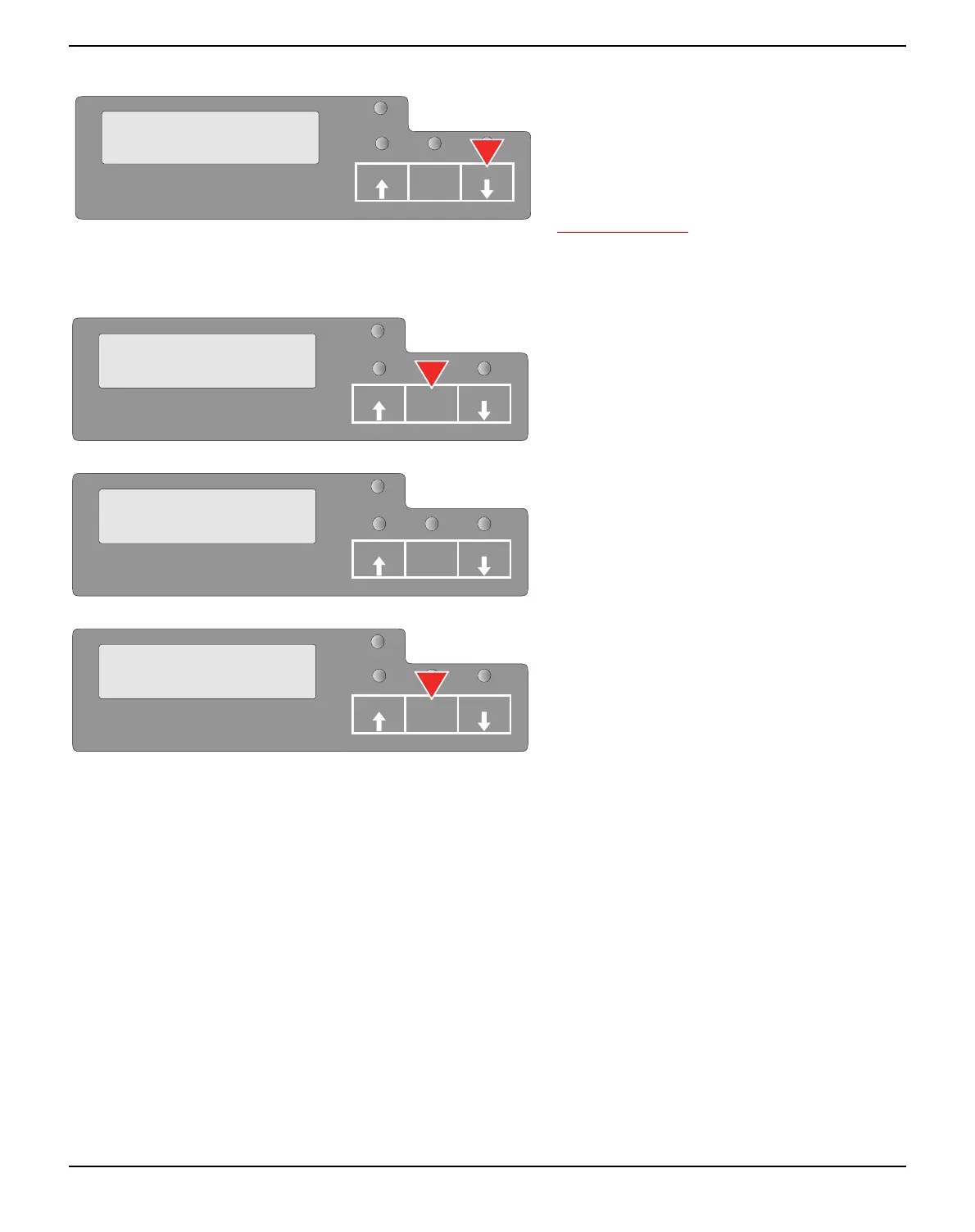
By pressing the STOP/EJECT key you will
return to the previous menu layer (see also
STOP/EJECT key, page 50).
STOP/EJECT key In menu mode the STOP/EJECT key has the following functions:
If pressed in a main menu level the next menu
level is selected (e.g. MENU USER >
Default Set USER1).
If pressed when a changeable parameter item
is on the display, an asterisk appears on the
display; you can now change this item now by
pressing the USER1 or the USER2 key.
If pressed after you have changed a parameter
item the new value is confirmed. The LCD
displays the message Accepted after the para-
meter item is changed.
PAPER
Return to
Prev. Layer
SETUP
USER1
STOP
/EJECT
USER2
MENU
COMMON
SETUP
PAPER
USER1
STOP
/EJECT
USER2
SETUP
PAPER
Default Set
Menu1 *
USER1
STOP
/EJECT
USER2
Default Set
Menu2 Accepted
SETUP
USER1
STOP
/EJECT
USER2
PAPER



 To Next Page