User Guide Menu
55
Printing out the
status page
The printer has a function that allows you to printout the current para-
meter settings.
There are two ways to print out the parameter settings.
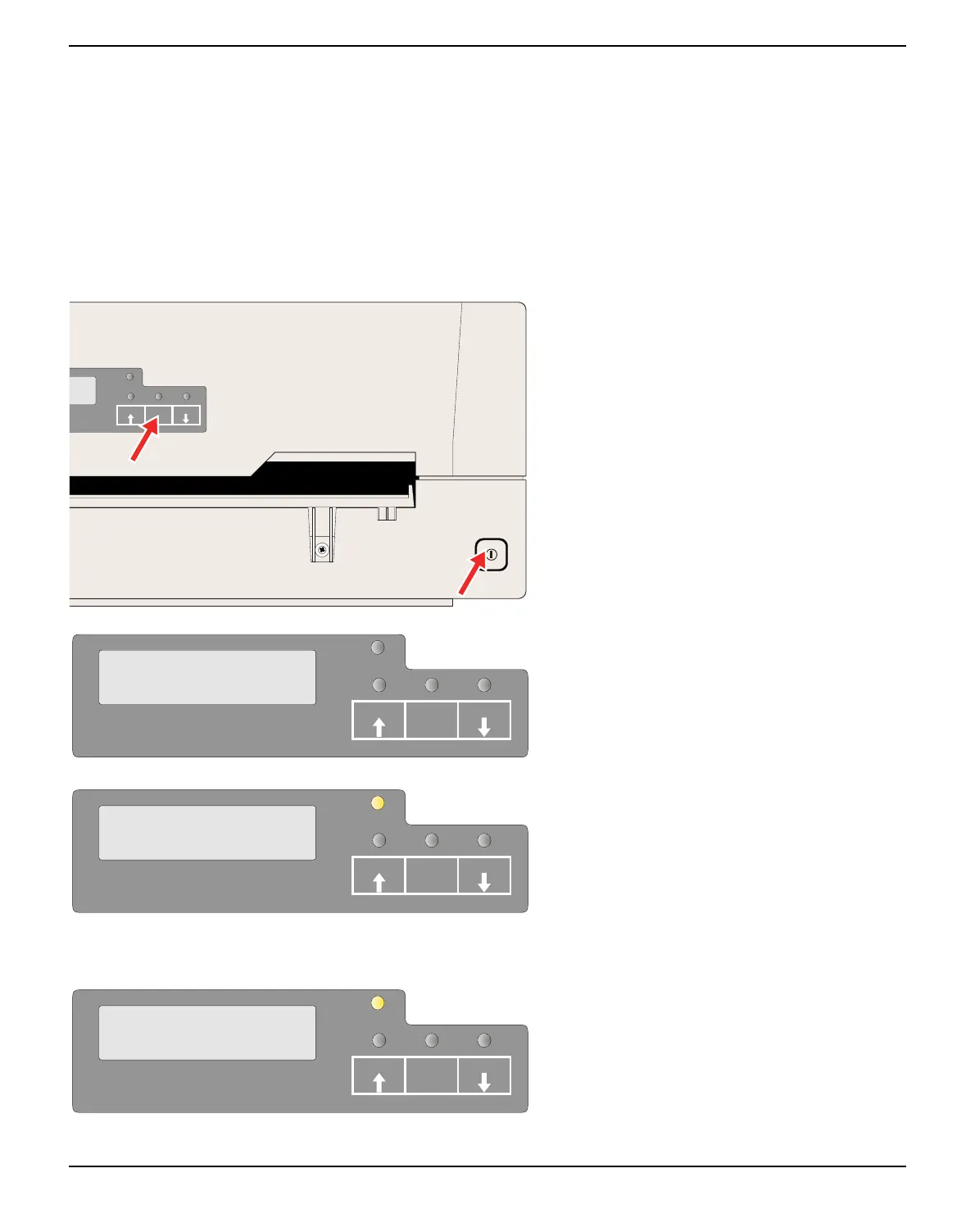
` Power on + USER2 key
` Selection of “Test Print Status Page” in menu mode
Power on + USER2 key
Power the printer off.
Press and hold the USER2 key while swit-
ching on the printer.
The LCD displays Print StatusPage Load
Paper. Release the USER2 key.
Insert the paper in the printer. The LCD dis-
plays Print StatusPage Printing... and the
the status page is printed.
The paper will eject once printing is complete.
While printing, you can use the STOP/
EJECT key to cancel the printing. Paper will
be ejected.
When the test printout is aborted or comple-
ted, LCD will display Print StatusPage Com-
pleted.
The Print setting mode will end automatically
and a Power ON reset will be performed.
SETUP
PAPER
STOP
/EJECT
USER1
USER2
SETUP
PAPER
Print StatusPage
Load Paper
USER1 USER2STOP
/EJECT
SETUP
PAPER
Print StatusPage
Printing...
USER1 USER2STOP
/EJECT
SETUP
PAPER
Print StatusPage
Completed
USER1 USER2STOP
/EJECT



 To Next Page