User Guide Print media
31
Print media
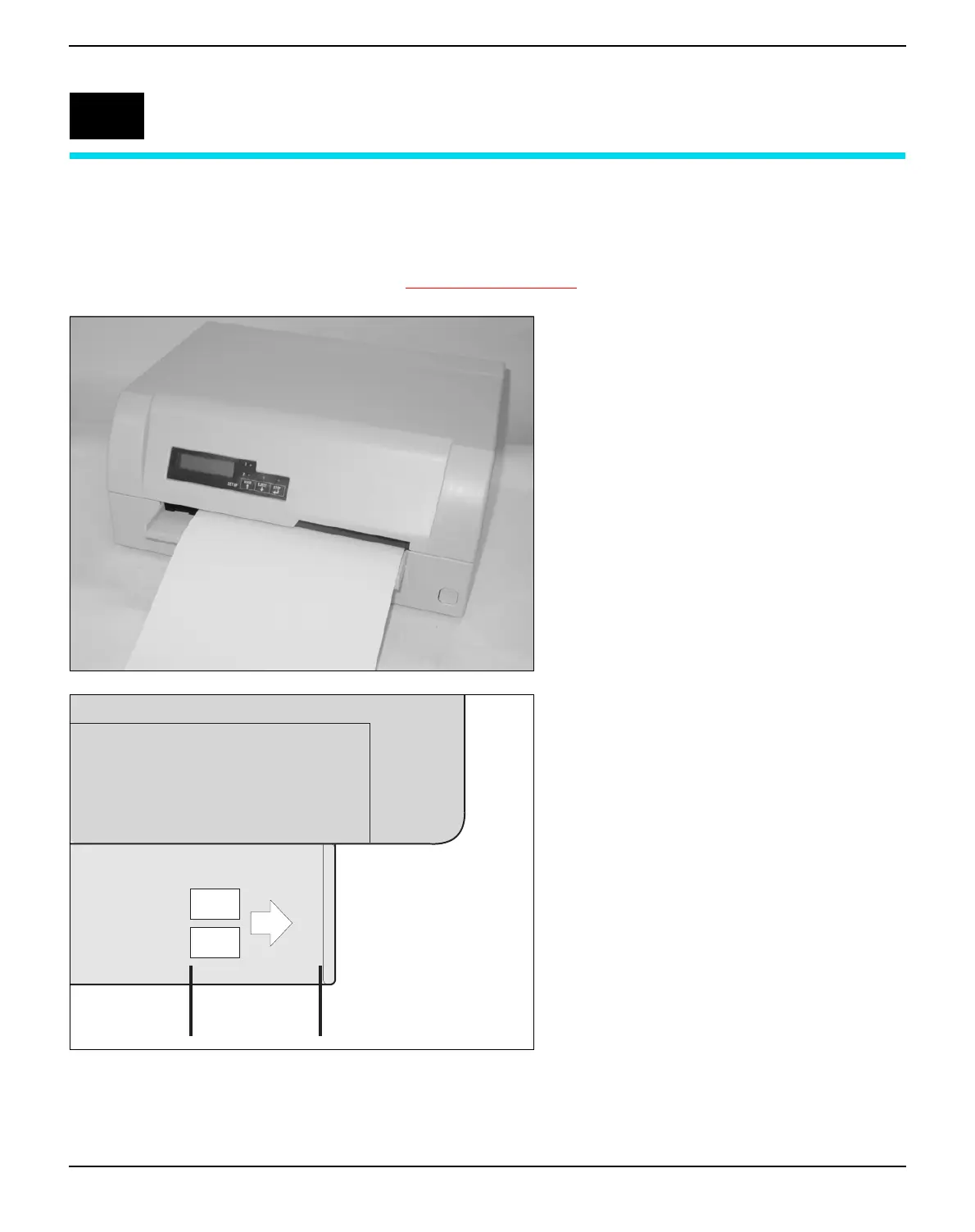
Inserting a document Before inserting a document make sure that the printer is switched on
and the the message ONLINE NO PAPER is displayed in the LCD
(see Switching on the printer, page 10).
Insert the document in such a way that the
right paper edge is positioned inside the area
between the left side of the symbol and the
right edge of the document support, so that
the document alignment can grasp it securely.
This is especially important for documents
that are narrower than a A4 sheet.
Then push the document towards the stop
into the document chute.
When the document is drawn in, the message
ONLINE PAPER appears in the LCD.
When printing is completed, the document is
transported out of the printer and released for
removal. The message ONLINE NO PA-
PER appears on the LCD again.
5
Place right edge of
document inside
this area



 To Next Page