Care and maintenance User Guide
80
Cleaning the MSR-H
magnetic stripe
If your printer has an MSR magnetic stripe reader, the MSR read/write
head can be cleaned with a special cleaning sheet as follows.
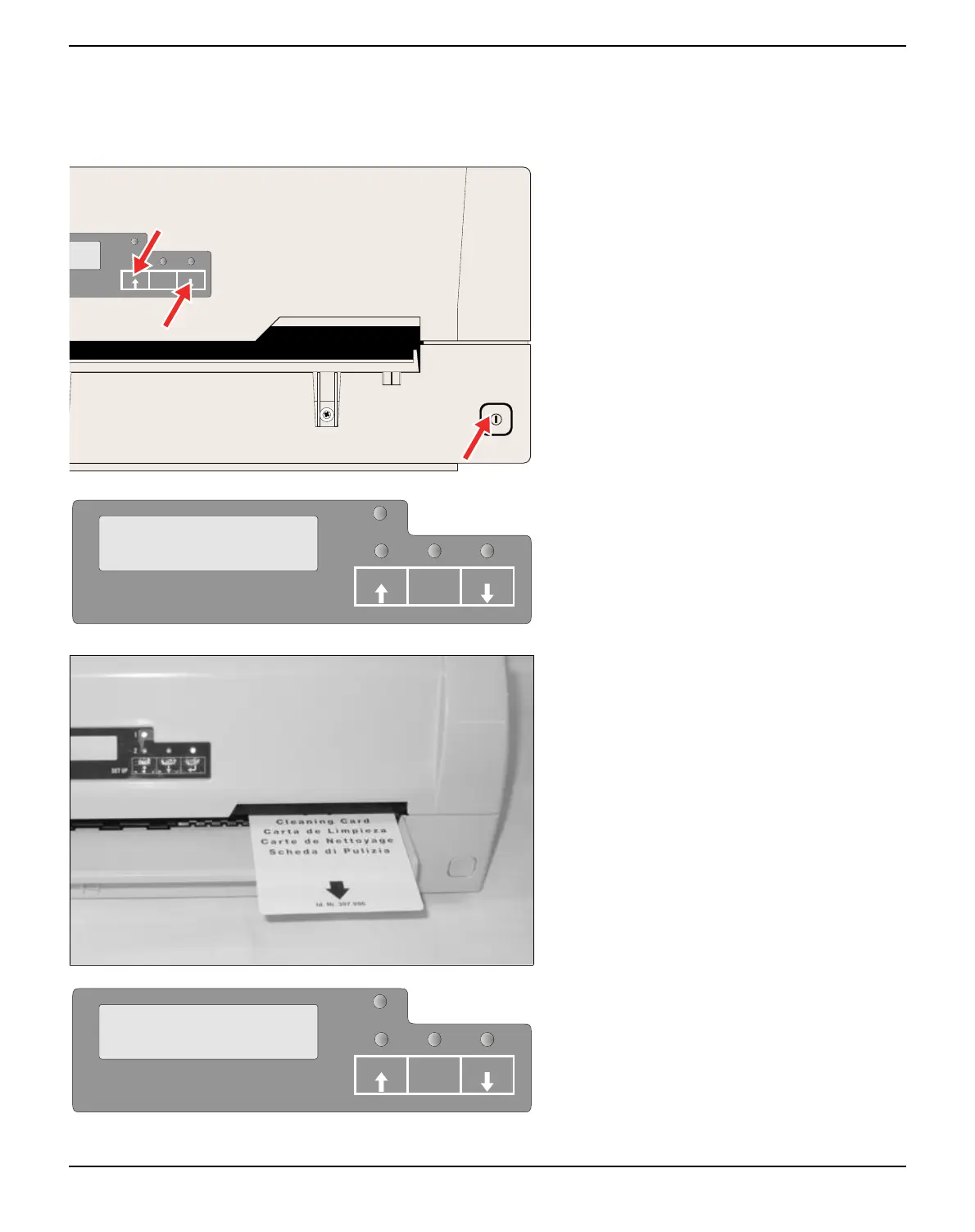
Press the USER1 and USER2 key and keep
the key pressed while switching on the printer.
The message MSR-H Cleaning Load paper
appears on the LCD display.
Insert the special MSR-H cleaning sheet at the
right side of the printer.
The cleaning routine starts at once.
The message MSR-H Cleaning Cleaning…
appears on the LCD.
SETUP
PAPER
STOP
/EJECT
USER1
USER2
MSR-H Cleaning
Load Paper
SETUP
PAPER
USER1 USER2STOP
/EJECT
SETUP
PAPER
MSR-H Cleaning
Cleaning...
USER1 USER2STOP
/EJECT



 To Next Page