Operation ■ Running a Job on PSV7000
—20— Data I/O • 096-0461-001G
back
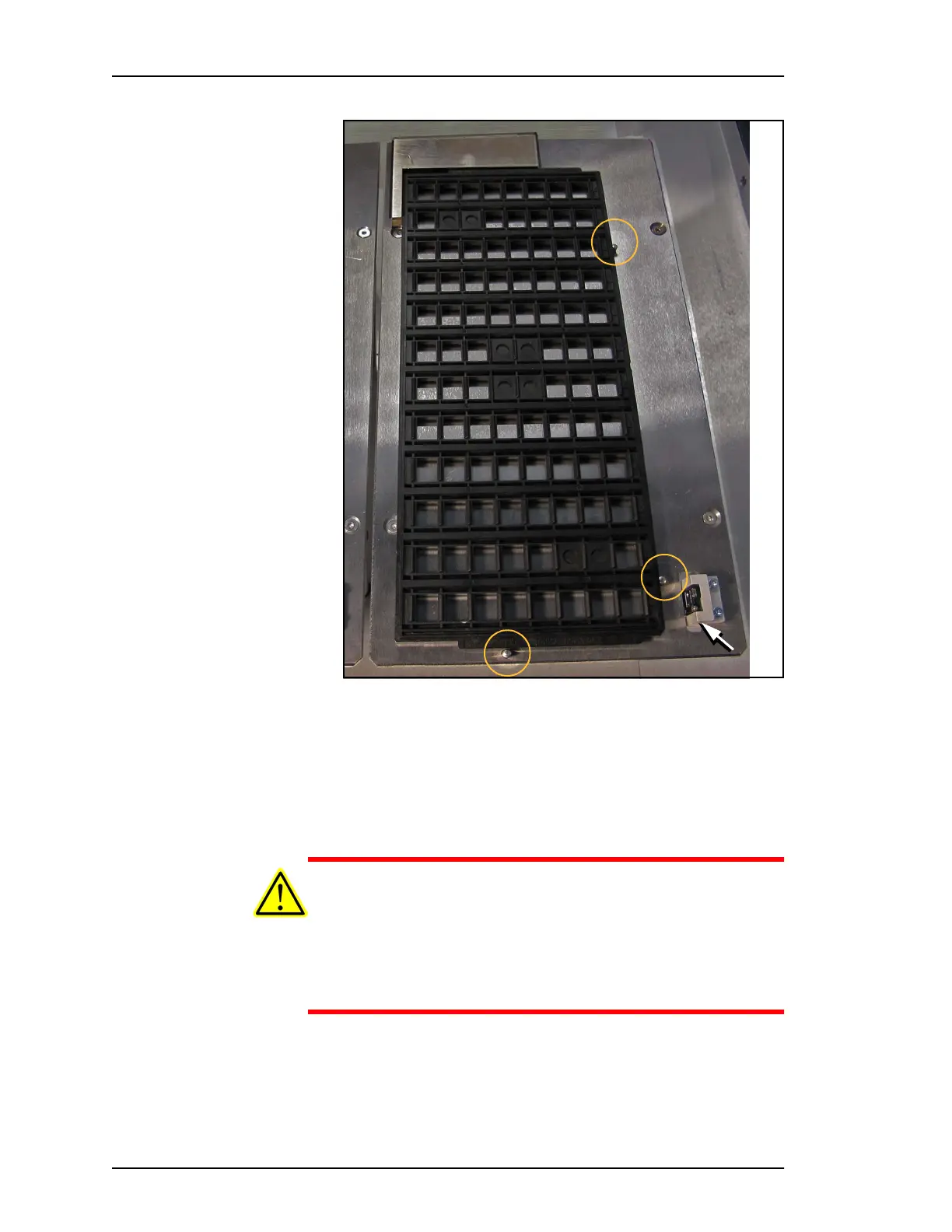
Figure 7: To install a tray, index it along the two rows of pins (circles).
The chamfered corner for the input and output trays is at the front right
corner (arrow). Output tray position shown.
3. The output tray installation is identical, located to the right of
the input tray.
4. The reject tray is on the left. It has no tray sensor.
CAUTION: Temporarily removing an input or output tray has
consequences. Sensors register a tray’s presence.
If an input tray is removed and then returned to the mount while
a job is Paused, the software proceeds as if the tray is full and all
devices are unprocessed. For the output tray, the software pro-
ceeds as if the tray is empty.



 To Next Page