■ Running a Job on PSV7000 ◘ List of Steps to Start a Job
PSV7000 Operator’s Manual —41—
back
Removing and Installing a Probe
CAUTION: Safety hazard! Possible personal injury from moving
machinery. Always make sure that the PNP head is stopped in
the Park or Tool position before opening any access doors.
1. Pause or Finish a job if one is running.
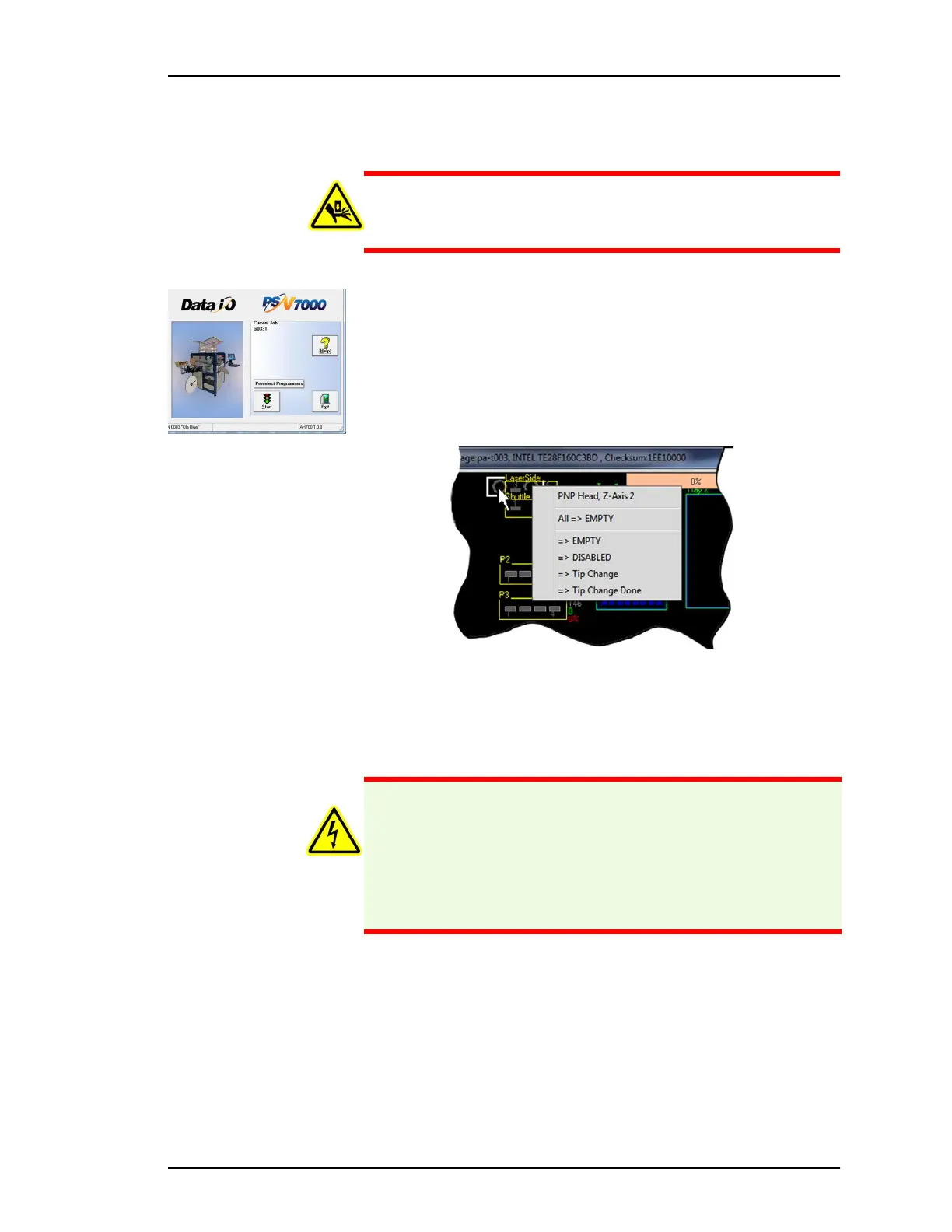
2. At the Run window, right-click a probe within the head (white
rectangle).
3. In the sub-menu, click Tip Change to move the head to the Tool
position (the probe motors are disabled).
4. Open the safety door (disables the gantry motion).
5. If installed, remove any tape feeders for access. You may also
want to adjust the safety plates for access.
Figure 22: At the Run window, right-clicking a
circle in the white rectangle representing the head
displays the Head submenu.
WARNING: Shock hazard! Opening the safety doors stops
motion of the gantry only. It does not remove electrical power
from the machine or any optional equipment.
When directed, turn the main power OFF for safety.
Main AH700 Start Window



 To Next Page