■ Light Tower Interpretation ◘ Stopping the System
PSV7000 Operator’s Manual —67—
back
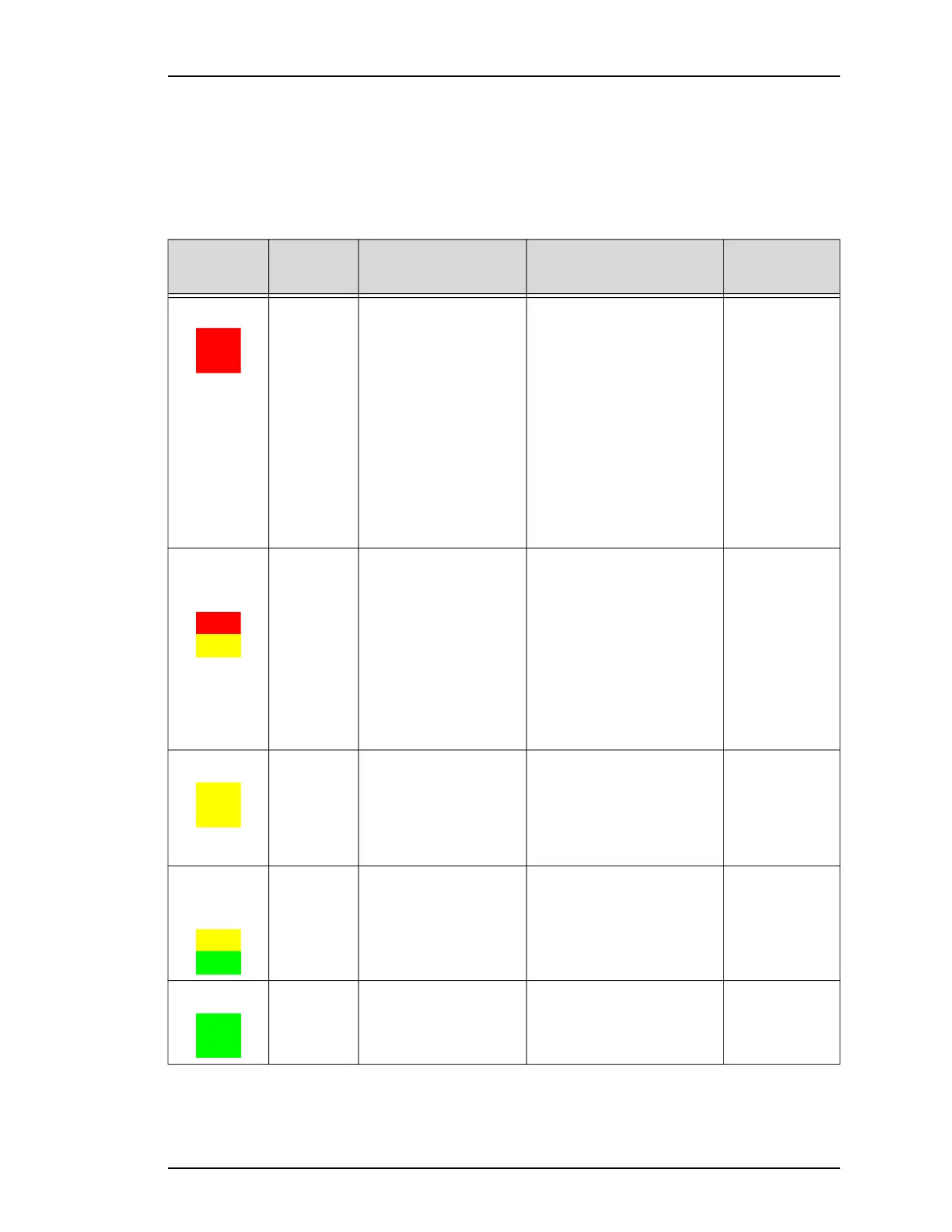
Light Tower Interpretation
During operation of the PSV7000 System, you can monitor the light
tower to reduce system down time. The light tower displays the fol-
lowing conditions:
Light Condition Action Required Possible Causes
Machine
Status
Red Operation
is stopped
due to major
error or
operator
action
Operator intervention is
mandatory to continue.
It is likely that tools and
troubleshooting skills
will be required to
resolve issues.
–Safety door or access door
is open
–E-Stop is pushed
–Actuator error
–Gantry collision
–Insufficient air pressure;
–Laser not ready
–Motion Control System
error
–Socket opener sensor
error
–Software exception
–Vacuum sensor malfunc-
tion
Stopped
Yellow/
Red
(alternating)
Operation
is stopped
due to error
or operator
action
Operator intervention is
mandatory to continue.
Correction may be
through Handler Com-
puter software (AH700)
or through minor hard-
ware adjustment.
–File read/write error
–Labeler error
–Laser error
–No programmer can be
used
–PNP error
–Serialization errors
–Setup related errors
–Tape input error
–Unprogrammed devices
on Input/Pass tray
Stopped
Yellow Operation
is stopped
intention-
ally
Operator intervention is
mandatory.
–Output media is full or
input media is empty.
–The main Start button has
been clicked (the Setup
window is displayed) but
no job is running.
Stopped
Yellow/
Green (alter-
nating)
Running
below opti-
mum or
job is
ended
Operator intervention is
suggested.
–End of job
–Some sockets are disabled
–Vacuum errors are pres-
ent on some program-
mers
Processing or
Stopped (end
of job)
Green Running
normally
No operator action
needed.
Processing devices, or clear-
ing sockets to output.
Processing



 To Next Page