■ Running a Job on PSV7000 ◘ Programming Errors
PSV7000 Operator’s Manual —61—
back
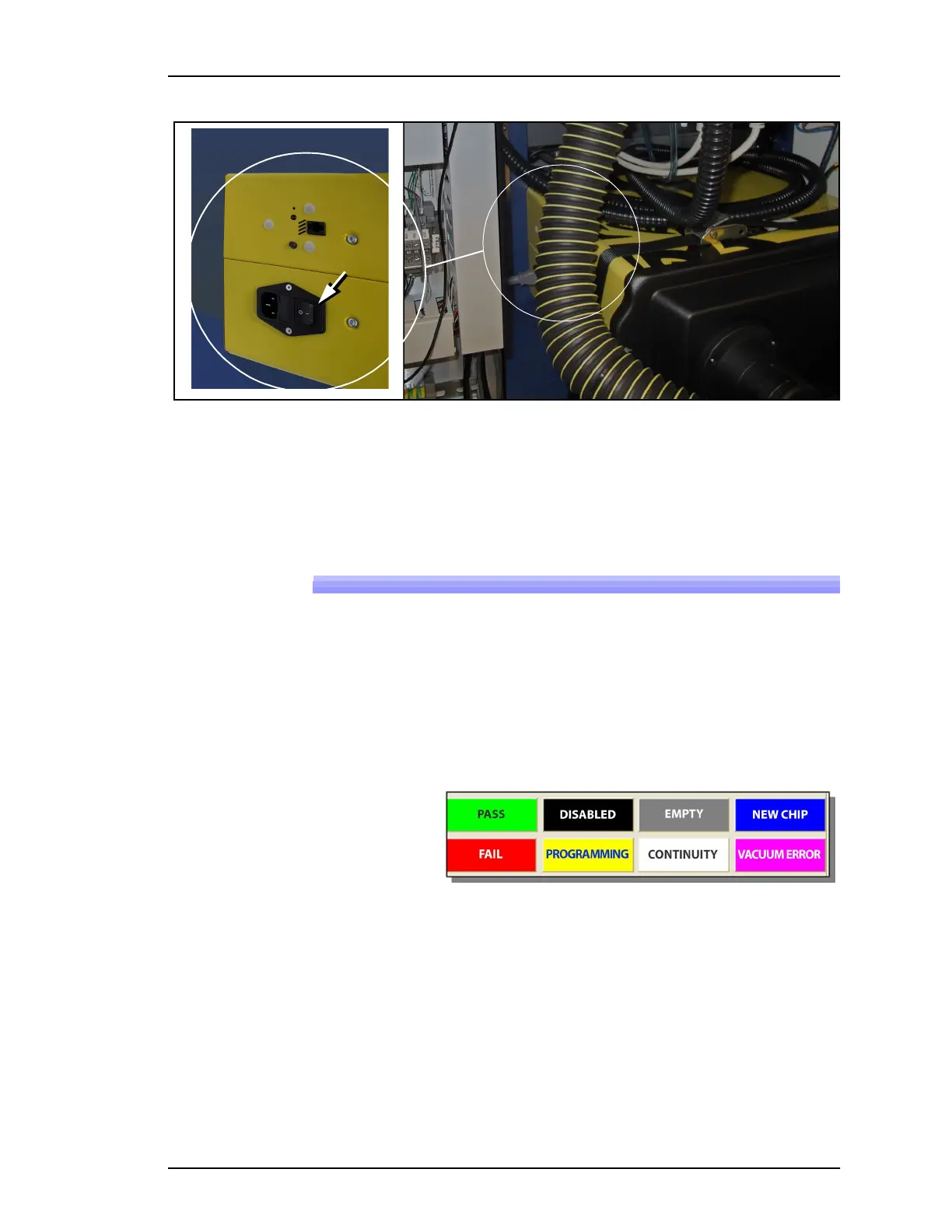
Figure 43: Fume Extractor Power Switch (hidden behind hose).
4. Close the access doors.
Close the safety doors and turn the PSV7000 System power ON.
Programming Errors
Interpreting programming results can be done by understanding the
AH700 Run window information and observing the LEDs on the
Socket Adapters.
Run Window Socket Color Meanings
The Run window in AH700 displays all the sockets on the work sur-
face. The color indicates status of each socket.
Figure 44: The AH700 Run window displays socket status.
What do the Numbers Mean?
The Run window in AH700 displays socket and adapter statistics at
each programmer icon. See Figure 45.



 To Next Page