■ Running a Job on PSV7000 ◘ Socket Adapters and Actuator Plates
PSV7000 Operator’s Manual —31—
back
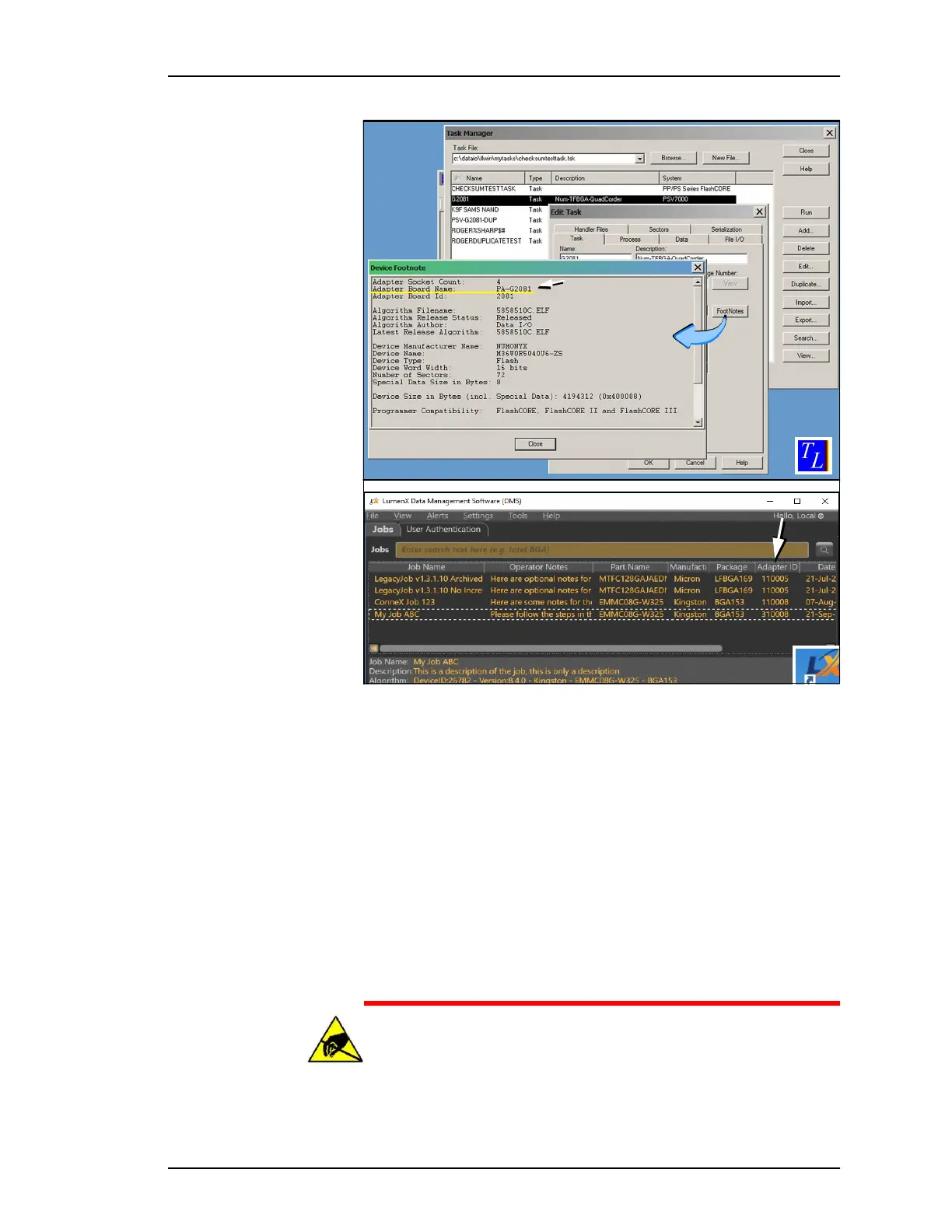
Figure 15: [Top] Footnotes dialog in TaskLink lists the Socket Adapter
ID. [Bottom] LumenX displays Socket Adapter IDs on the main window
(arrow)
If AH700 has already been started, you can find the correct Socket
Adapter Part Number for your device two ways without having to
exit AH700:
• If you already have a Package File and you’ve named it after the
Socket Adapter, see the last two fields of the
Setup
>
Job Info
window.
• On our Web site:
1) Click Support > Device > Search for Support,
2) Type your device PN into Device PN field,
3) Click Begin Search for Devices. See the PNs in the right,
results column.
CAUTION: Electrostatic discharge (ESD) hazard! To prevent
damage to Socket Adapters and devices from ESD, always wear
an antistatic wrist strap.
The wrist strap should be connected to the grounding socket on
1
2
3



 To Next Page