Operation ■ Running a Job on PSV7000
—50— Data I/O • 096-0461-001G
back
.
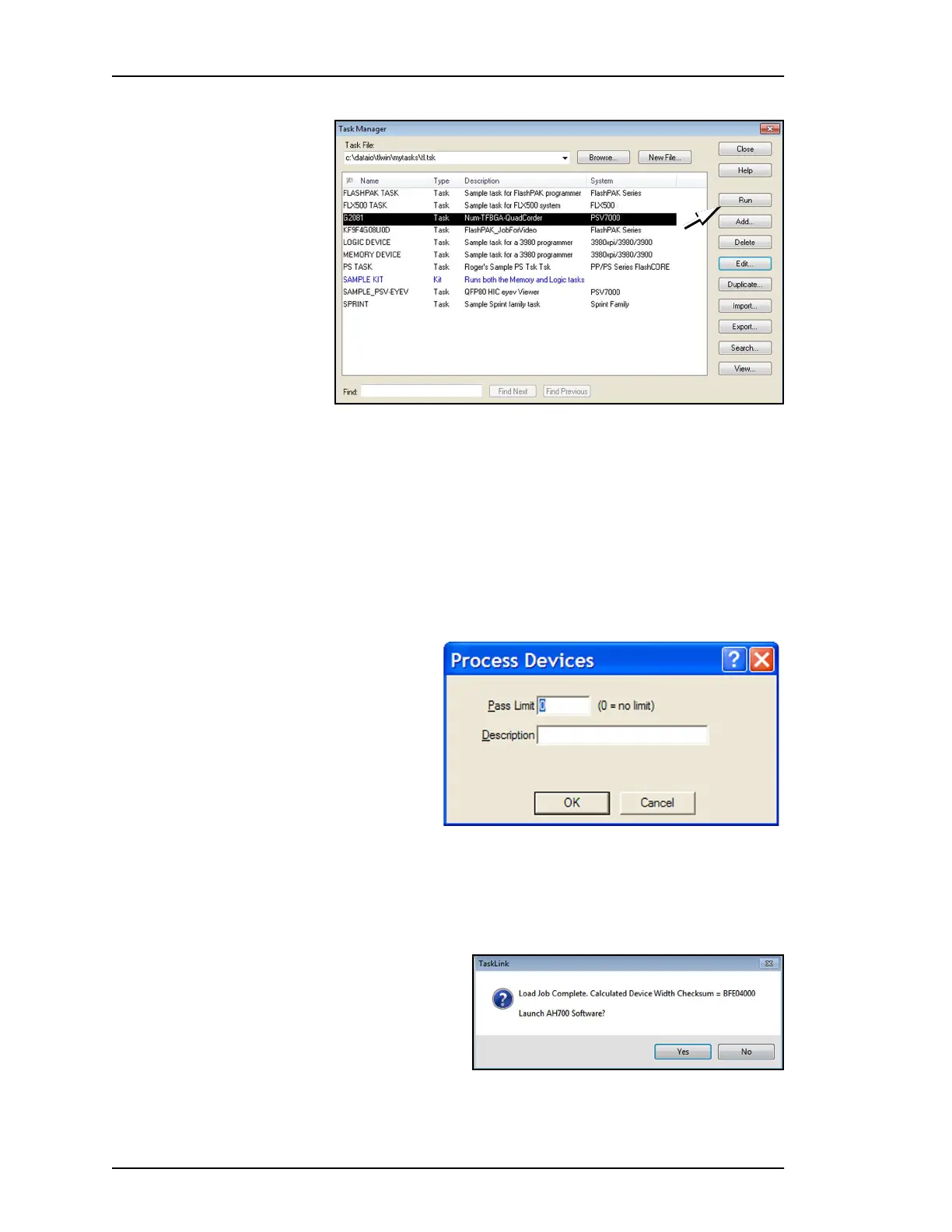
Figure 31: Select a Task and click Run to run a job on PSV7000.
3. A Footnotes Dialog displays. Take note of the Socket Adapter
and Actuator Plate part numbers required. Click OK to close the
dialog.
4. (Optional) Enter the number of devices to be processed in the
Pass Limit field (0 is the default for an unlimited number of
devices).
5. (Optional) Enter a description.
6. Click OK.
.
Figure 32: Both a Pass Limit and a description are optional.
7. When job setup is complete, TaskLink confirms launching the
AH700 software and displays the calculated checksum (if Dis-
play Checksum option is checked in TaskLink).
Click Yes. AH700 opens.
.
Figure 33: Click Yes to launch AH700 Software.



 To Next Page