ES601Plus OPERATING MANUAL
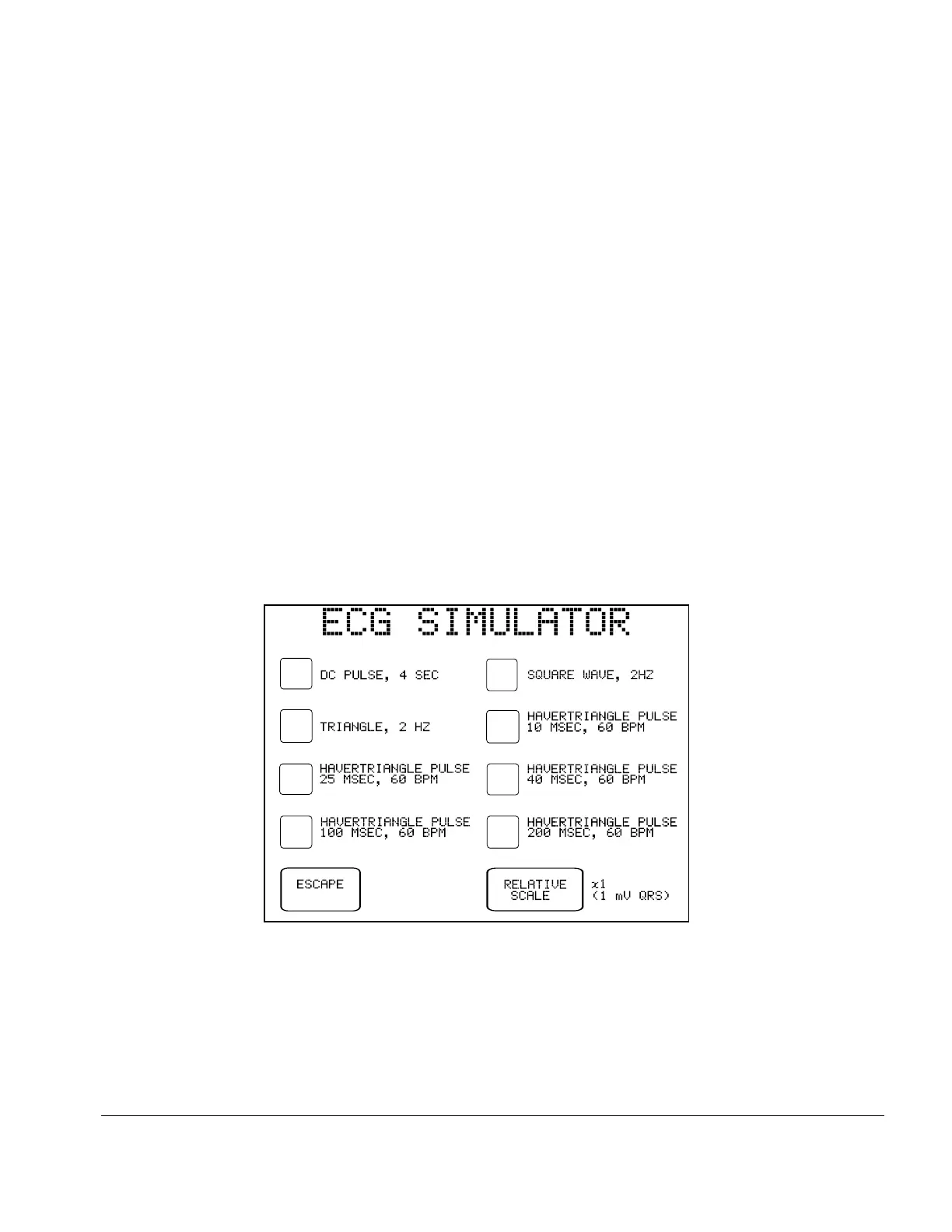
Fig u re 52 - Performance wave submenu.
The following table describes specific instances where the waveforms listed prior are especially
useful. The letter, below, corresponds to the letter at the end of each waveform description prior.
(a) Tests monitor/chart recorder low-frequency performance
(b) Tests monitor/chart recorder gain and damping performance
(c) Tests monitor/chart recorder linearity performance
(d) Tests monitor R-wave detection performance
(e) Tests monitor/chart recorder frequency response
(f) Tests monitor BPM accuracy and R-wave recognition
(g) Tests arrhythmia detection algorithms
(h) Tests AED shock/no shock, or defibrillator shock advisory report
(i) "Coarse" waveform
(j) Random, low-frequency baseline fluctuation
(k) Tests pacemaker in demand mode
When a waveform is selected, its title is highlighted on the LCD and the simulator begins to output
the corresponding signal immediately.
The RELATIVE SCALE button on the menu allows the amplitude of the output signal to be set to:
x1 (default, 1 mV QRS on Lead II), x2, x0.5, or OFF (ECG output set to zero).
The RELATIVE SCALE will retain its setting as different waveforms are selected, but will return to
the default – X1 (1 mV) – after escaping from the ECG simulator menu.
Manual Testing/Chapter 5 # Page 96



 To Next Page