ES601Plus OPERATING MANUAL
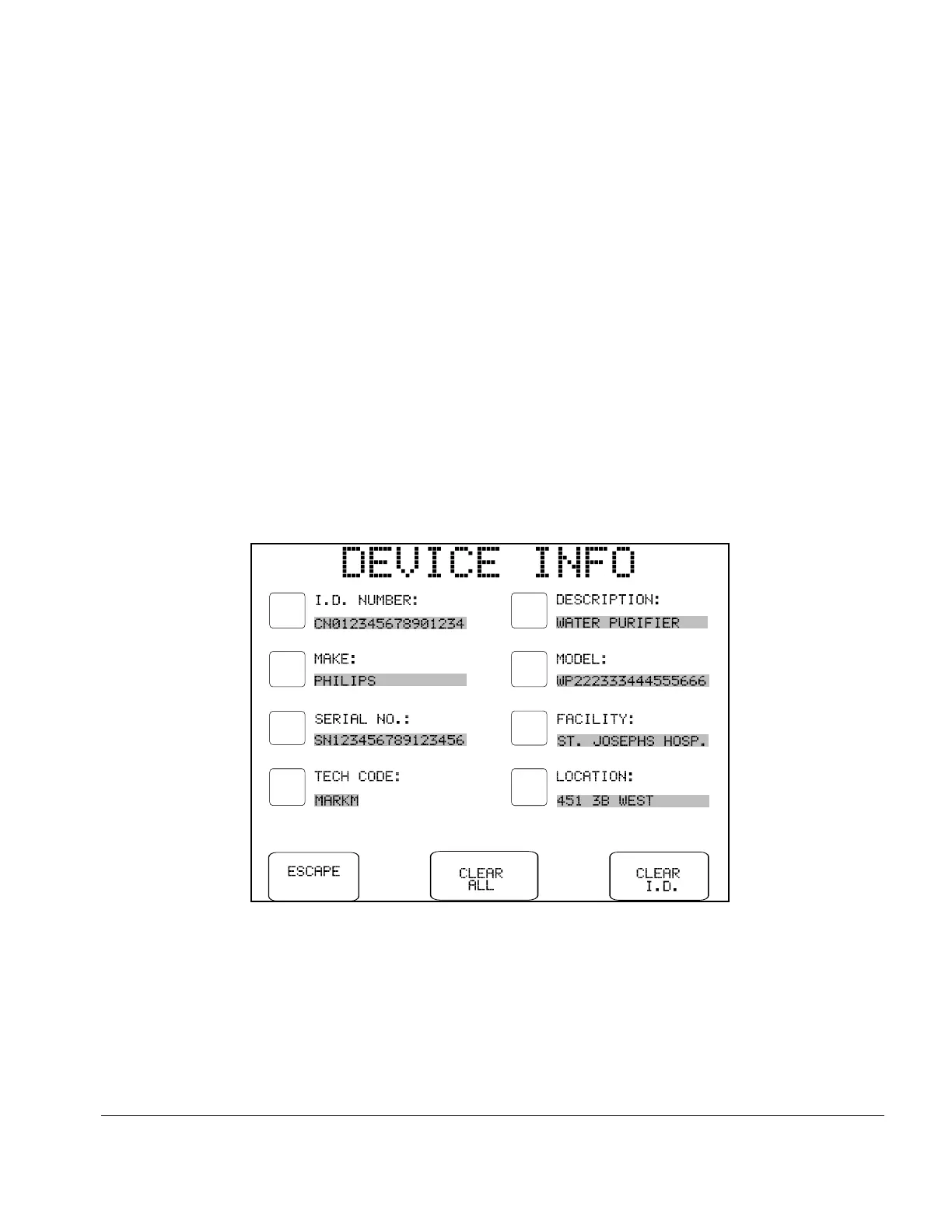
Fig u re 17 - Device information data entry menu.
5.5 Device Information Editor
Press the DEVICE EDIT button on the MANUAL MODE menu to enter information about the DUT in
the Clip Record of ES601Plus. The DEVICE INFO menu allows entry of equipment information such as
I.D. [control] number, make, model, serial number, facility, location and Tech Code.
Device information can be updated at any time during a manual test, until the test data is saved as a Test
Record. When a Test Record is saved, the I.D. Number and Serial Number fields of the device information
are automatically cleared. The remaining device information will remain intact, so multiple devices of the
same make, model, location and facility can be tested without having to re-enter any additional information.
The device information fields are printed in the heading of the Test Report generated by ES601Plus. This
information helps identify the equipment beyond the I.D. or control number. This is helpful for those
facilities that do not use a Computerized Maintenance Management System, and rely more on hardcopy
records.
On the DEVICE INFO menu, pressing the button located to the left of each data field activates the
QWERTY touch keypad with an appropriate prompt displayed on the top line of the display. Using an
external PS/2 keyboard to enter device information is also possible, and may prove to be more efficient.
Refer to Chapter 3 for further details on operation and features of the QWERTY touch keypad.
Manual Testing/Chapter 5 # Page 46



 To Next Page