ES601Plus OPERATING MANUAL
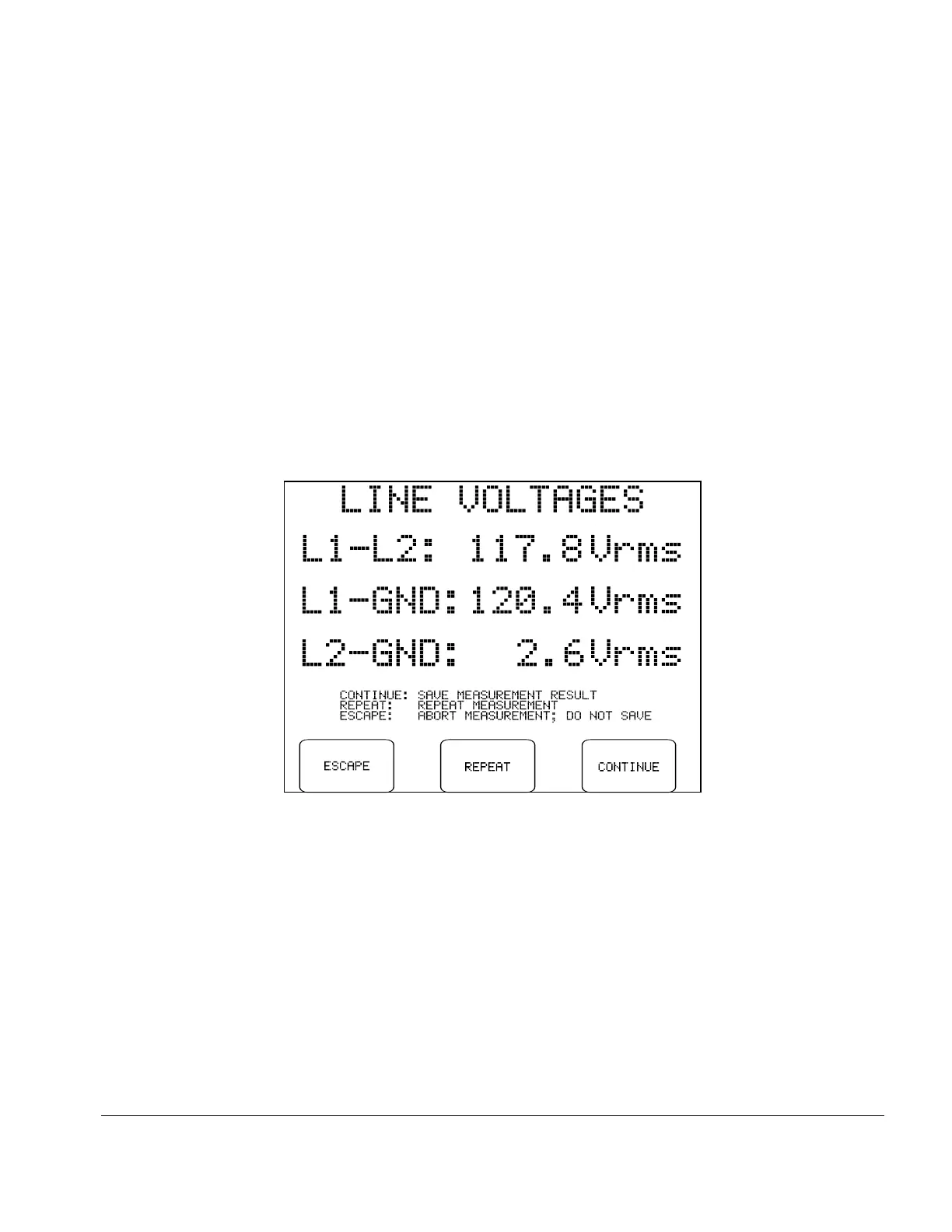
Fig u re 18 - Line voltage measurement results.
5.6 Line Voltage Test
Pressing the LINE VOLTAGES button on the MANUAL MODE menu allows you to measure the AC
supply voltages L1-L2; L1-GND; and L2-GND.
During the measurement, the ESCAPE button may be pressed at any time to abort the measurement and
return to the MANUAL MODE menu. No results are obtained.
Each supply voltage requires approximately 1 second to measure, and is sequentially displayed on the LCD
L2-GND L1-GND
as acquired. If a reversed-supply condition is detected (V > V ), ES601Plus will produce an
alarm. Safety tests should not be performed if the AC supply is reversed, as this may affect leakage results.
In the event of a reversed-supply alarm, connect to a different wall outlet or investigate the wiring of the
wall outlet in use before proceeding with further tests.
After all three voltages have been displayed, the following options become available:
ESCAPE:
Returns to the MANUAL MODE menu. Results are discarded and are not copied to
the Clip Record.
REPEAT:
Repeats the Line Voltage measurements.
CONTINUE:
Saves the results to the Clip Record. Previous line voltage data in the Clip Record, if
any, are overwritten. Returns to the MANUAL MODE menu.
Manual Testing/Chapter 5 # Page 48



 To Next Page