ES601Plus OPERATING MANUAL
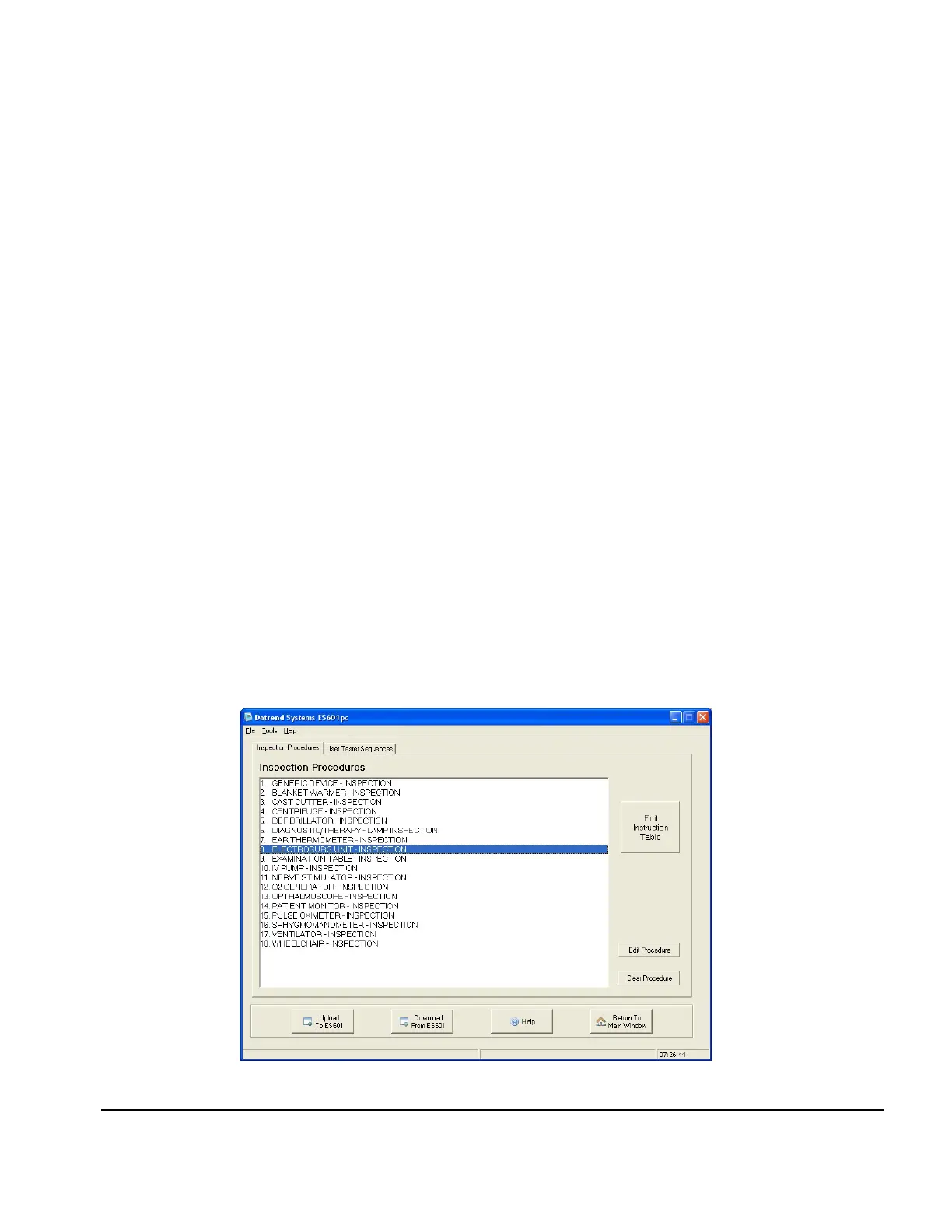
Fig u re 95
Saving to CSV
Saving test reports in CSV is exactly like saving to text format, except a CSV file is also created
listing each device and a path to the test report file for that device. Each line of the CSV file consists
of:
Device ID, Test Date, Test Time, Overall Pass, Tech, Description, Make, Model, Serial Number,
Facility, Location, Info Edited, Parent ID, Tech Time, Filename and Path.
Before creating the CSV file, a save file dialog will appear. Select the desired directory and specify a
name for the CSV file. The CSV file and all corresponding test reports will be saved in the chosen
directory.
8.8 AutoSequence Editor
Upon selecting AUTOSEQUENCE EDITOR, you are taken to the Inspection Procedures screen
(see Fig u re 95).
8.8.1 Editing an Inspection or User Tester Sequence
From the Inspection Procedures tab, edit an Inspection Procedure by selecting the desired
procedure and pressing Edit Procedure. The Autosequence Editor window will appear.
Alternatively, double-clicking on a procedure will also bring up the Autosequence Editor.
ES601pc Software/Chapter 8 # Page 162



 To Next Page