ES601Plus OPERATING MANUAL
The USB drivers for ES601Plus are provided on the USB with the ES601pc software. When the
Hardware Wizard asks for the files, direct the Hardware Wizard to your USB drive, or to the
location where the files were downloaded. The Wizard should find and install the required driver
files. The files are in a folder “ES601 CDM v2.08.28 Certified USB Driver WinXP-7-8". From
within the folder, select the 32 bit (i386) or 64 bit (amd64) folder as the location for the dri
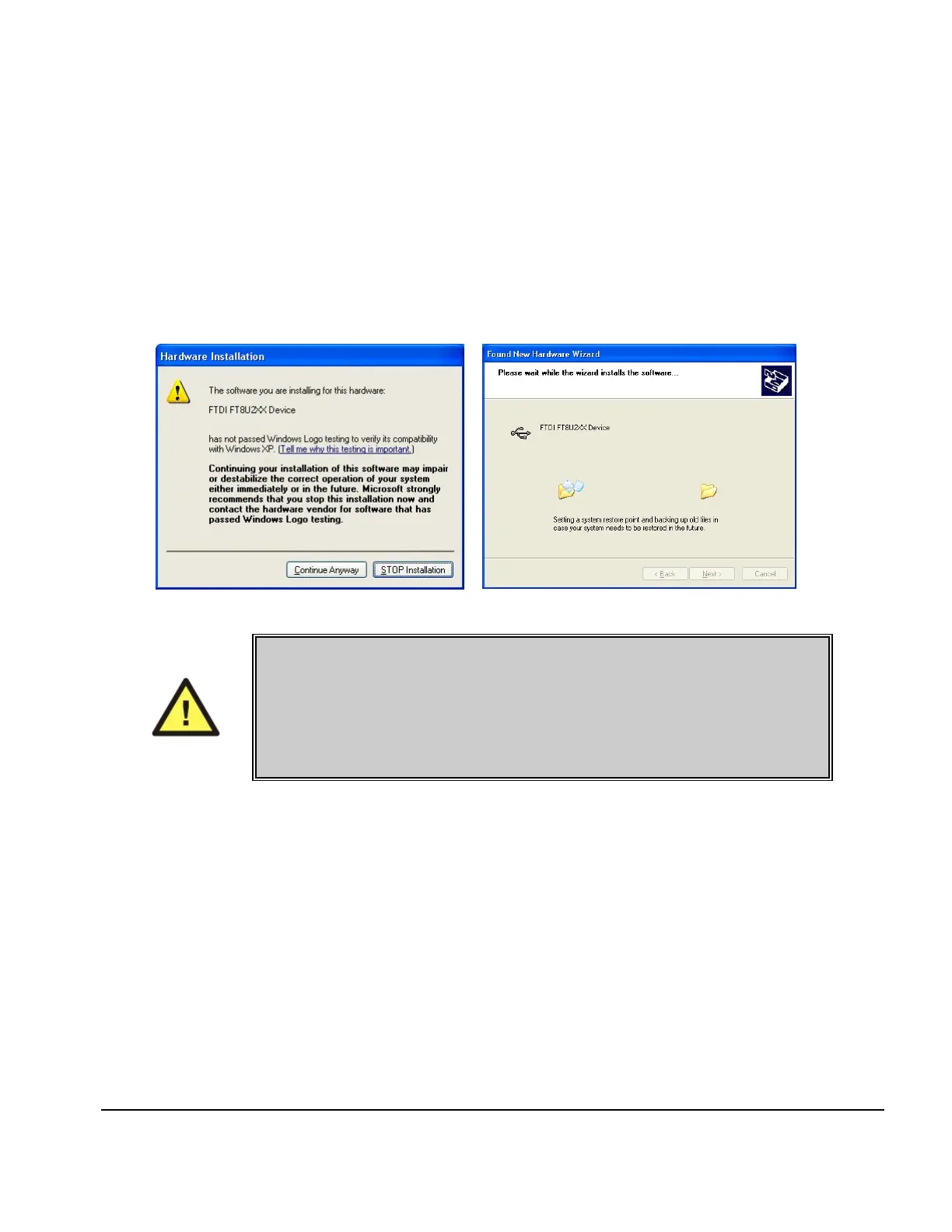
During installation the dialog box shown in Fig ure 84 may appear. If it does, select “Continue
Anyway” and the USB driver will be installed (Fig u re 85).
Fig u re 84 - Driver
Fig u re 85 - Driver Installation
NOTE:
During installation of the USB drivers, Windows XP users may receive a
warning message that the driver has not been "Logo Tested". Please ignore
this warning and clear the message by clicking the "Continue Anyway"
button.
8.3 Running ES601pc
When ES601pc is executed, you will be presented with the ES601pc startup screen. The screen
shown following has the three standard utilities (Safety AutoSequence Editor, ECG AutoSequence
Editor and Test Report Generator) along with two of the optional plug-in modules (Autosequence
Editor and Test Procedure Editor). Additional plug-ins may be added later.
ES601pc Software/Chapter 8 # Page 143



 To Next Page