ES601Plus OPERATING MANUAL
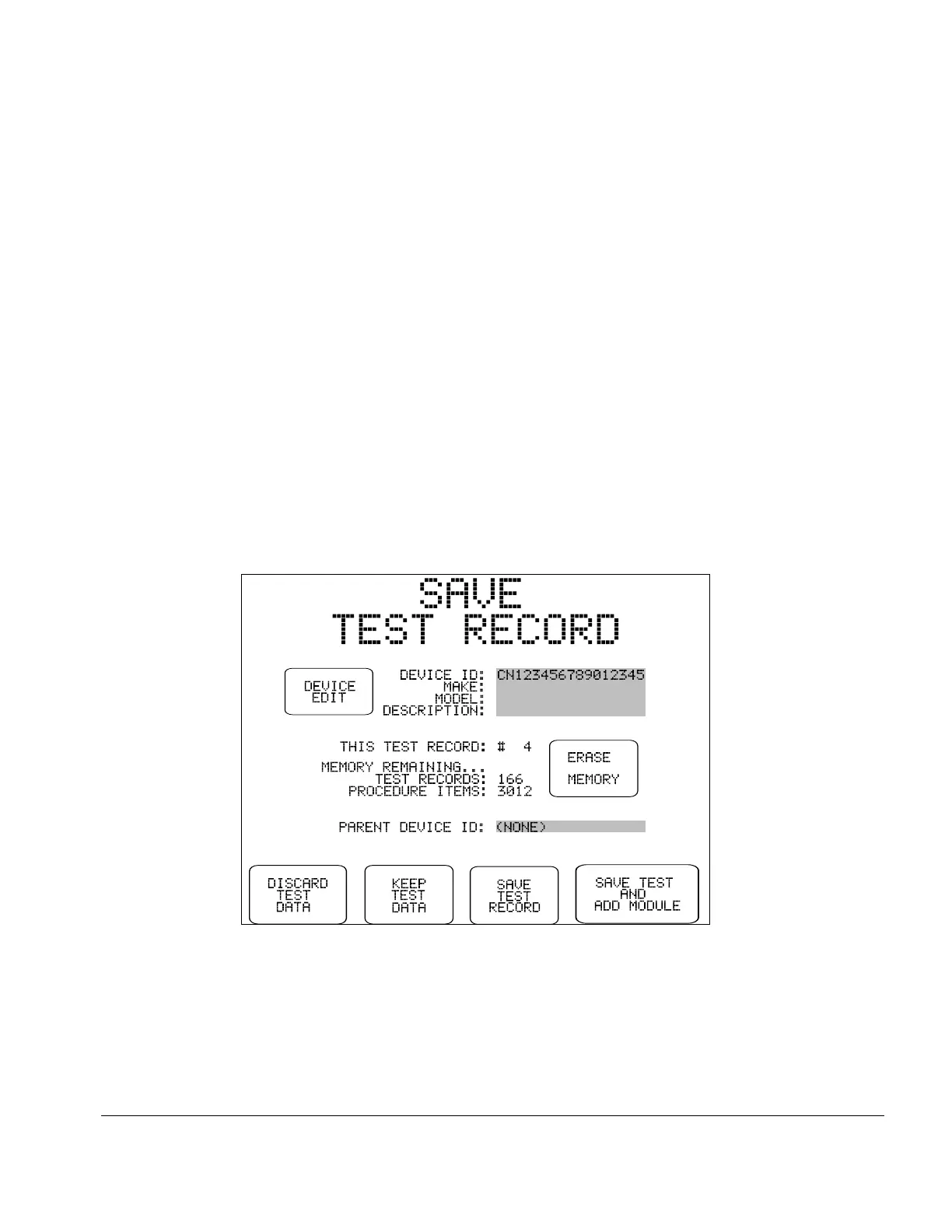
Fig u re 39 - Menu for saving a Test Record.
5.11 Viewing the Clip Record
At any time during manual testing, device information and safety test data accumulated in the Clip
Record may be examined by pressing the VIEW RECORD button on the MANUAL MODE
menu.
The Clip Record data will be shown on the LCD as a multi-page Test Record report. This is the
same display as would result from recalling a Test Record from flash memory for viewing or
printing. Refer to the Re vie w in g Te s ts section later in this chapter for more details on Record
viewing features.
5.12 Saving a Test
Press the SAVE TEST button on the MANUAL MODE menu to save safety test data and device
information in the Clip Record to a Test Record. Usually, this is the final step of a manually-
conducted safety test.
The SAVE TEST RECORD menu shows selected fields of the device information, the parent
device I.D., the test record number, and the current memory status. The parent device I.D. shown
on this menu relates to the creation of linked Test Records for modular multi-parameter patient
monitors; refer to SAVE TEST AND ADD MODULE below.
Manual Testing/Chapter 5 # Page 80



 To Next Page