ES601Plus OPERATING MANUAL
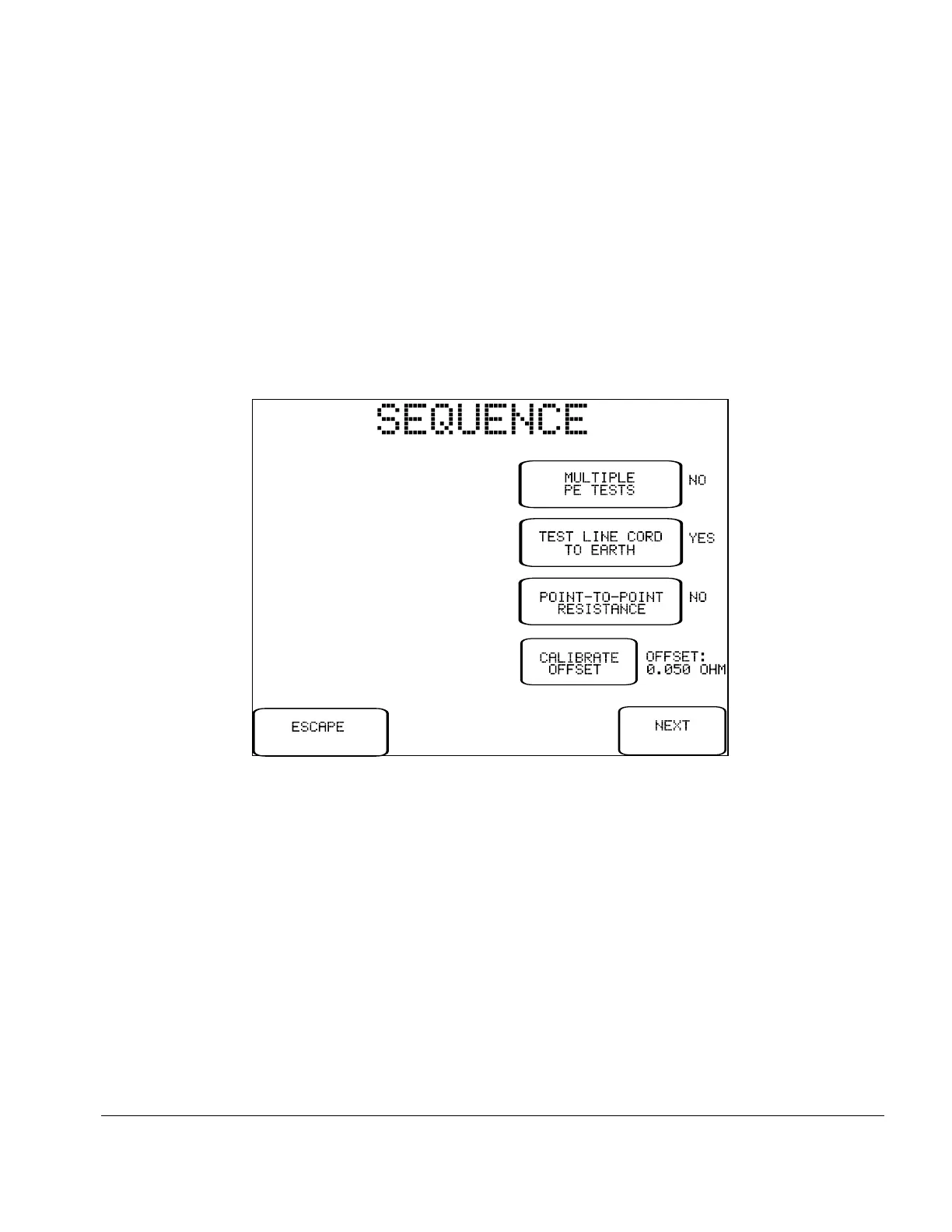
Fig u re 24 - Sequence Controls for manual PE test.
5.9 Protective Earth Test
Pressing the PROTECTIVE EARTH button on the MANUAL MODE menu allows you to measure the
resistance of the DUT's ground circuit, using a test current of 1-amp DC bipolar or, if using ES601Plus
with accessory PETM, 25 amps AC RMS.
Upon selecting this test from the menu, ES601Plus will recall the Systems Settings for the manual
protective earth (PE) test and will then display these on the LCD:
You may change these settings to suit the upcoming test. After the test is completed, the Sequence Controls
will revert to their System Setting defaults.
The buttons provided on the Sequence Control menu are:
MULTIPLE
PE TEST:
If set to "YES", this control will enable multiple protective earth and/or general
resistance measurements within the scope of the test. Up to ten resistance
measurements may be recorded by ES601Plus in multiple PE mode. If set to
"NO", the test will be completed after performing a single measurement of
resistance.
Manual Testing/Chapter 5 # Page 55



 To Next Page