ES601Plus OPERATING MANUAL
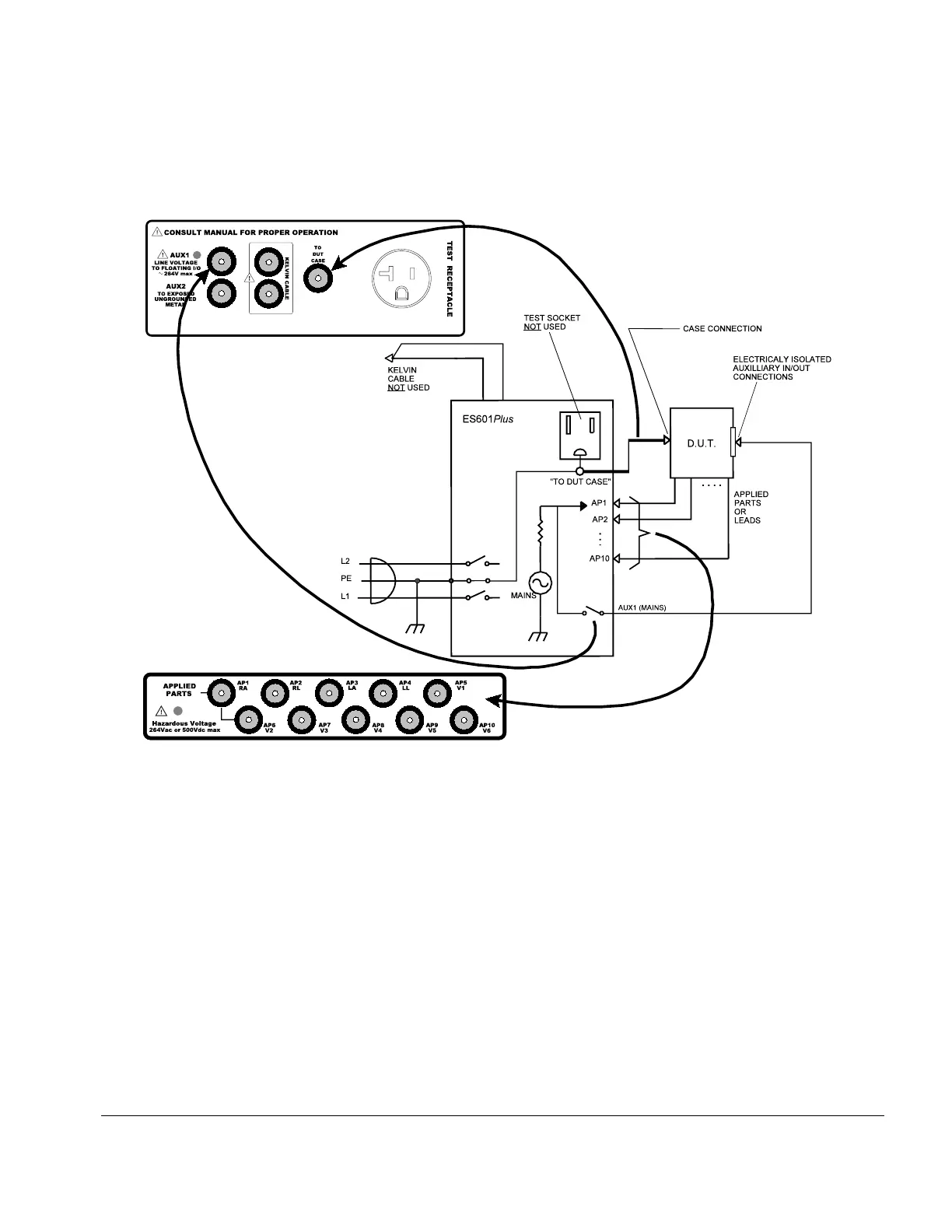
Fig u re 14 - Connecting to a battery-powered DUT
4.2 Connecting a Battery-Powered DUT to ES601Plus
Connection instructions for battery-powered DUT:
•
Whenever connecting or disconnecting a DUT or peripheral devices to ES601Plus, the power
switches of all equipment should be OFF.
•
The “TO DUT CASE” jack of ES601Plus connects to the enclosure of the DUT, or alternatively, to
aluminum foil which is wrapped over the DUT if the enclosure is made of plastic.
• As required, AUX1 may connect to electrically isolated input/output signals. Most typically, this
connection would be for testing a transformer-isolated data communications interface on the DUT,
such as an Ethernet Port.
• Note the Test Socket and the Kelvin Cable are not used for testing internally-powered devices.
Connecting To ES601/Chapter 4 # Page 41



 To Next Page