ES601Plus OPERATING MANUAL
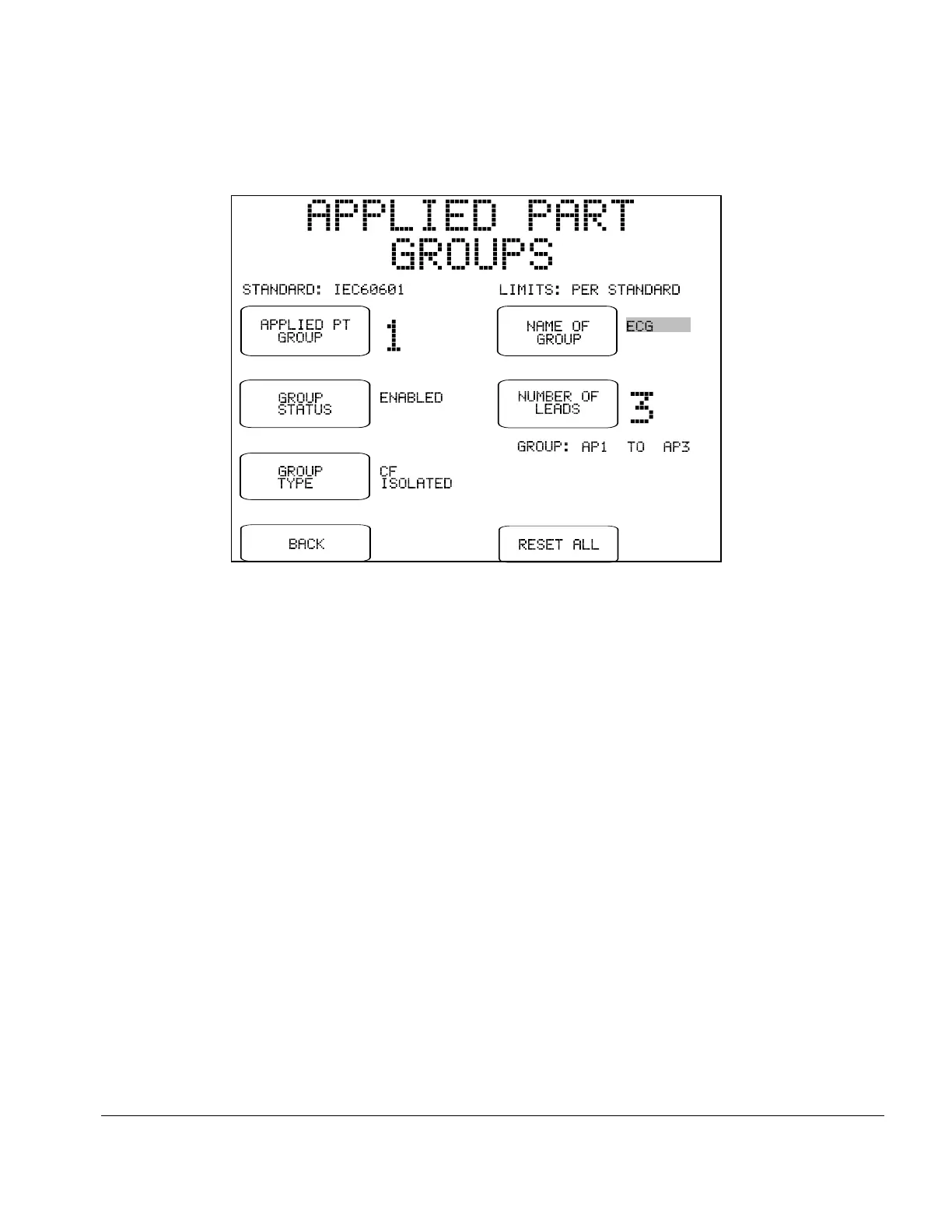
Fig u re 30 - Groups editor for applied parts.
The buttons appearing on the GROUPS editor are:
APPLIED PT GROUP:
Selects the applied part group to be edited: 1, 2 3, 4 or 5.
GROUP STATUS:
Selects "ENABLED" or "DISABLED". Applied parts of disabled
groups are excluded from patient leakage and auxiliary leakage
measurements. Group 1 cannot be disabled.
GROUP TYPE:
Selects the type of group: "B NON-ISOLATED", "BF ISOLATED"
(default), or "CF ISOLATED". Refer to Chapter 2 to review the
meaning of "Type B", "Type BF", and "Type CF" protection classes of
the safety standard. The setting of GROUP TYPE affects the limits
applied in patient leakage tests.
NAME OF GROUP:
Pressing this button causes the QWERTY touch keypad to be
displayed. The user may enter up to seven letters and/or digits as a
description of the lead group.
Manual Testing/Chapter 5 # Page 69


 To Next Page
 Loading...