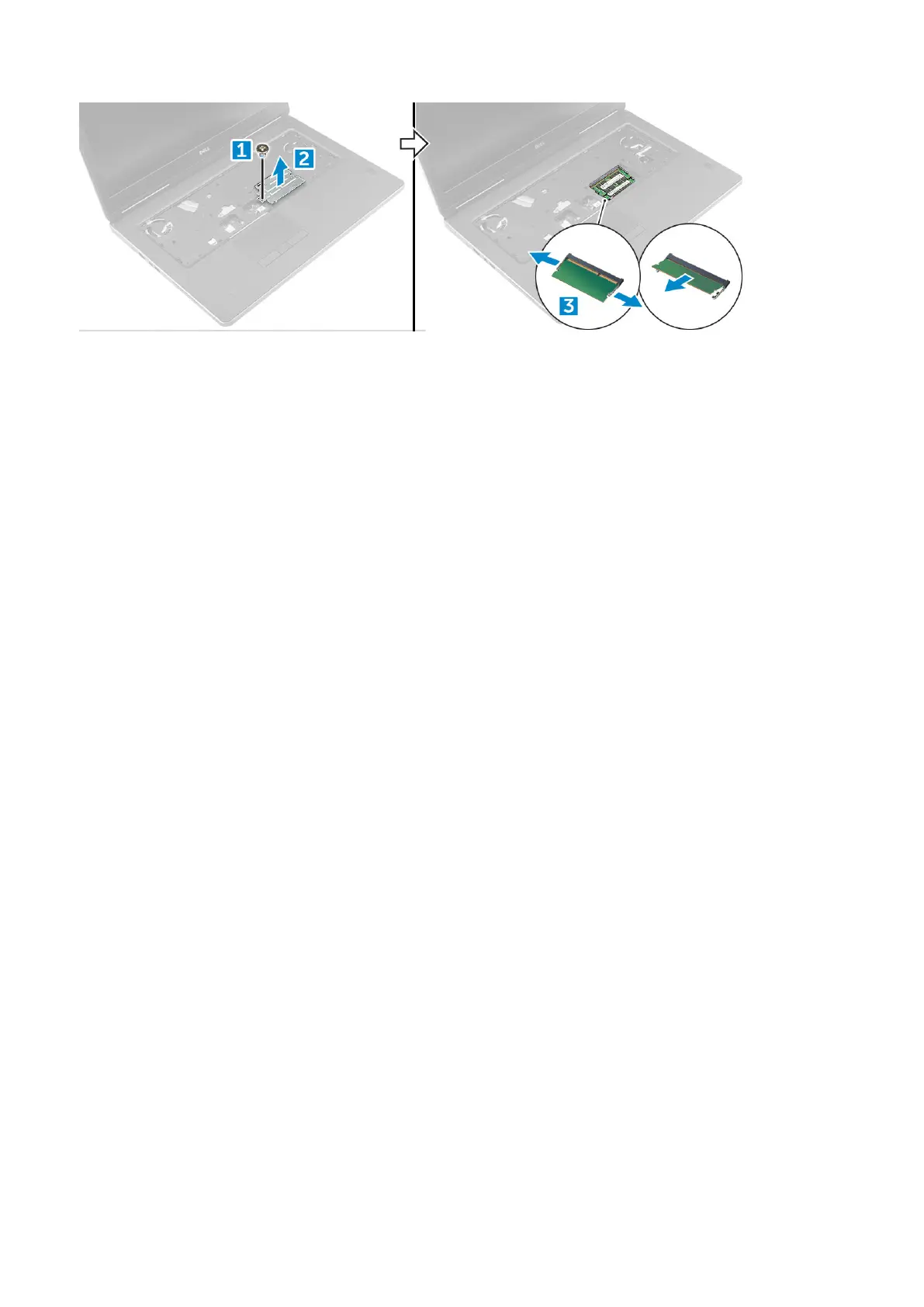
Installing the secondary memory module
1. Insert the memory module into the memory socket.
2. Press the clips to secure the memory module to the system board.
3. Place the memory shield in its original position on the memory module and tighten the screw to secure it to the computer.
4. Install the:
a) keyboard
b) hard drive
c) battery
d) battery cover
5. Follow the procedure in After working inside your computer.
Base cover
Removing the base cover
1. Follow the procedure in Before working inside your computer.
2. Remove the:
a) battery cover
b) battery
3. To remove base cover:
a) Remove the M2.5X5.0 screws that secure the base cover to the computer [1].
b) Slide and lift the base cover away from the computer [2].
Disassembly and reassembly
19















 To Next Page